EasyManua.ls Logo

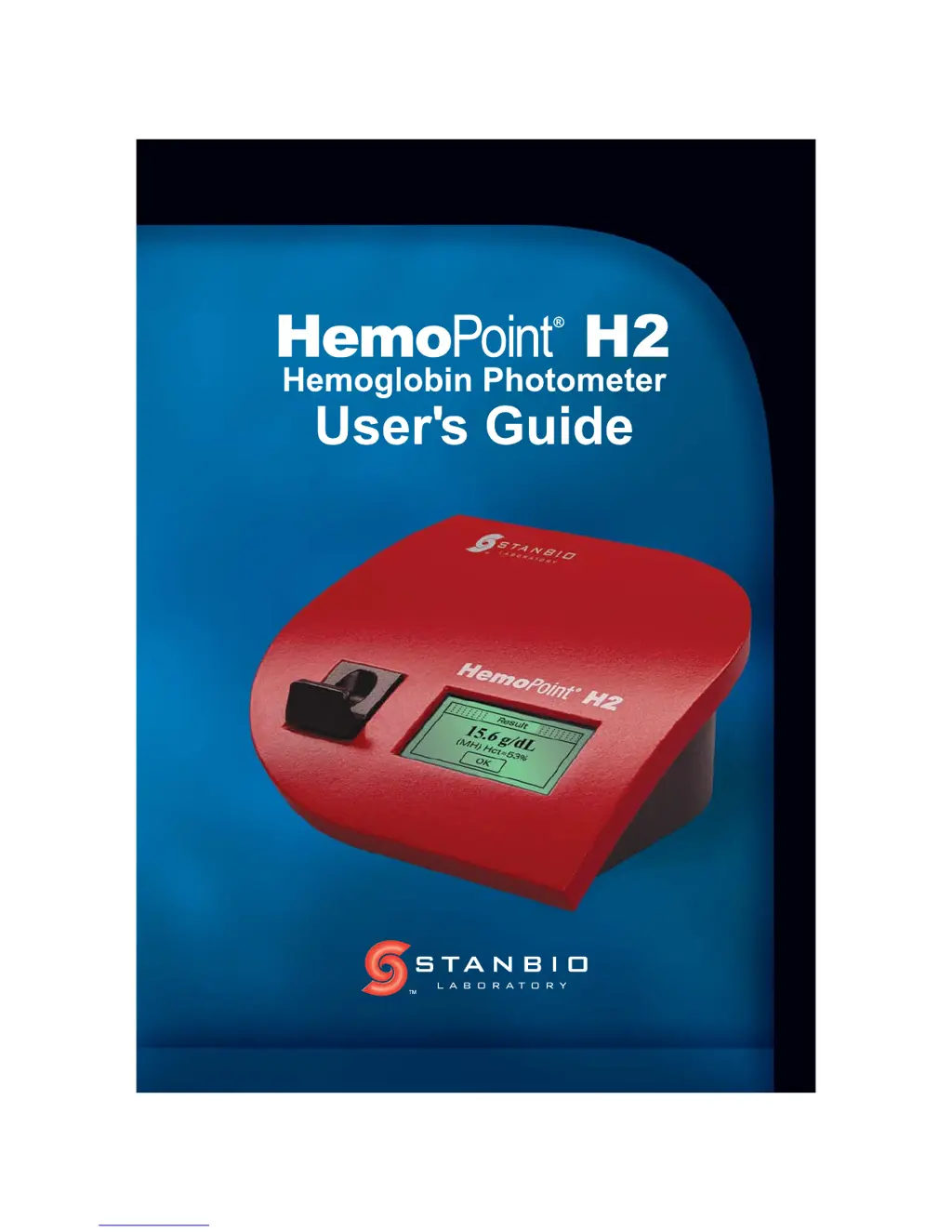
Stanbio HemoPoint-H2 - User Manual

Stanbio HemoPoint-H2
72 pages
Print Icon
To Next Page IconTo Next Page
Loading...

Table of Contents

Questions and Answers

  • M
    mitchellkellyAug 21, 2025
    Why is my Stanbio HemoPoint-H2 not switching on?
    • R
      Robert NelsonAug 22, 2025
      If your Stanbio Medical Equipment is not switching on, it could be due to a discharged battery, in which case you should plug in the power adapter. Alternatively, the software may not be responding, so perform a reset. Also, ensure that all plug contacts are correctly seated if the instrument does not react when connected to the power adapter.
  • W
    wcortezSep 4, 2025
    Why is the display screen hard to read on my Stanbio HemoPoint-H2 Medical Equipment?
    • K
      Kurt GraySep 4, 2025
      If the display screen is hard to read on your Stanbio Medical Equipment, the display contrast setting may be unsuitable. Reset the display contrast.
  • M
    Mary ManningSep 2, 2025
    What to do if my Stanbio HemoPoint-H2 Medical Equipment displays 'Memory is full'?
    • D
      Dustin McintoshSep 3, 2025
      If the error message "Memory is full" is displayed on your Stanbio Medical Equipment, it means that at least 4,000 test values have been stored. Delete the memory.
  • R
    Robert FloresSep 1, 2025
    What to do if my Stanbio HemoPoint-H2 displays 'Temp. too low'?
    • D
      daniel96Sep 1, 2025
      If your Stanbio Medical Equipment displays the information message "Temp. too low", it indicates that the ambient temperature is too low. Operate the instrument within the correct temperature range.
  • T
    tyler51Aug 30, 2025
    What to do if my Stanbio HemoPoint-H2 displays 'Temp. too high'?
    • J
      Julie SimpsonAug 30, 2025
      If your Stanbio Medical Equipment displays the information message "Temp. too high", it indicates that the ambient temperature is too high. Operate the instrument within the correct temperature range.
  • L
    leonardchristopherAug 29, 2025
    Why are my QC and sample measurements unrealistic on my Stanbio HemoPoint-H2 Medical Equipment?
    • S
      Sara HodgesAug 29, 2025
      If your test results are not realistic and the control blood test result is out of range, it could be due to a defective or superimposed microcuvette, air bubbles in the microcuvette, or a sampling error. Also, check if the control blood is wrong or unsuitable, or the control level is incorrect. Ensure the cuvette holder is properly engaged, the optical unit is clean, and the cuvette is correctly positioned into the cuvette holder. The HemoPoint® H2 must be only used with Stanbio Hemoglobin n•x•t microcuvettes.
  • A
    Ashley BoothAug 27, 2025
    What does it mean if my Stanbio HemoPoint-H2 Medical Equipment displays 'Measured value too high'?
    • J
      Julie SteeleAug 27, 2025
      This error message may appear if the sample material is wrong or unsuitable. Ensure correct sampling and check for defective or superimposed microcuvette.
  • L
    lisapetersonAug 26, 2025
    What to do if my Stanbio HemoPoint-H2 displays the information message 'Low battery'?
    • M
      Mr. Michael DavisAug 27, 2025
      If your Stanbio Medical Equipment displays the information message 'Low battery', it indicates low battery operation time. Power the instrument from the power adapter to recharge the battery. If the battery is not recharged, the instrument will switch off after a while.
  • A
    annette90Aug 25, 2025
    What does it mean if my Stanbio Medical Equipment displays 'Dirty Optics – Use Optics Cleaner'?
    • J
      Joseph WarrenAug 25, 2025
      This message indicates a dirty optical unit. The suggested solution is to ensure the cuvette holder is properly opened or closed and repeat the testing procedure. Also, check that the cuvette holder is properly engaged.
  • D
    deanstuartAug 23, 2025
    What to do if my Stanbio HemoPoint-H2 Medical Equipment shows no display and doesn't respond?
    • S
      ssanchezAug 23, 2025
      If your Stanbio Medical Equipment shows no display and doesn't respond to entries, the battery may be empty. Try powering the instrument with the power adapter and allow the battery to recharge completely. If that doesn't work, the battery may be defective, in which case the instrument can only be operated when powered with the power adapter. If the software does not respond, perform a reset of the instrument.

Summary

Important Information

Safety Notes

Crucial safety guidelines to prevent harm and equipment damage.

Intended Use

Set Up

Unpacking the Photometer

Steps to unpack the HemoPoint® H2 and verify all included items.

Sampling and Testing Procedure

Taking a Sample

Comprehensive guide on obtaining blood samples for testing.

Performing the Test

Step-by-step procedure for conducting a hemoglobin test.

Quality Control

Methods to ensure the accuracy and reliability of test results.

Maintenance

Charging and Care of the Battery

Information on charging, maintaining, and managing the instrument's battery.

Troubleshooting

Problem Solving

A guide to identifying and resolving common issues with the HemoPoint® H2.

Stanbio HemoPoint-H2 Specifications

General IconGeneral
BrandStanbio
ModelHemoPoint-H2
CategoryMedical Equipment
LanguageEnglish