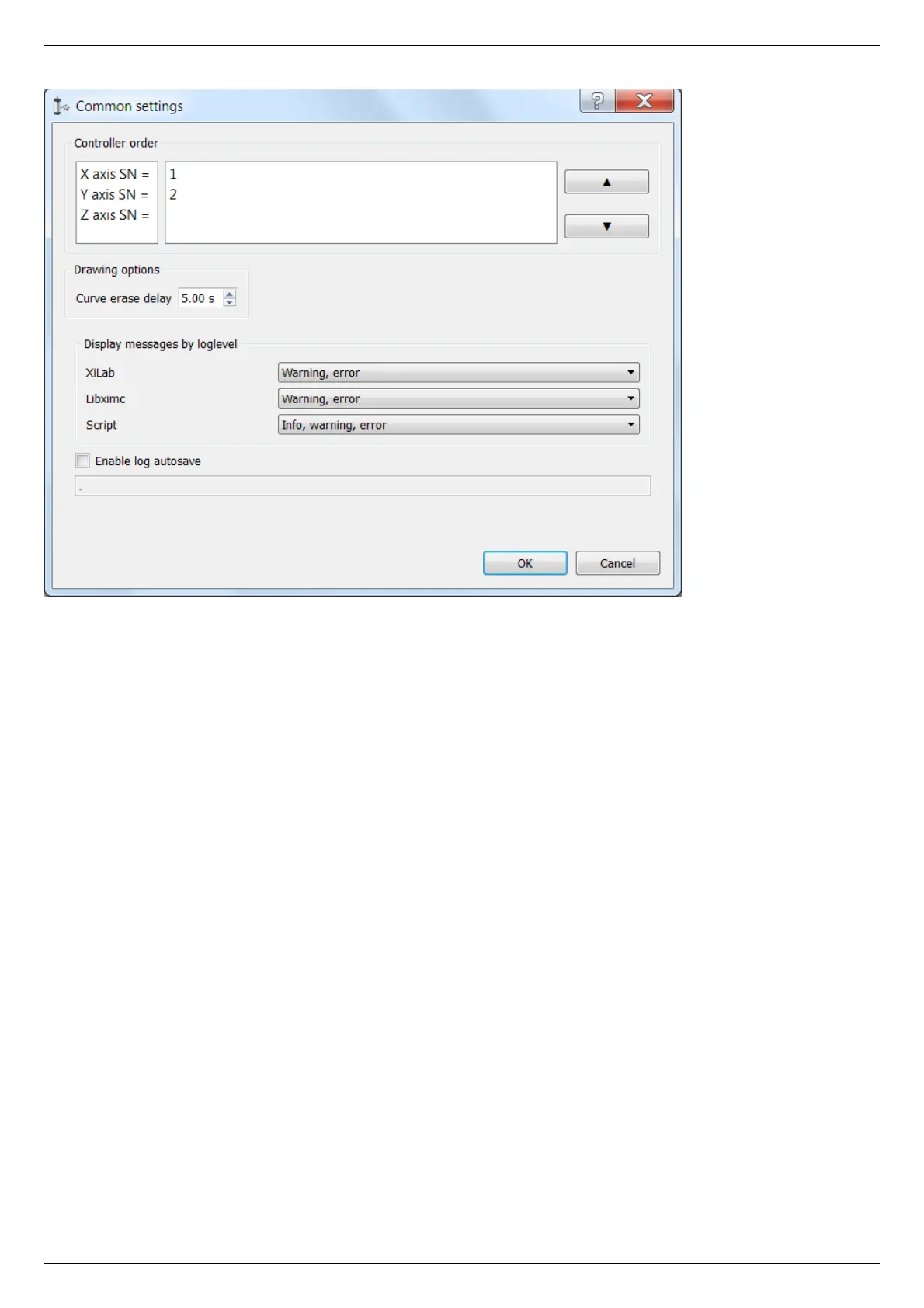
Common settings dialog window
Common settings window contains axis order settings, curve drawing options and logging settings.
You can reorder axes by choosing the axis serial, then pressing "up" or "down" buttons on the right.
First axis in the list, that is, an axis with serial number listed to the right of "X axis SN = " label will be referred to as "X axis", the
second one as "Y axis", the third one, if it is available, as "Z axis".
If you enter a greater than zero value of N seconds in the "curve erase delay" control in the "Drawing options", then last N seconds of X
and Y axis controller motion will be displayed as a trajectory in 2D-space overlaid on the virtual joystick window.
Common logging settings are completely identical to single-axis version logging settings .
Here you can configure logging detail ("None" for no logging, "Error" to only log errors, "Error, Warning" to log errors and warnings,
"Error, Warning, Info" to log errors, warnings and informational messages) for each source: XiLab itself, libximc library and Scripts
module.
If the autosave option is enabled the log is saved to the file, which is flushed every 5 seconds. It has a name of type
"xilab_log_YYYY.MM.DD.csv", where YYYY, MM and DD are current year, month and day respectively. The log is saved in CSV format.



 To Next Page