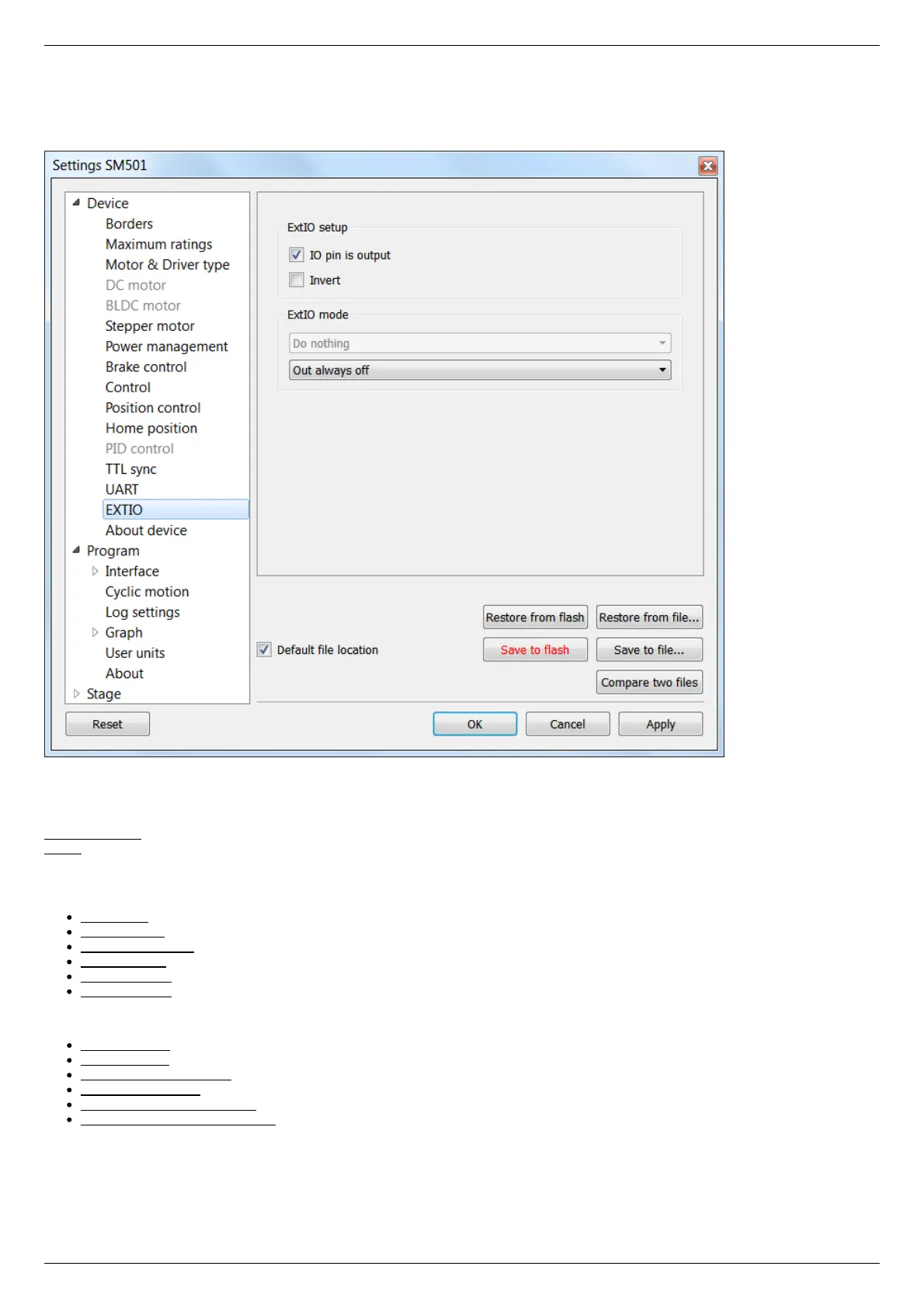
5.3.11. General purpose input-output settings
In the Application Settings Device configuration -> EXTIO settings
General purpose input-output settings tab
For detailed information, please see General purpose digital input-output .
ExtIO setup
IO pin is output - if the flag is checked the needle of ExtIO works in output mode, otherwise - in the input mode.
Invert - if the flag is checked the rising edge is ignored and the falling edge is active.
ExtIO mode - mode selection
If ExtIO configured for input mode the choice of controller action settings by the input pulse is active:
Do nothing - do nothing.
Stop on input - run STOP command.
Power off on input - run PWOF.
Movr on input - run MOVR.
Home on input - run HOME.
Alarm on input - enter ALARM state.
If ExtIO configured for output mode the choice of the output state depending on the controller status is active:
Out always off - always in inactive state.
Out always on - always in active state.
Out active when moving - in active state during motion.
Out active in Alarm - in active state if the controller is in the Alarm state.
Out active when motor is on - in active state if the motor windings are powered.
Out active when motor is found - in active state if the motor is connected.



 To Next Page