Helios Users Guide
www.starcomgpsglobal.com 125
Using Map Tooltip Format
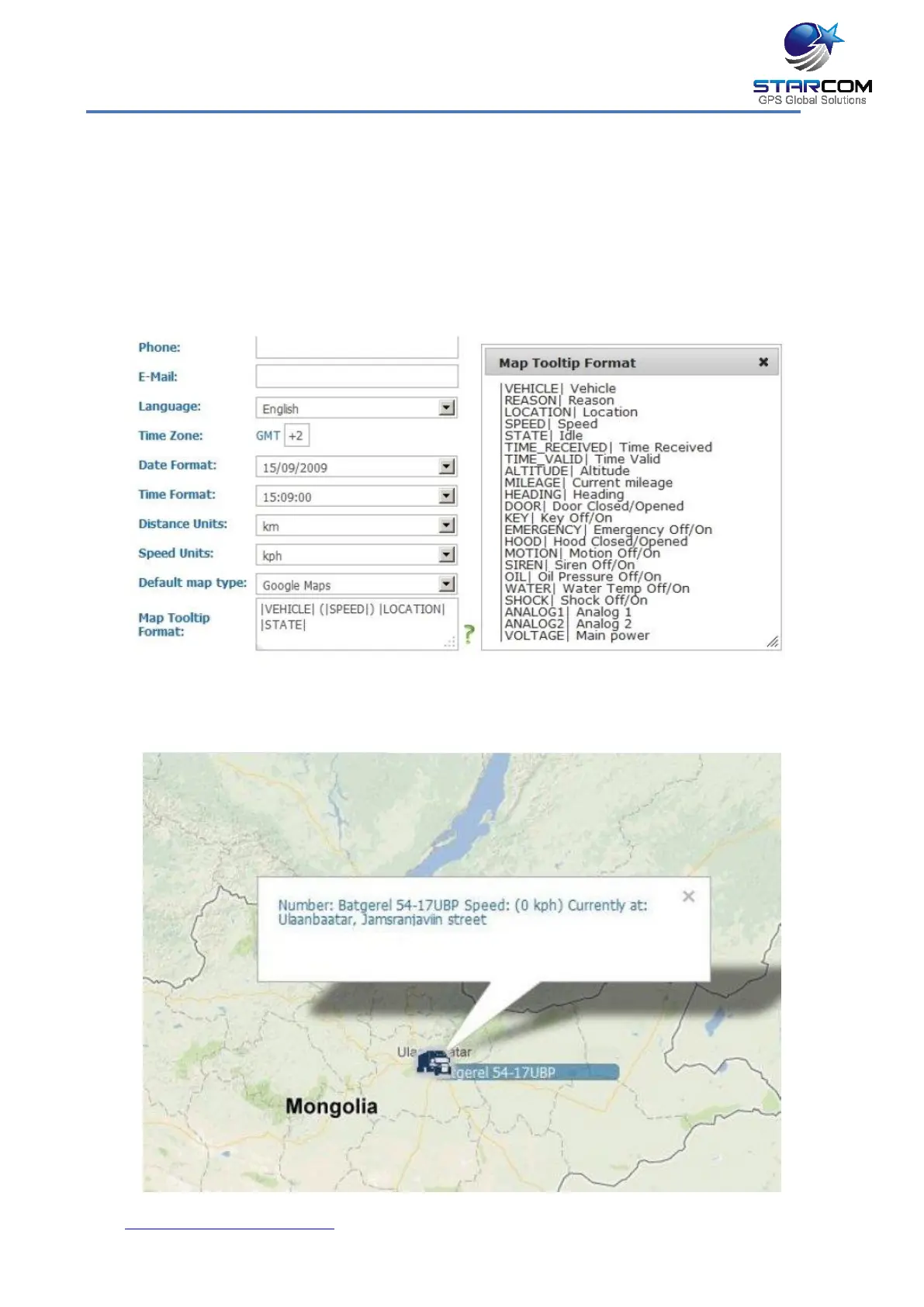
The Map Tooltip Format field lets you configure the information that will
appear in the info window on the Map page when you select a unit.
To see all the parameters that can be configured in the Map Tooltip Format
field, click on the green question mark located to the right of the field. The Map
Tooltip Format legend window will appear.
Once you made all the necessary changes, click Apply. Then go to the Map
page and check the unit info window.



 To Next Page