Helios Users Guide
www.starcomgpsglobal.com 122
Scheduled reports
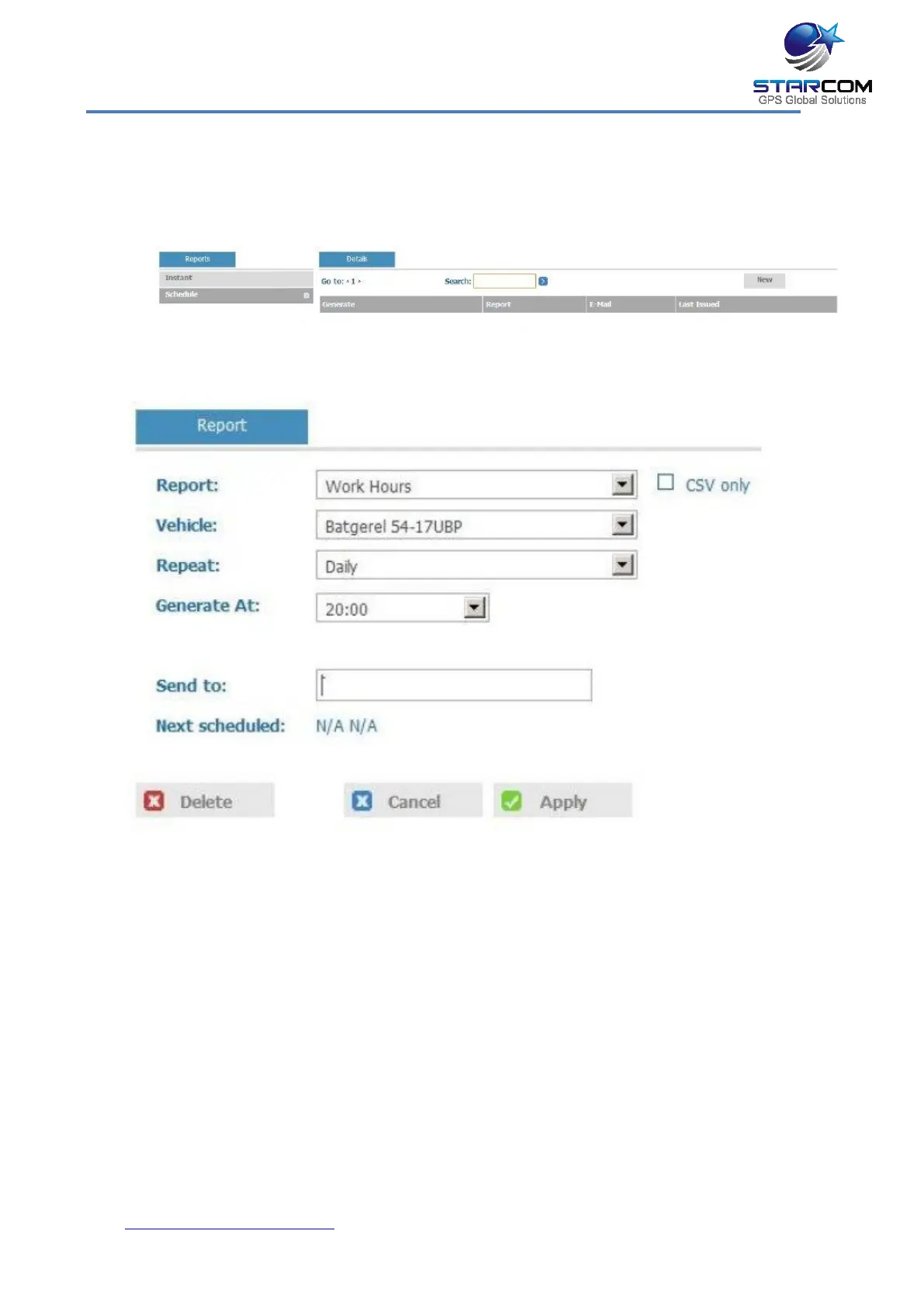
To create a scheduled report, in the Reports section, click Schedule. The
Schedule page appears
Click New. The Report Scheduling page opens.
From the Report dropdown list, select the type of report you want to
create.
Tick the CSV only checkbox, if you do not want a map provided with the
report.
From the Unit dropdown list, select the unit or group of units for the
report.
From the Repeat dropdown list, select if you want the report repeated
Daily, Weekly or Monthly.
From the Generate At dropdown list, select the time at which you want
to generate the report.



 To Next Page