Helios Users Guide
www.starcomgpsglobal.com 96
Drivers
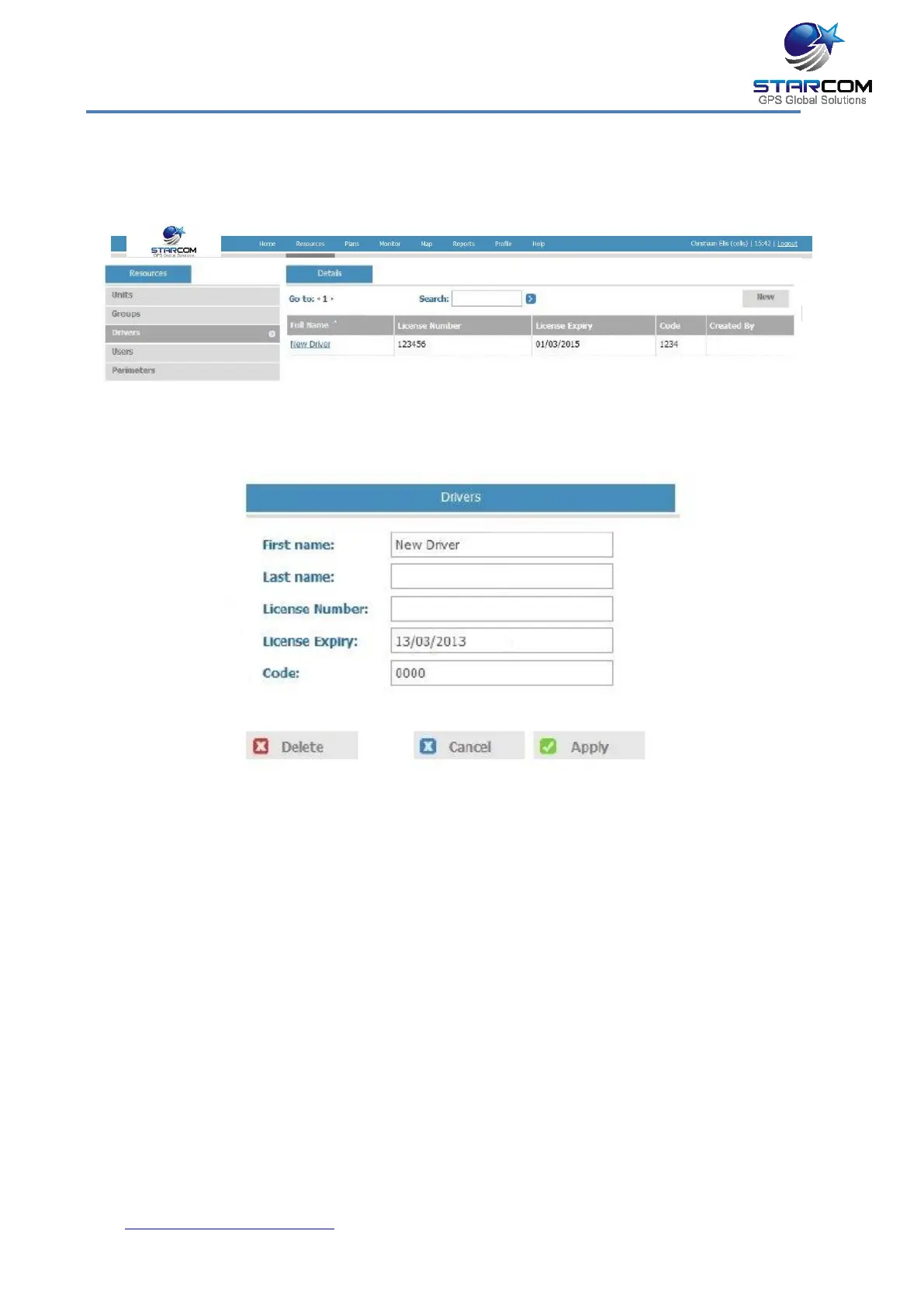
You can create new and modify the existing drivers.
To create a new driver, click New. The Drivers page opens. Here you can
enter the new driver information.
In the Code field, you can specify the iButton or keypad code of the
driver.
Click Apply. The new driver is saved.
To modify a driver, in the Drivers page, click on the driver name link of
the driver you want to modify. The Drivers page appears. Modify the
driver details as required. Click Apply. The modified driver details are
saved.
To delete a driver, in the Drivers page, click on the driver name link of
the driver you want to delete. The Drivers page appears. Click Delete.
The driver is deleted.



 To Next Page