Helios Users Guide
www.starcomgpsglobal.com 45
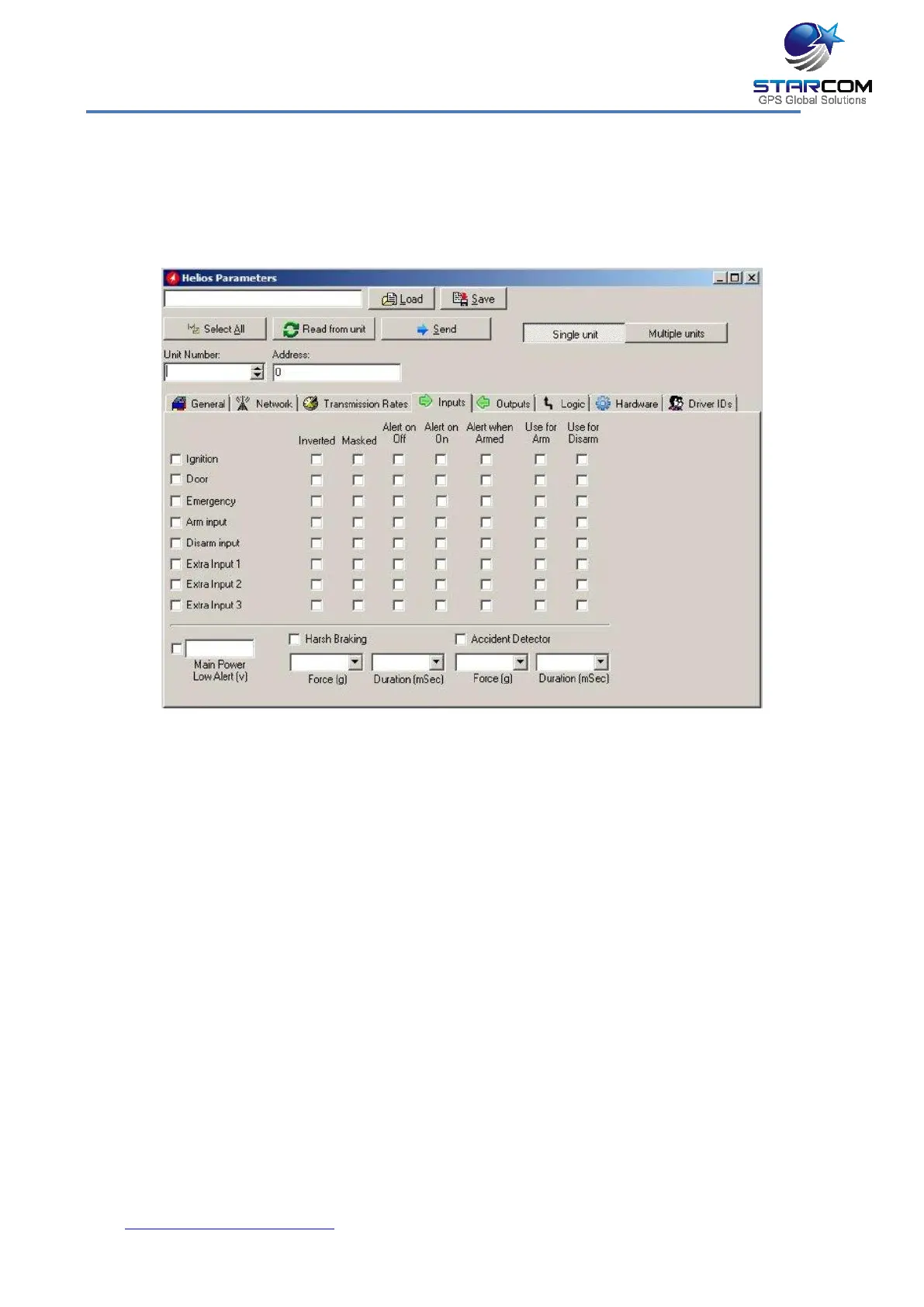
Inputs settings
This tab allows you to configure the unit inputs activities and alerts. In
addition, this tab allows you to configure the Main Power Low alert and the
accelerometer alerts.
Inverted – use to invert the input.
Masked – use to mask the input. If enabled, the input activity will not be
transmitted.
Alert on Off – if activated, the unit will send the input Off alert.
Alert on On – if activated, the unit will send the input On alert.
Alert when Armed – if activated, the unit will send the input on alert when it
is armed.
Use for Arm – will arm the unit when the state of the input changes.
Use for Disarm – will disarm the unit when the state of the input changes.
Ignition – ignition input, YELLOW cable on Helios wire harness (Pin 4).
Door – door input, GREEN cable on 24-pin Helios wire harness (Pin 16).



 To Next Page