Helios Users Guide
www.starcomgpsglobal.com 155
Appendix I – Cellular Phone Commands
You can use a cellular phone to send commands to Helios.
On Starcom Online, go to Unit Information and make sure that the unit is
configured to receive commands from a cellular phone.
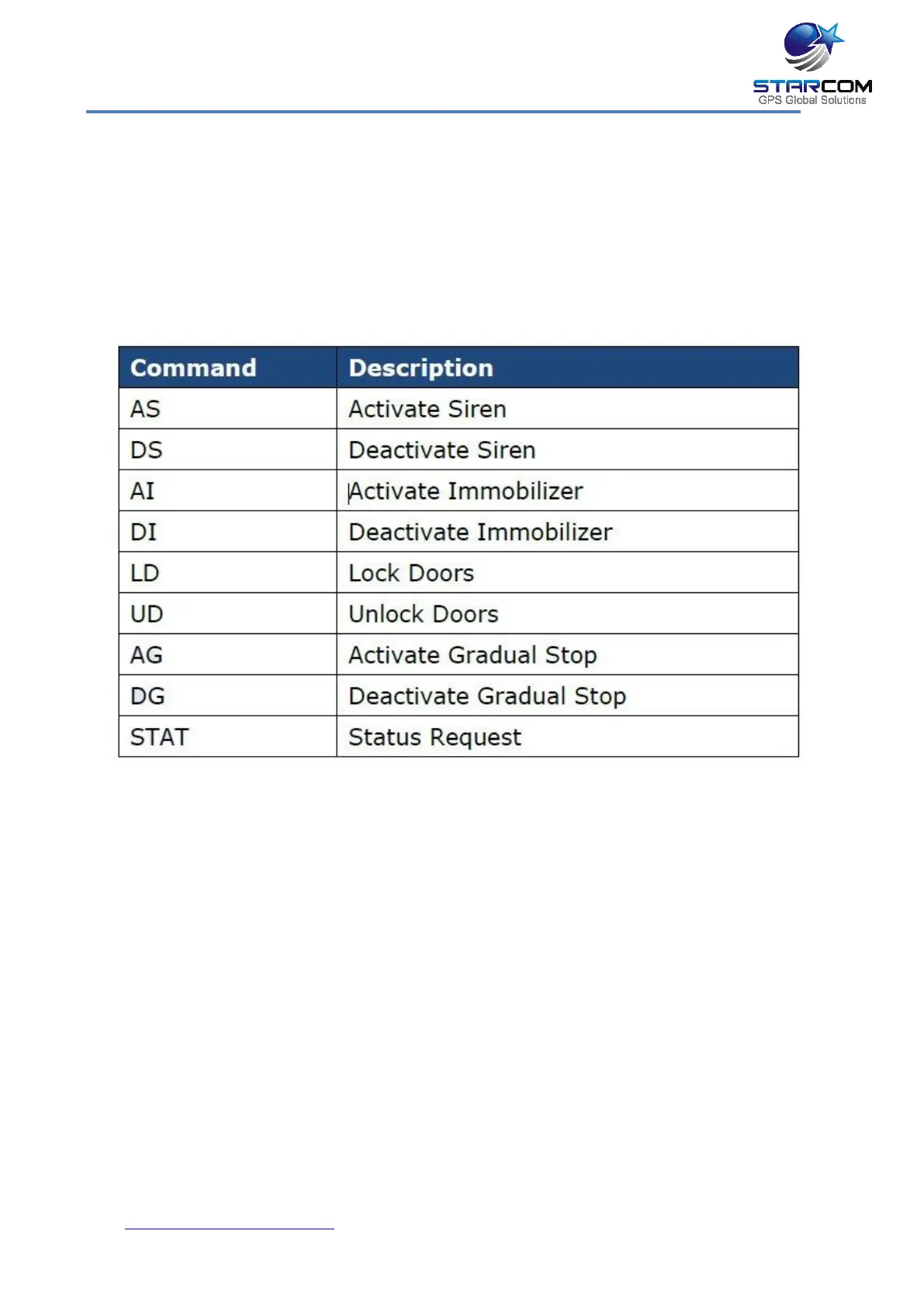
The following table lists the SMS text commands supported by the system.
Send an SMS text message in the following format:
COMMAND UNIT NUMBER STARCOM USERNAME STARCOM PASSWORD
Insert a space between the command, the unit number, and the password.
For example, if your login credentials for Starcom Online are username:
starcom, password: starcom1, and the unit number is 123456, you can
activate the siren by sending the following command:
AS 123456 starcom starcom1



 To Next Page