Helios Users Guide
www.starcomgpsglobal.com 51
Hardware settings
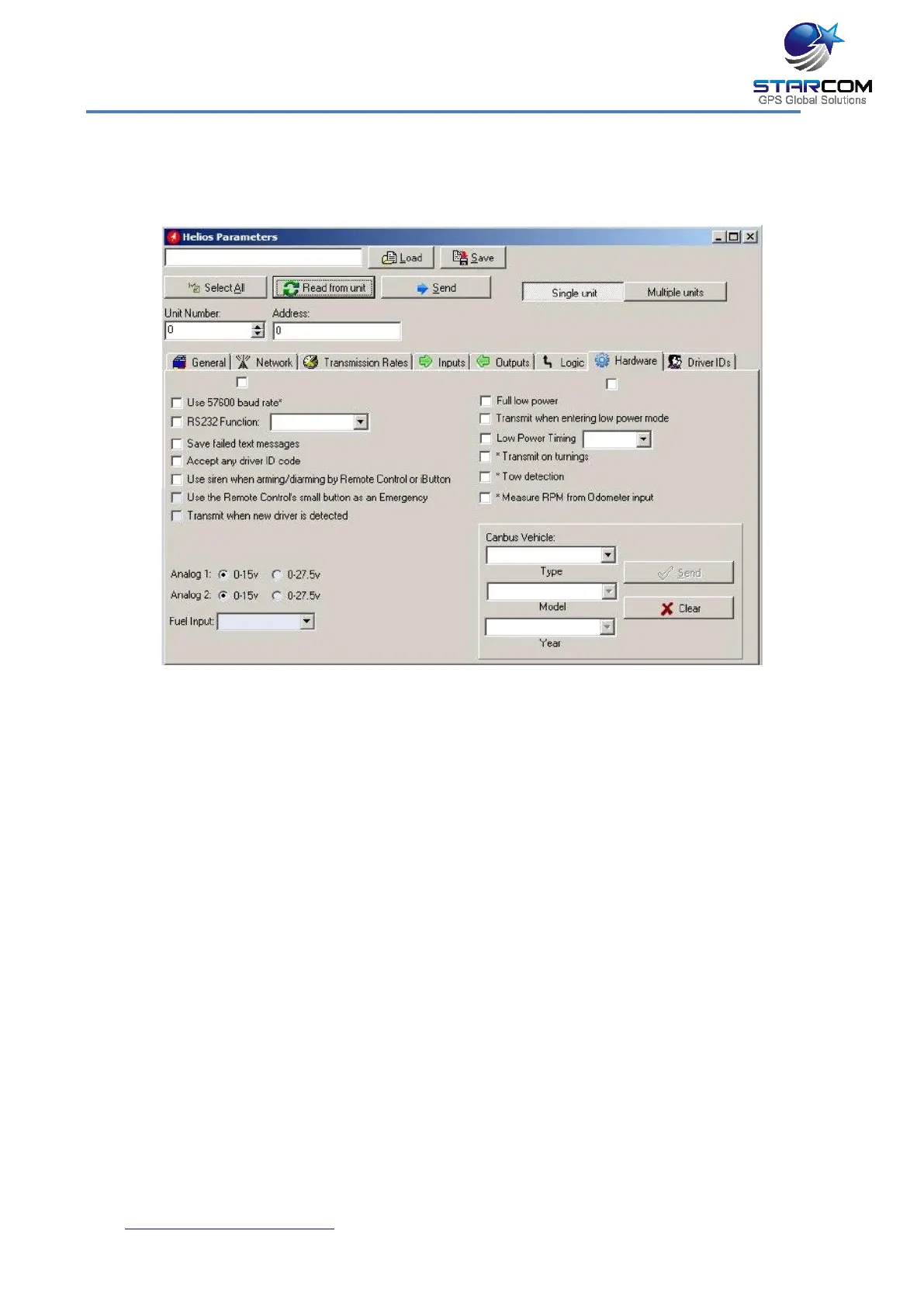
This tab allows you to configure various hardware settings.
The following settings relate to external text message devices.
Use 57600 baud rate – if activated, the device will use 57,600 bps to
communicate with external devices (such as MDT) through its RS232 port.
NOTE: if the unit is connected to the computer directly with a cable, you have
to change the baud rate in the Communications > Advanced window.
RS232 Function – the protocol to be used by RS232 devices.
Save failed text messages – if activated, the unit will save failed text messages
that were sent via the RS232 port, according to the same logic that the
Tracking messages are saved.
The following settings relate to the driver ID, keypad, and remote control use.
Accept any driver ID code – if activated, any keypad code, remote control, or
iButton can be used to disarm the unit.
Use siren when arming/disarming by Remote Control or iButton –
whenever the vehicle is getting armed from the remote control, two beeps will
sound from the siren, and whenever the vehicle is getting disarmed from the
remote control or iButton, one beep will sound. Also, whenever a new remote
control or iButton is detected, one beep will sound.



 To Next Page