Helios Users Guide
www.starcomgpsglobal.com 143
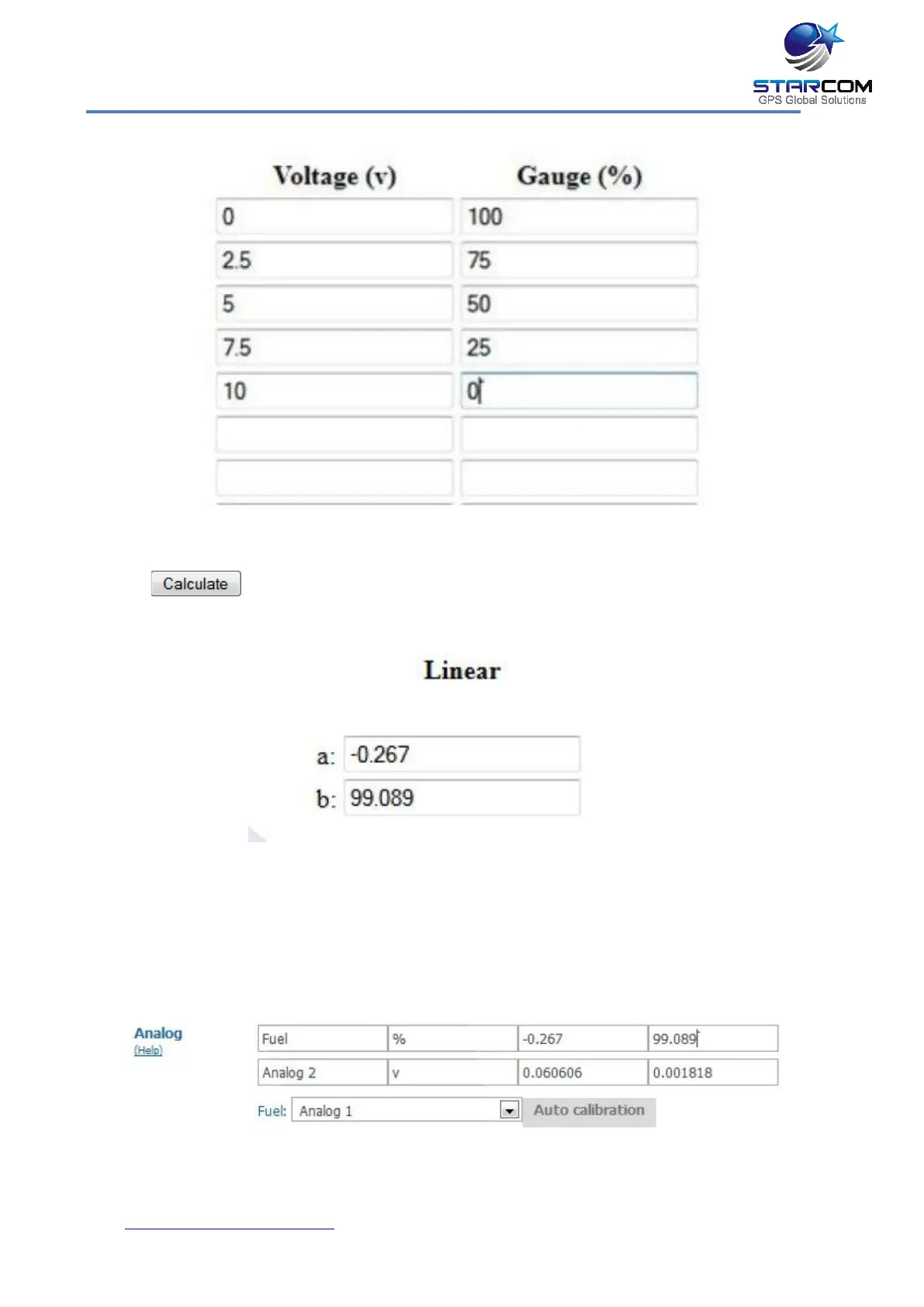
Click . The output will be displayed in the linear parameters.
The received "a" and "b" parameters should be entered accordingly in the Unit
Information > Captions section on Starcom Online.
In order to see the fuel level in percentages in the reports, enter "Fuel" instead
of Analog 1 in the Analog 1 field, and enter "%" instead of "v".



 To Next Page