SERVICE PROCEDURES AND ADJUSTMENTS
REPLACEMENT CONTROL BOARD
PROGRAMMING
Certain procedures in
this section require electrical test or
measurements while power is applied
to the machine. Exercise extreme
caution at all times and follow Arc Flash
procedures. If test points are not easily
accessible, disconnect power and
follow Lockout/Tagout procedures,
attach test equipment and reapply
power to test.
Certain components in this system are
subject to damage by electrostatic discharge during
field repairs. A field service grounding kit is required
to prevent damage. The field service kit must be used
anytime the control board is handled.
NOTE: The replacement control board comes
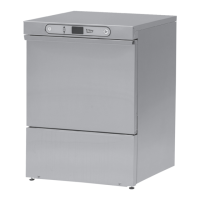
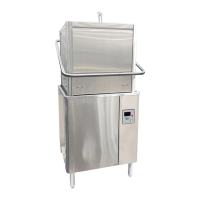
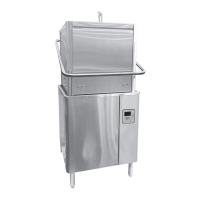
programmed as an SG, SU-L, and SU-H or other OEM
machines must be reprogrammed to Stero.
Prior to removing board from machine, check and note
the settings of programmable variables as outlined
under
SERVICE PROGRAMMING (8934) when
possible. When unable to access SERVICE
PROGRAMMING, check with establishment manager
to determine customer control settings. If control
settings cannot be determined, program according to
machine type SG, SU-L, and SU-H.
1. Press MENU button on keypad.
NOTE: Menu can also be accessed by shorting J27
(SVC) pins on control board. See
CONTROL PANEL
SERVICE POSITION.
2. Enter SERVICE MENU.
3. Enter Service code 8934.
4. Select Edit Parameters, then Models.
5. Pick model based on data plate on door.
6. Select Exit Menu.
7. Shut down and cycle power to the dishwasher.
(Reboot)
8. Once power is reapplied turn machine on and re-
enter service programming to verify replacement
board is still set for the appropriate model.
9. Program replacement board to customer's
specifications using
SERVICE PROGRAMMING
(8934).
10. Check for proper operation.
SERVICE PROGRAMMING (8934)
Service Programming
• EDIT PARAMETERS
• VIEW ERROR LOG
•
VIEW STATS
• TOGGLE DIAGNOSTICS
• PRIME PUMPS
•
IMMEDIATE SHUTDOWN
• SHOW SOFTWARE REVISION
• RESET PARAMETERS
• EXIT MENU
1. Press MENU button on keypad.
2. Enter SERVICE MENU.
3. Enter Service code 8934.
EDIT PARAMETERS
Parameter
Name
Cold Units
(Stero Cold SU-L)
(Glass Washer:
Stero Cold SG)
Hot Units
(Stero Hot SU-H)
Description Possible Values Default Values
Model
Stero Cold SU-L
Stero Cold SG
Stero Hot SU-H
Select
programming
for appropriate
model of
dishwasher.
Stero Hot SU-H
Stero Cold SU-L
Stero Cold SG
LXeH Base Hot
SG, SU-L, SU-H DISHWASHERS - SERVICE PROCEDURES AND ADJUSTMENTS
F45577 (1215) Page 18 of 59


 To Next Page