Cleaning the dust valve
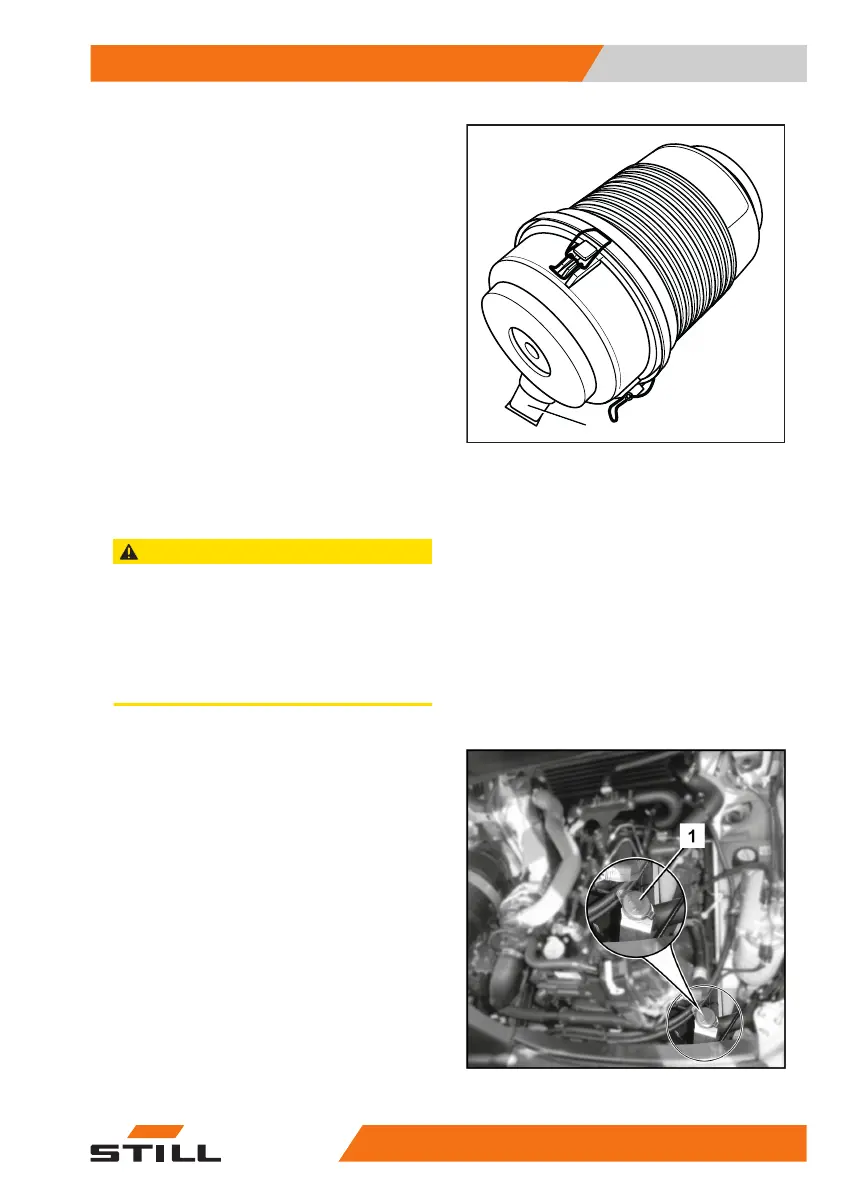
– Press the dust valve (1) on the air filter
housing between your fingers until no more
dust is emitted.
Filling the washer system
CAUTION
Components may become damaged due to the ef-
fects of frost!
Water expands when it freezes. If there is no anti-
freeze in the washer system (variant), the screen
wash can freeze at temperatures below freezing and
damage the washer system.
– Always use screen wash that contains anti-freeze.
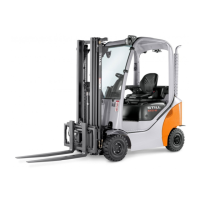
– Open the bonnet.
– Open the filler cap(1) on the screen wash
reservoir.
– Fill the screen wash reservoir with screen
wash and anti-freeze in accordance with the
maintenance data table.
– Close the filler cap.
– Close the bonnet.
– Operate the washer system until washer flu-
id is discharged from the spray nozzles.
1
Maintenance
5
Preserving operational readiness
42757378011527EN-12/2023 - 07



 To Next Page