– Refer to the chapter entitled "Display mes-
sages".
Starting the engine
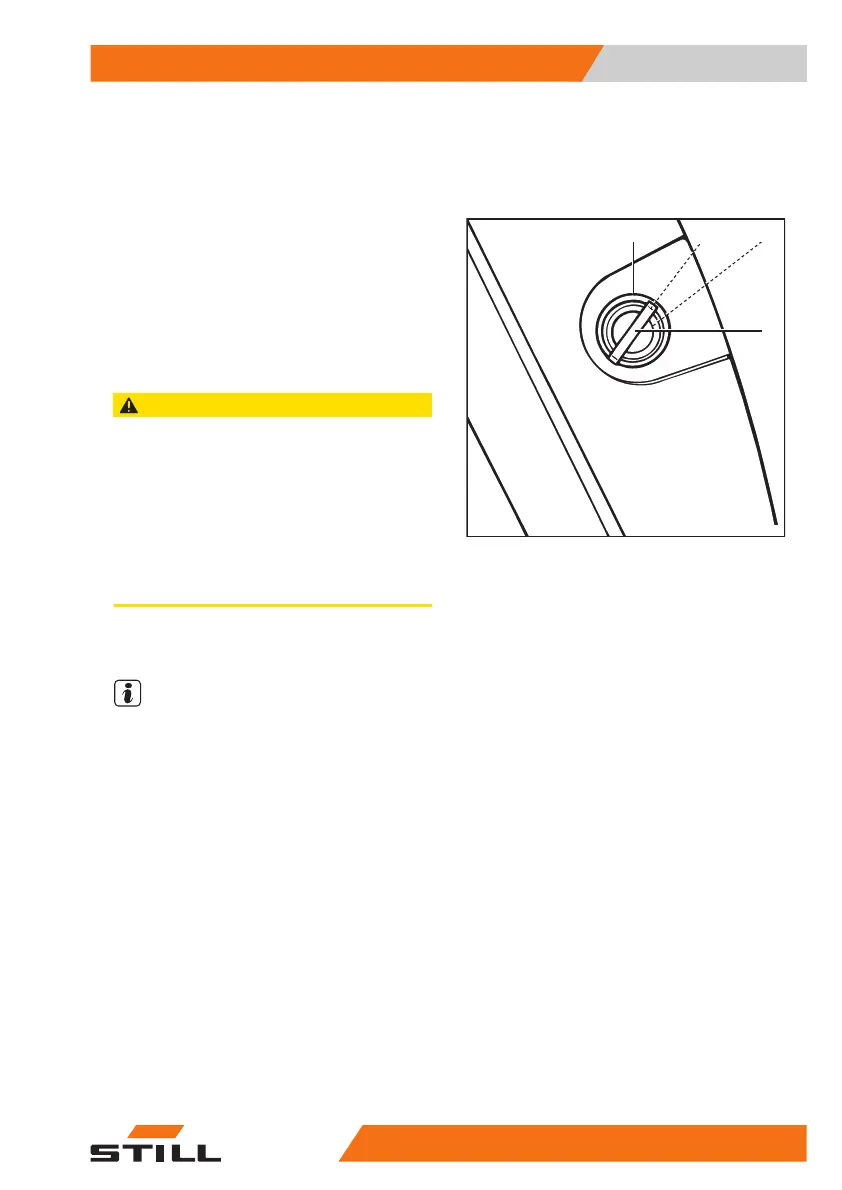
– Turn the switch key to position"II" and hold
it there until the engine starts.
– Release the switch key when the engine
starts.
If the engine does not start after 20seconds,
stop the starting procedure to protect the start-
er battery then repeat after one minute.
CAUTION
Risk of engine damage!
If an error message appears on the display after the
engine has been started, the engine lubrication may
be insufficient. Insufficient lubrication may result in
engine damage.
– Stop the engine immediately.
– Check the engine oil level and top up if necessary
– If the message still appears, contact the author-
ised service centre.
– Please note the information in the chapter
entitled "Malfunctions".
NOTE
If the engine does not start due to a dis-
charged battery, charge the battery or jump-
start the engine.
Access authorisation with PIN
code (variant)
Trucks equipped with the "Access authorisa-
tion with PIN code" variant are protected
against unauthorised use by a PIN code. So
that the same truck can be used by different
drivers, individual PIN codes can be specified.
An initial PIN code of "11111" is preset at the
factory for the first use.
7071_003-101
0 I
1
II
Operation
4
Switching on and starting
12957378011527EN-12/2023 - 07



 To Next Page