4.1.1 Dynamic IP Configuration of PCs Connected to the VSAT LAN
By default, the DHCP server in the SatLink VSAT is enabled, and when the VSAT is powered on, all PCs
connected to the VSAT LAN can automatically retrieve their IP configuration from the DHCP server. The
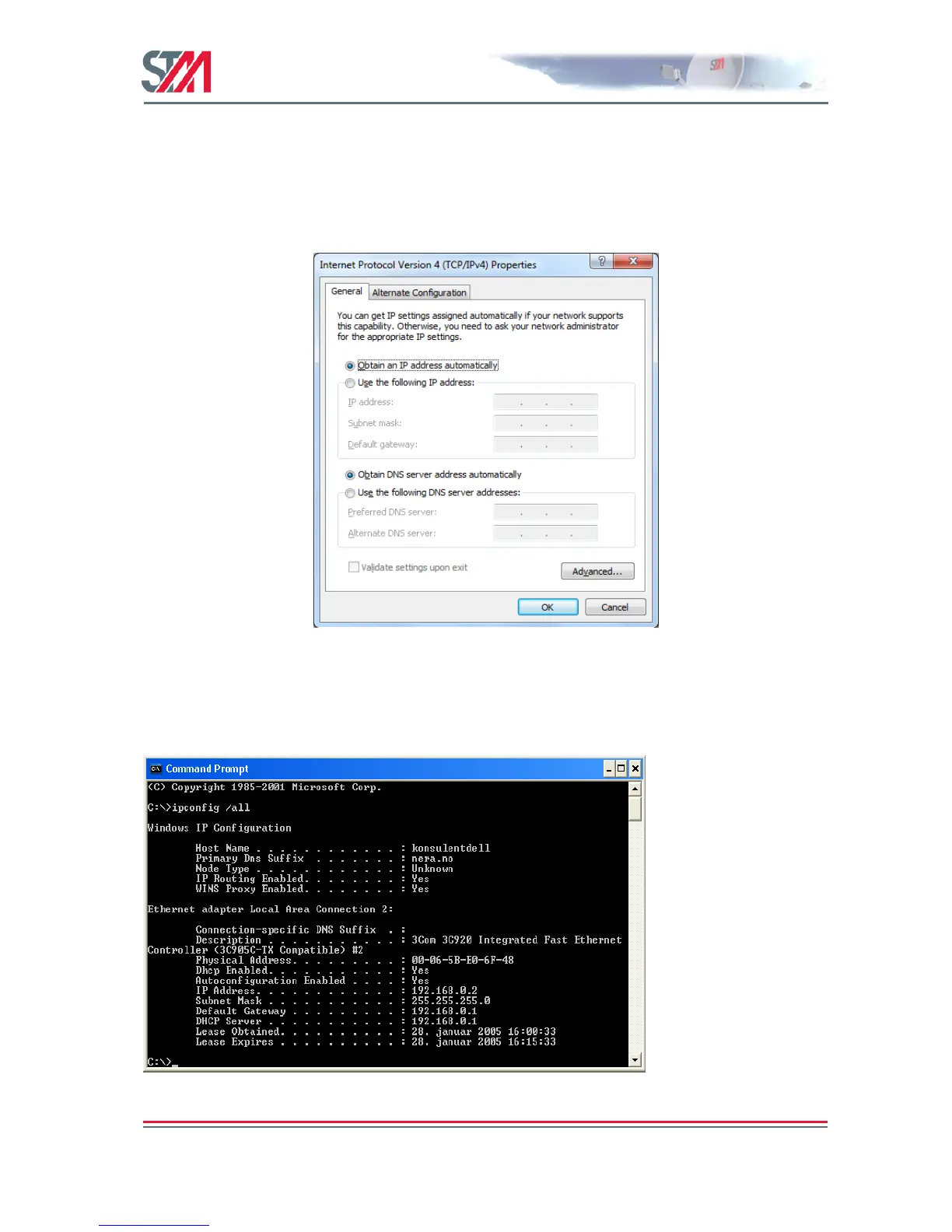
user should verify that the Windows clients are configured to obtain an IP address and DNS server
address automatically. Figure 14 shows the correct Windows 7 configuration when the DHCP server is
enabled in the VSAT.
Figure 14: Windows 7 TCP/IP Setting when DHCP Server is Enabled in the VSAT
From an MS-DOS window, the user may type ipconfig /all command to verify that the computer has
received correct configuration parameters from the DHCP server, such as IP address, subnet mask, default
Gateway, DNS servers, and lease time.
Figure 15: ipconfig /all Printout from an MS-DOS Window



 To Next Page