5. Using the SatLink VSAT Web Interface
The SatLink VSAT Web interface supports managing the most common configuration parameters and
viewing the status of the VSAT. The web browser currently supported is Microsoft Internet Explorer, but
other browsers, like Firefox and Opera, typically work fine as well. The functions available via the web
interface are:
Configuring the most commonly used satellite interface parameters
Configuring the most commonly used IP parameters
Return Link line-up procedure
Viewing status information for the satellite interface
Viewing traffic statistics
Viewing device information
Viewing status of the DHCP server
Viewing Event log information
Advanced functions, such as adding SW licenses, configuring GRE tunnels, downloading software
updates manually, configuring automatic software updates, configuring system information, adding users
and changing a user's password, configuring SNMP access, adding manual IP routes, etc., are only
available from the CLI via Telnet or the RS-232 port.
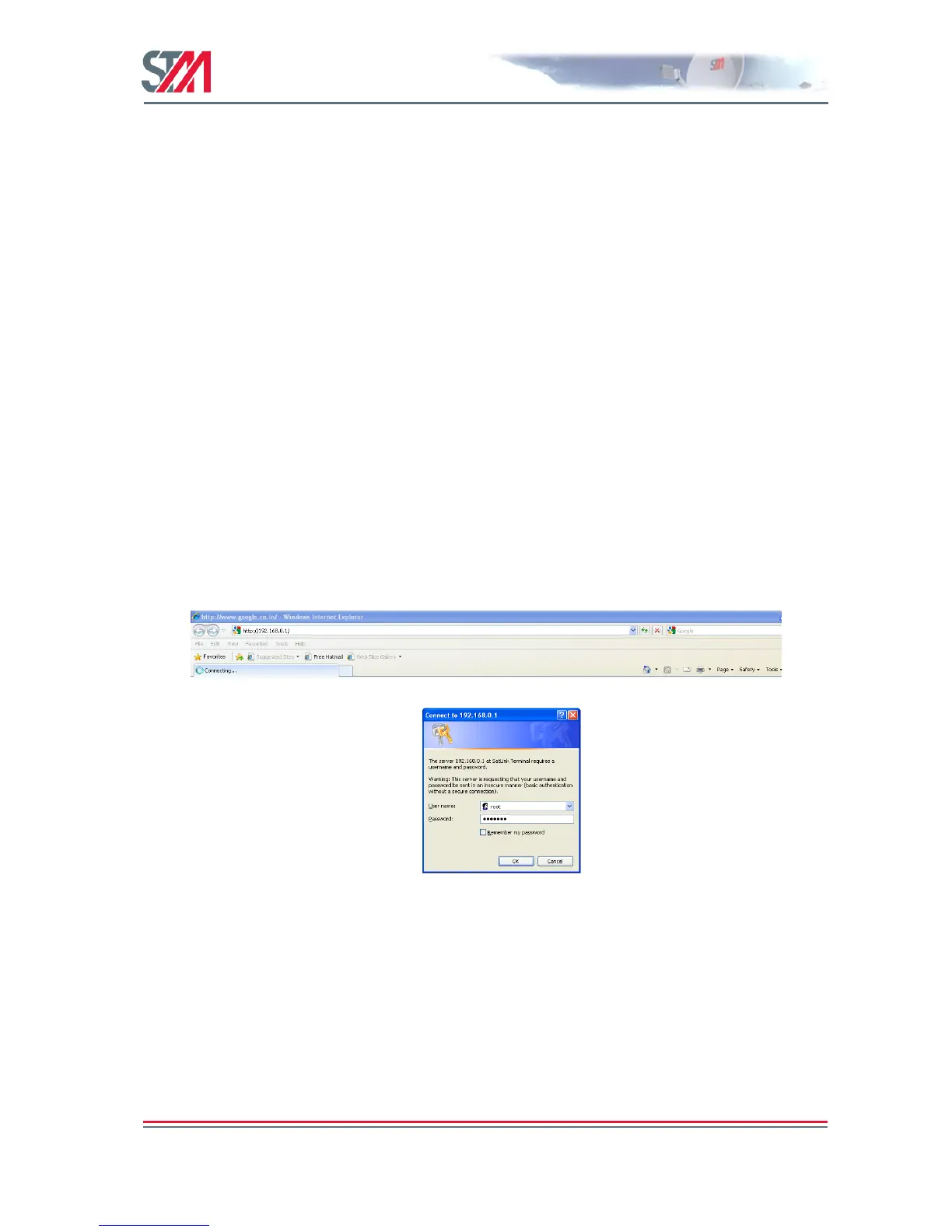
To manage the SatLink VSAT via the web interface, start the web browser and type in the IP address of
the VSAT in the address field as shown in Figure 18. The factory default IP address of the SatLink VSAT
is 192.168.0.1. Use the VSAT‘s Satellite Interface (DVB) IP address when connecting to the VSAT over
the satellite link (from the Hub), and the VSAT‘s LAN (Ethernet) IP address when connecting to the
VSAT from the local LAN. Then enter the username and password to log on to the VSAT.
Figure 18: Connecting to the Web Interface



 To Next Page