Publication no. 101557
Rev 14.1.1-2
Copyright 2006-2012 – STM Group, Inc.
7) Enable / Disable NAT (dynamic NAPT) for the VSAT.
When enabled, enter the NAT Global Address.
8) Enable / Disable the TCP and HTTP acceleration.
9) Click the Save button to save the configuration.
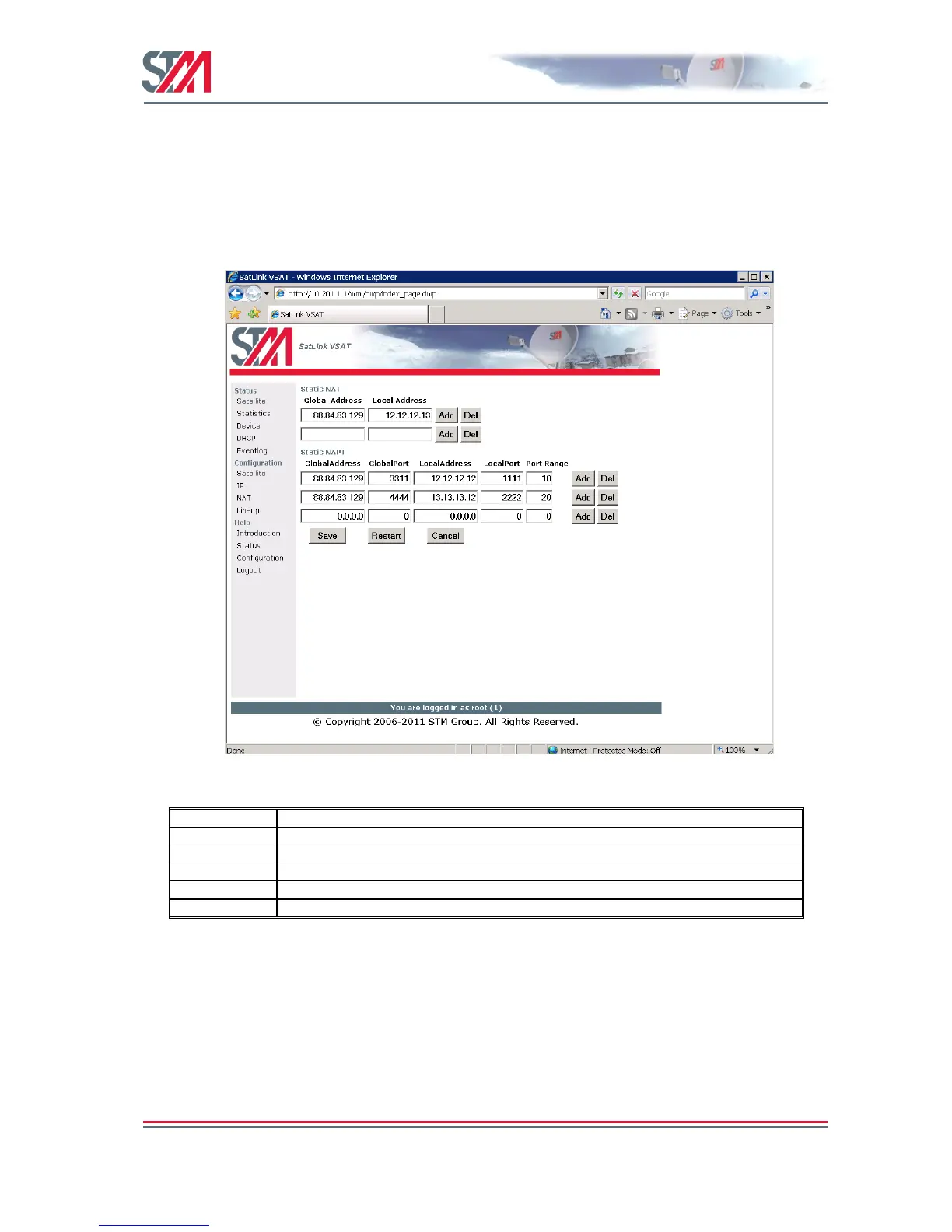
6.3 NAT Configuration using the Web Interface
Set up the NAT Configuration as shown below.
Figure 24: NAT Configuration
6.4 Line-up Using the Web Interface
Perform antenna and ODU installation and alignment as described in Appendix F and the initial
parameter configuration described in section 6.2 before proceeding with the line-up procedures described
here.
6.4.1 Antenna Line-up
Set the alignment of the antenna to optimize the receive SNR. The RX SNR displayed in the graph on the
line-up page should appear as a green bar to ensure a stable reception of the Forward Link signal. If the
bar is yellow, the signal can be received correctly with low link margin and if the bar is red, the signal



 To Next Page