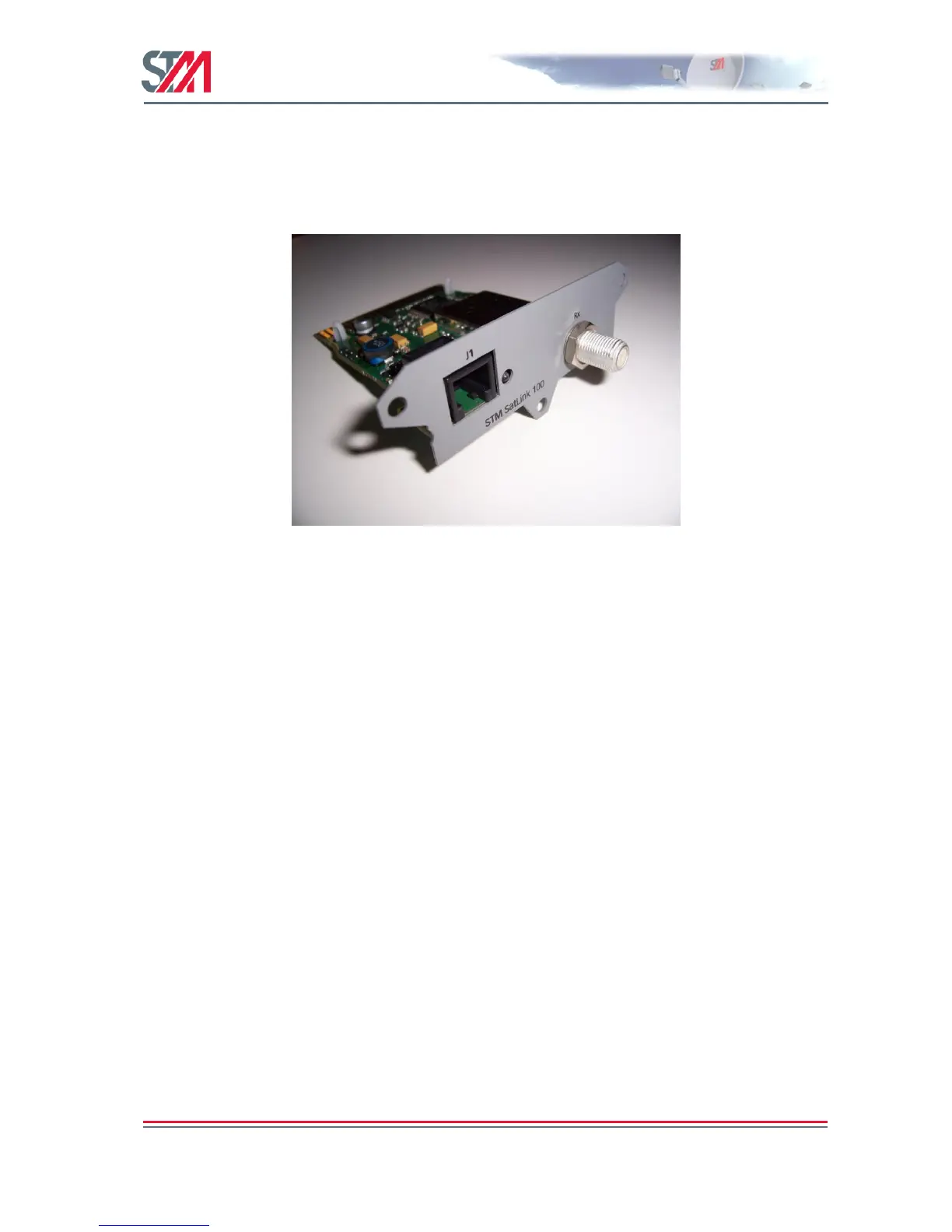
17.4 DVB-S2 Configuration for 1910 IDUs with the SatLink 100 Plug-in Card
For operators that already have the DVB-S model of the SatLink 1910 IDU, a DVB-S2 upgrade path
exists using the SatLink 100 plug-in card that is inserted into the expansion slot of the SatLink 1910.
Units can be field-upgraded – there is no need to return units to STM for reconfiguration. The only
requirement is that power is turned off when inserting the new extension card
Figure 40: The SatLink 100 DVB-S2 Plug-in Card
To enable the SatLink 100 card on a SatLink 1910 IDU, in addition to moving the RX cable from the
LNB to the RX connector on the SatLink 100 plug-in card, there is one CLI command required:
dvb rx phy -satlink100
Type the device show command to verify that the card has been detected. See the text in bold.
# device show
System Information
--------------------------------
Name : not set
Location : not set
Contact : not set
System Up time : 2 days, 23:57:20
Core temperature : 48.0 degrees C.
CPU Load : 15%
System time : not set, TDT not received
Broadcast Message : not set
HW
--------------------------------
Model : SatLink 1910
HW ID : 103798
Main board ID : 103719 R6.5
Plugin-card HW
--------------------------------
Model : SatLink 100
HW ID : 107261
Revision : 1.1
Serial Number : 0206010006



 To Next Page