14
i. Dispensing a Cup of Sparkling Water
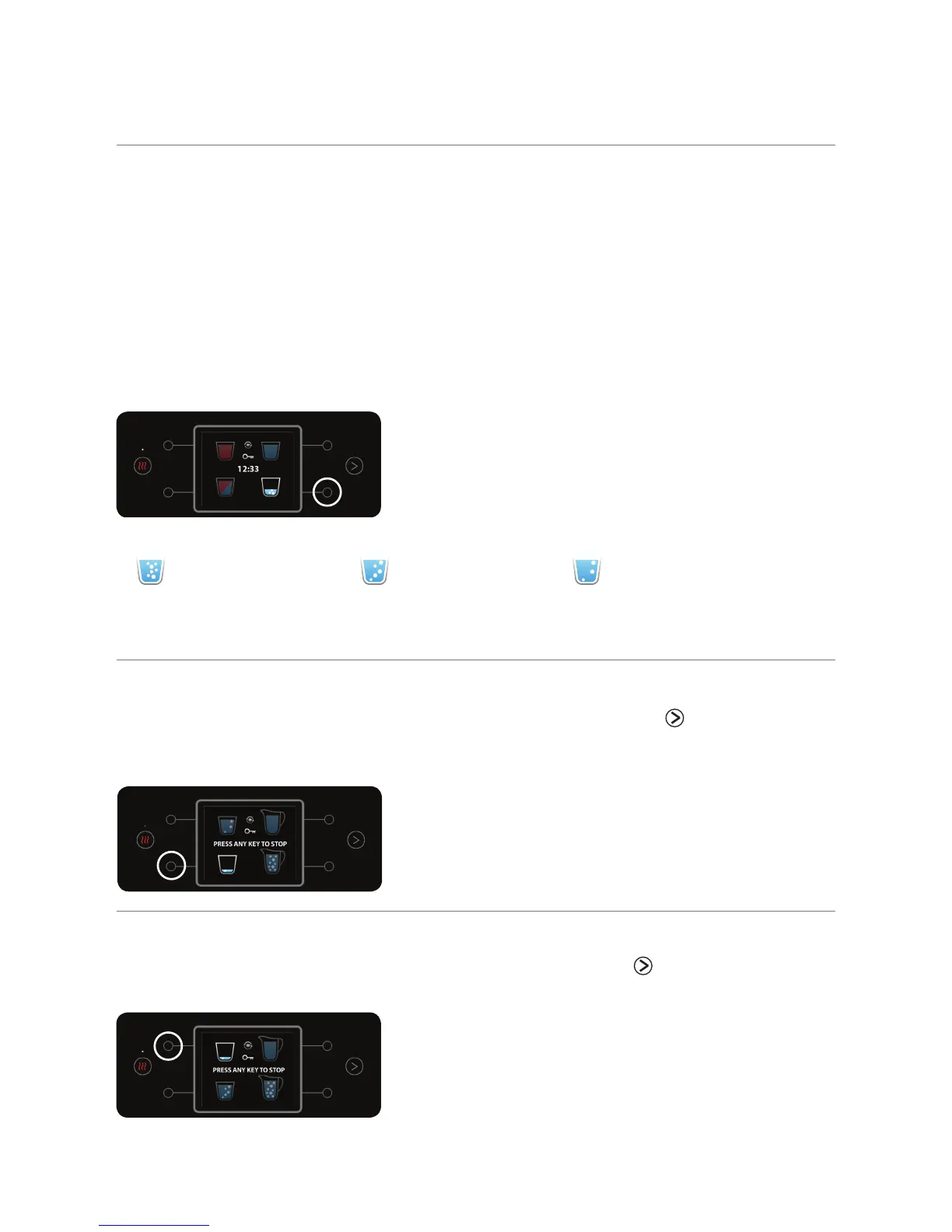
To dispense a cup of sparkling water, press the marked right bottom button.
Pressing any button during dispensing will stop the action. The water
bar is designed to provide a fixed quantity of sparkling water per cup. It
is recommended to wait until dispensing has completed. The set default
sparkling level of the home screen is regular, but the sparkling level can be
changed from MENU > SPARKLING LEVELS (see section "c. Sparkling Levels
Adjustment" on page 20).
Note that it is not possible to change the measured quantity of sparkling water.
The sparkling levels are defined using the following icons
Strong Regular Light
j. Dispensing a Cup of Strong Sparkling Water
To dispense a cup of strong sparkling water, briefly press the menu button.
After moving to the next dispensing menu, briefly press the marked bottom
left button.
k. Dispensing a Cup of Light Sparkling Water
To dispense a cup of light sparkling water, briefly press the menu button. After
moving to the next dispensing menu, briefly press the marked top left button.



 To Next Page