18
Notes: (1) You can set a water quantity of 0-300 ml.
(2) It is not possible to dispense a measured amount of hot water
when child lock is on.
(3) To cancel the set quantity of hot water measured cup, briefly press the
button in the DEFINE QUANTITY HOT CUP screen.
a.4. Setting the Quantity for Dispensing a Jug of Cold Water
This option enables setting the quantity of a jug of cold water that will be
dispensed when briefly pressing the cold water button. To adjust the measured
quantity, enter the DEFINE QUANTITY sub menu.
MENU PREFERENCES
DEFINE QUANTITY COLD JUG
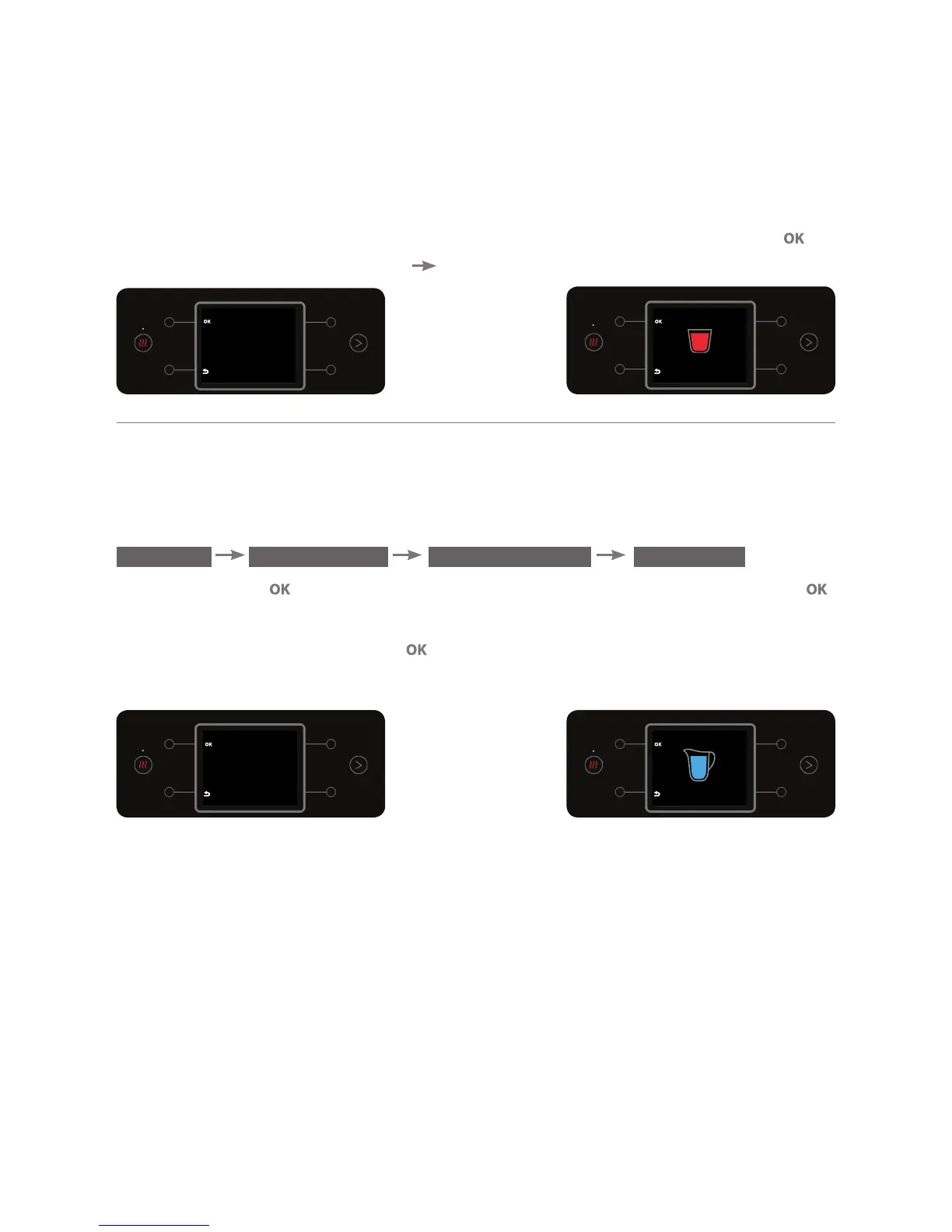
Press the button . Place a jug beneath the dispensing spout and press the
for a few seconds. (The longer the press, the larger the set quantity of water).
To confirm the action, press the
button (a beep will sound).
Note: The set water quantity can be 0-1,000 ml.
*Please note! Due to variations in the water flow rate, the set quantity may
vary. After dispensing it is important to check that the required quantity was
received (especially when preparing food for infants, medications etc.). In the
event of quantity variations, the required quantity can be redefined.
HOT CUP
Place a cup on the tray.
Press and hold the
OK button to
start Recording
HOT CUP
Recording...
Release OK to Stop
COLD JUG
Recording...
Release OK to Stop
COLD JUG
Place a jug under the
faucet.
Press and hold the
OK button to
start Recording



 To Next Page