16
4. Preferences Menu Actions
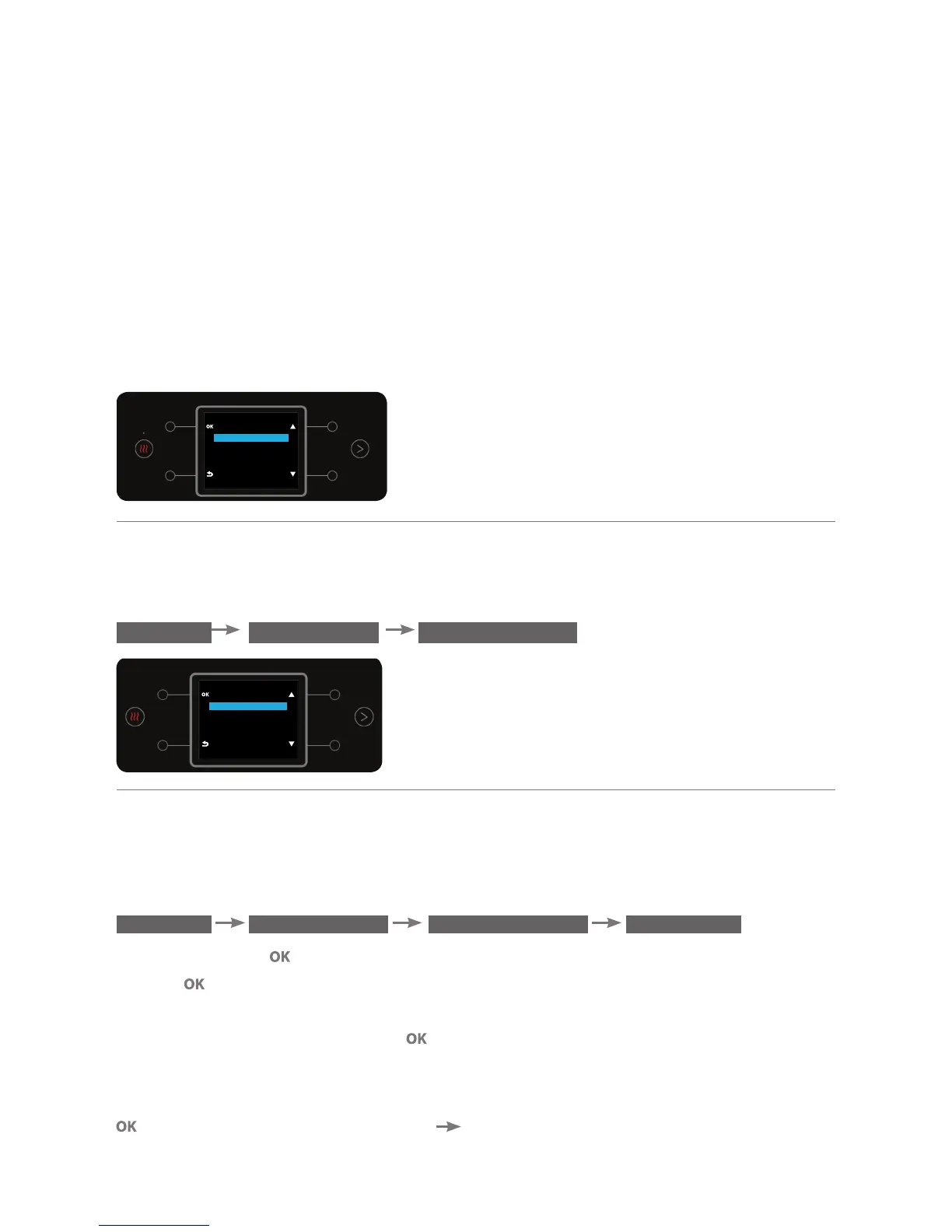
The menu enables changing general water bar settings and customizing
settings. To enter the menu press button no. 1 for a few seconds.
Navigating the different menu options is performed using buttons no. 2 & 3.
Selecting an option is performed by pressing button no. 4.
To exit the selected option, press button no. 5.
*Please note! If the water bar's setting menu has not been accessed within 15 days of installation, a
message will be displayed on the water bar to remind the user that customization options are available.
a. Defining a Measured Quantity
To set the measured quantity for dispensing, enter the DEFINE QUANTITY sub
menu.
MENU PREFERENCES DEFINE QUANTITY
a.1. Setting the Quantity for Dispensing Cold Water
This option enables setting the quantity of cold water that will be dispensed
when briefly pressing the cold water button. To adjust the measured quantity,
enter the DEFINE QUANTITY sub menu.
MENU PREFERENCES DEFINE QUANTITY COLD CUP
Press the button . Place a cup beneath the dispensing spout and press the
button for a few seconds (the longer the press, the larger the set quantity
of water).
To confirm the action, press the button (a beep will sound).
Notes: (1) You can set a water quantity of 0-300 ml.
(2) To cancel the set quantity of cold water measured cup, briefly press the
button in the DEFINE QUNATITY COLD CUP screen.
1
24
35
MENU
PREFERENCES
SETTINGS
MAINTENANCE
ENERGY SAVING
SHUT DOWN
PREFERENCES
DEFINE QUANTITY
DEFINE TEMPERATURE
SPARKLING LEVELS
AUTOMATIC HEATING



 To Next Page