28
f. Displaying and Resetting the UV Lamp Replacement Timer
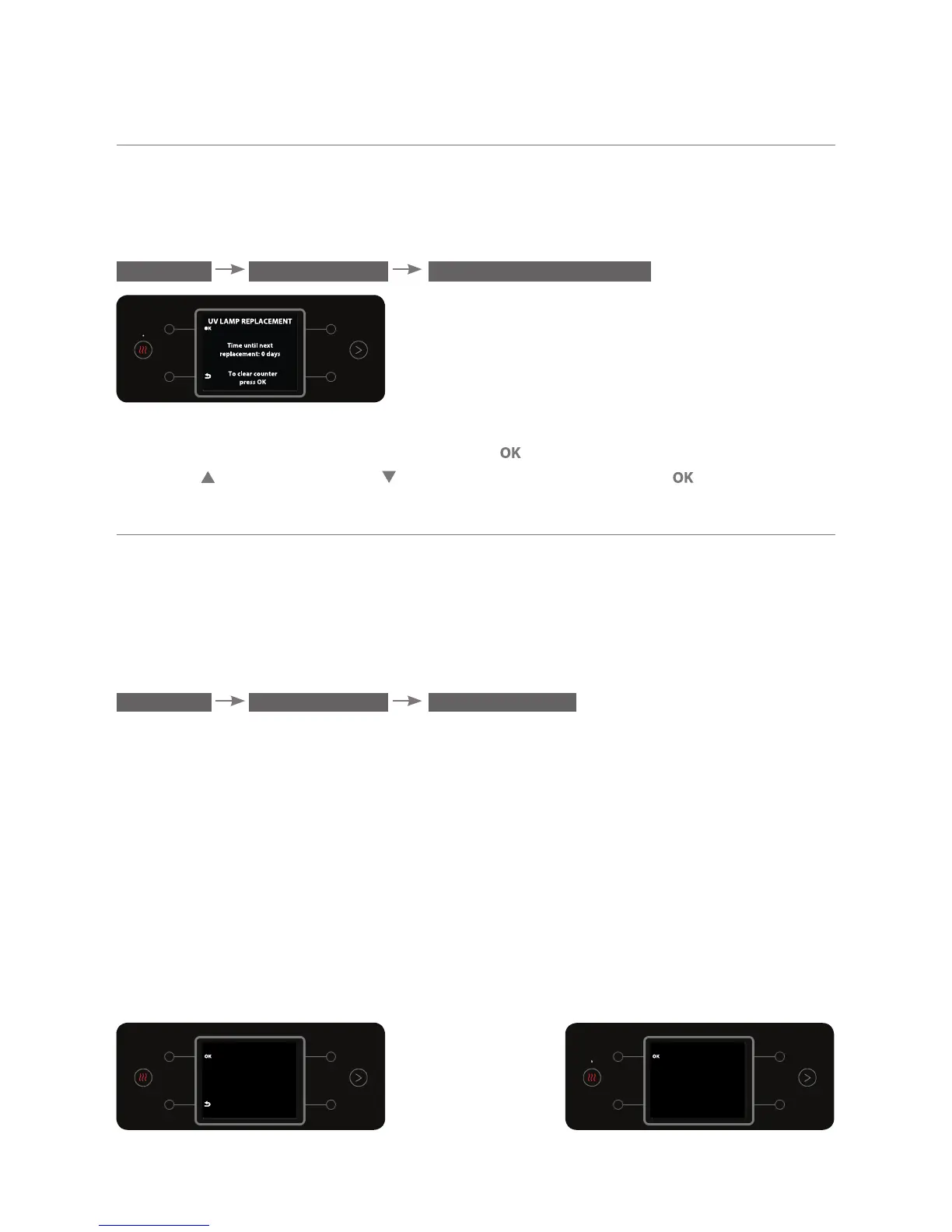
It is possible to show the time till the next lamp replacement on the display;
and reset it if necessary. To display or reset the UV lamp replacement timer,
enter the UV LAMP REPLACEMENT sub menu.
MENU MAINTENANCE UV LAMP REPLACEMENT
The number of days till the next lamp replacement will appear on the display.
To reset the filter replacement timer, press
. To confirm, select YES using the
top right
and bottom right buttons. To confirm, press the button.
g. Washing Tanks
This option enables washing the hot and cold water tanks. Place a saucepan
with a capacity of at least 5 liters beneath the dispensing spout prior to
beginning the action. To perform washing tanks , enter the WASHING TANKS
sub menu:
MENU MAINTENANCE WASHING TANKS
To start the washing action, press the OK button.
The water bar will start the washing process. Follow the instructions on the
display until the washing process is complete.
Important! First the water bar will wash the hot water tank, followed by the
cold water tank, and then the sparkling water tank. The washing takes a few
minutes per tank. If the saucepan has filled up and the washing is not yet
complete, press any button to stop the flow, empty the saucepan and press
OK
again to continue the washing.
It is recommended to perform this action after the water bar has not been in
use for a prolonged period of time.
WASHING TANKS
Place a large container
under the faucet
Press OK+EXTRA HOT
to begin washing hot
tank
WASHING TANKS
WARNING!
Process includes
pouring hot water
Press OK to continue



 To Next Page