19
a.5. Setting the Quantity for Dispensing a Jug of Sparkling Water
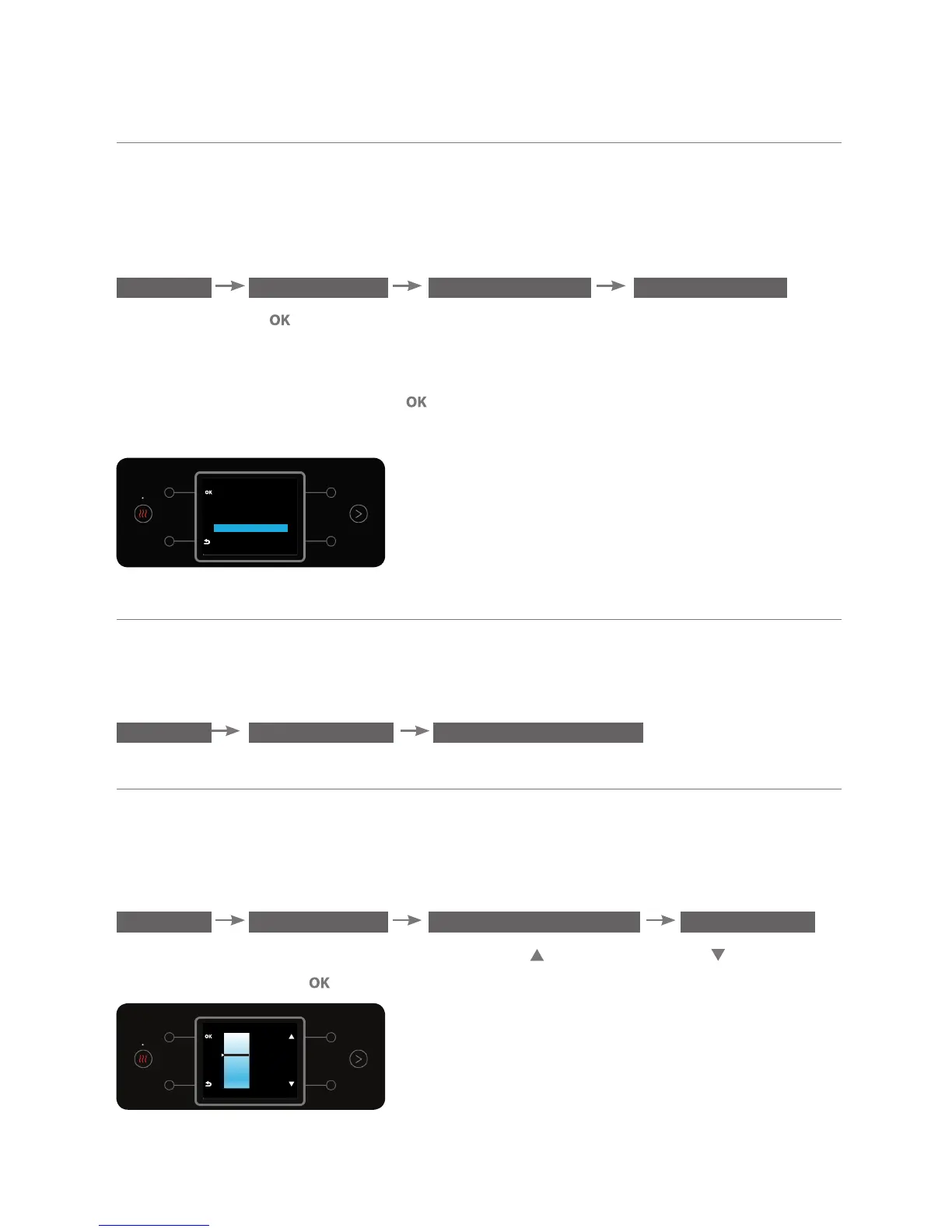
This option enables setting the quantity of a jug of sparkling water that will be
dispensed when briefly pressing the jug of sparkling water button. To adjust the
measured quantity, enter the DEFINE QUANTITY sub menu.
MENU PREFERENCES
DEFINE QUANTITY SPARKLING JUG
Press the button . Select 2-7 cups of sparkling water. The quantity dispensed
when pressing jug of sparkling water will contain a continuous dispensing of
the number for cups defined (each cup contains 200 ml of sparkling water).
To confirm the action, press the button (a beep will sound while pressing).
The default quantity for a jug of sparkling water is 5 cups (1 liter).
SPARKLING JUG
2 CUPS
3 CUPS
4 CUPS
5 CUPS
6 CUPS
7 CUPS
b. Setting Water Temperature
To set the temperature of the water dispensed, enter the DEFINE TEMPERATURE
sub menu.
MENU PREFERENCES
DEFINE TEMPERATURE
b.1. Setting Cold Water Temperature
This option enables setting the required cold water temperature
(cold or very cold).
To set the temperature, enter the DEFINE TEMPERATURE sub menu:
MENU PREFERENCES DEFINE TEMPERATURE COLD WATER
To change the temperature, use the top right and bottom right buttons.
To confirm, press the button.
COLD
COLDEST
COLD



 To Next Page