31
k.2. Smart Heating Reset
This option enables deleting of all the boiling habits learned by the water bar.
To reset the smart heating data, enter the SMART HEATING RESET sub menu.
MENU MAINTENANCE RESET SMART HEATING RESET
To reset the data, select YES using the top right and bottom right buttons.
To confirm, press the button.
l. Energy Saving Mode
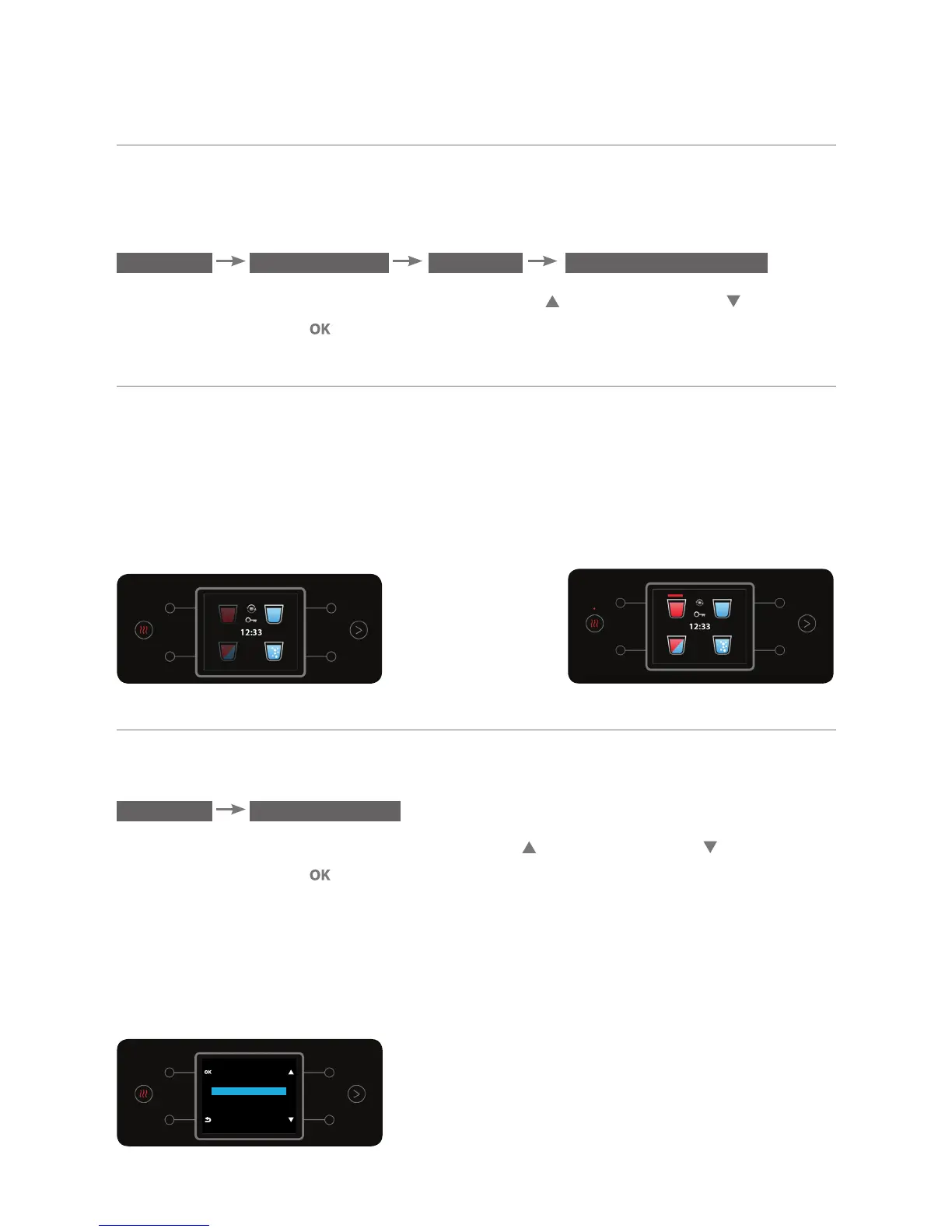
The option enables turning the heating system off automatically after the last
boil. Is this state the water bar is ready for dispensing cold and sparkling water
and is not ready for dispensing hot or mixed water. To dispense hot or mixed
water in energy saving state, press the hot or mixed water dispensing button or
press the boil button.
l.1. Turning On Energy Saving Mode
To set the energy saving state, enter the ENERGY SAVING sub menu:
MENU ENERGY SAVING
Select the ACTIVE option using the top right and bottom right buttons.
To confirm, press the button.
The ENERGY SAVING state enables turning the water heating system off
automatically.
Is this state the water bar is ready for dispensing cold and mixed water and is
not ready for dispensing hot water. After dispensing war water, the heating
system will also be turned on.
ENERGY SAVING
INACTIVE
ACTIVE



 To Next Page