34
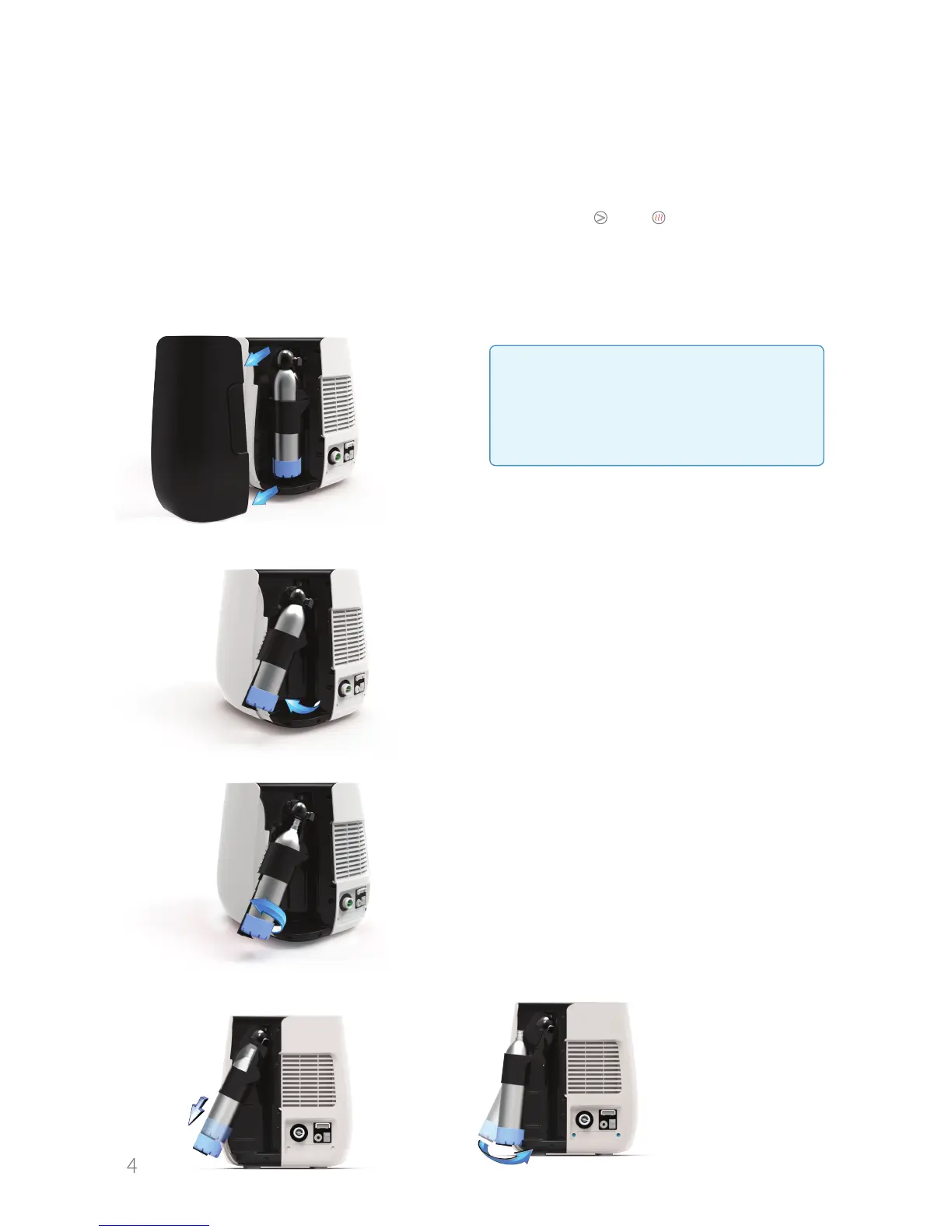
8. Replacing the CO
2
Cylinder
1. Lock the keyboard by simultaneously pressing the and buttons for a few
seconds.
2. Pull gently to remove the magnetic cover of the CO
2
cylinder
. If necessary,
turn the water bar a little so you have easy access for removing the cover.
4. Turn the cylinder counterclockwise to release it from the threading.
3. Lift up the CO
2
cylinder
.
When the CO
2
cylinder
empties and the empty cylinder icon appears on the
display, it will be possible to replace the CO
2
cylinder
using the following steps:
5. Release the cylinder by pulling it down towards the spring base and bending
the cylinder towards you.
Warning!
Do not remove the CO
2
cylinder from
the device before it is emptied!
Doing so could produce a loud noise
and frostbite!



 To Next Page