43 BA_KA-ED_A22_190313_en.doc
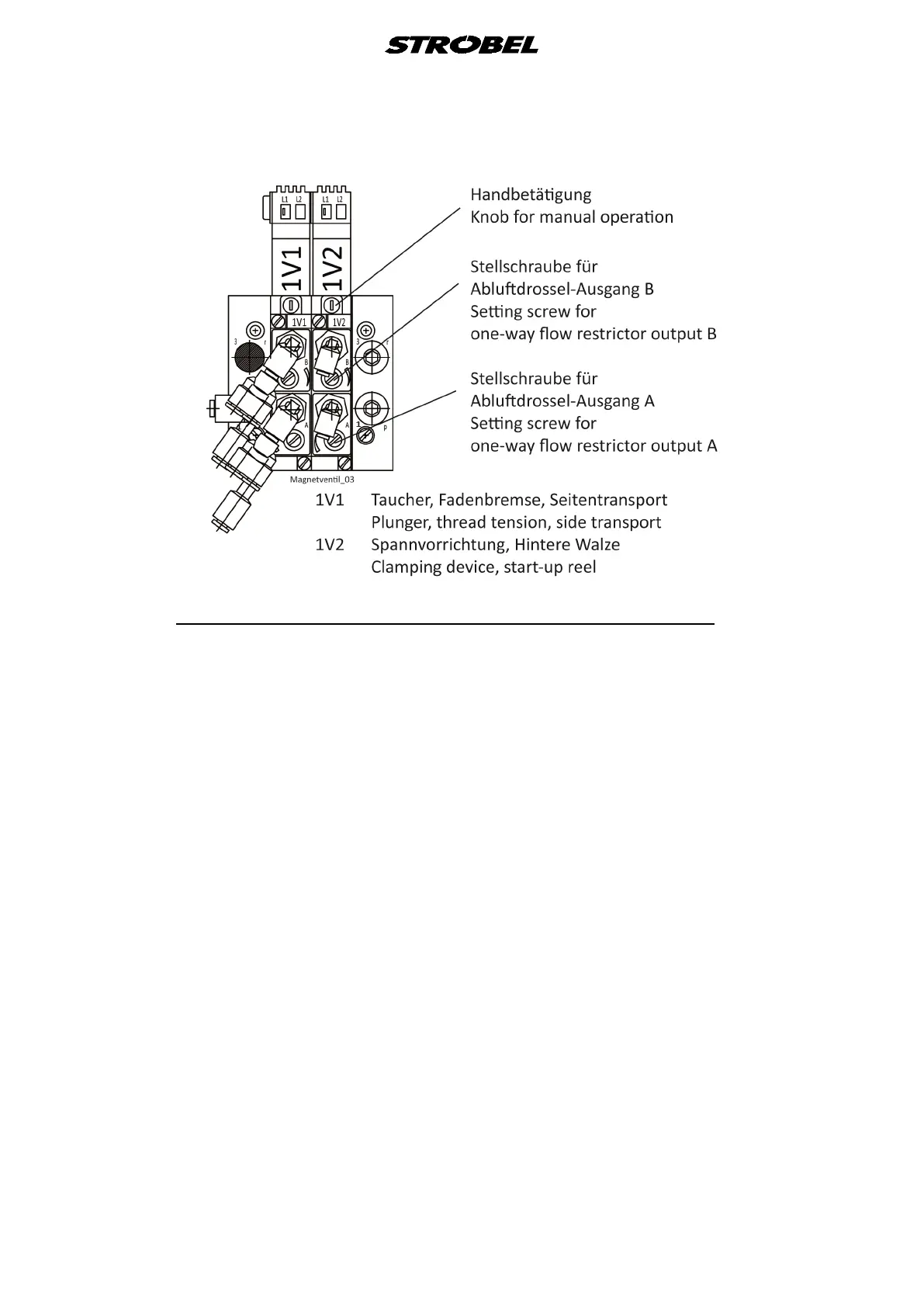
Fig. 25
5.8.2 Setting the cover plate (for the light barrier) (Fig. 28)
- Remove the nut (9).
- Adjust the cover plate (11) using the cylinder head screw (10) so that the top
edge of the plate (11) is level with the top edge of the mirror (12) (the plate is
lowered when turned clockwise).
- Tighten the nut (9) again.



 To Next Page