62 6506-209-001 REV F www.stryker.com
Operation
Charging the SMRT Pak (Continued)
Notes
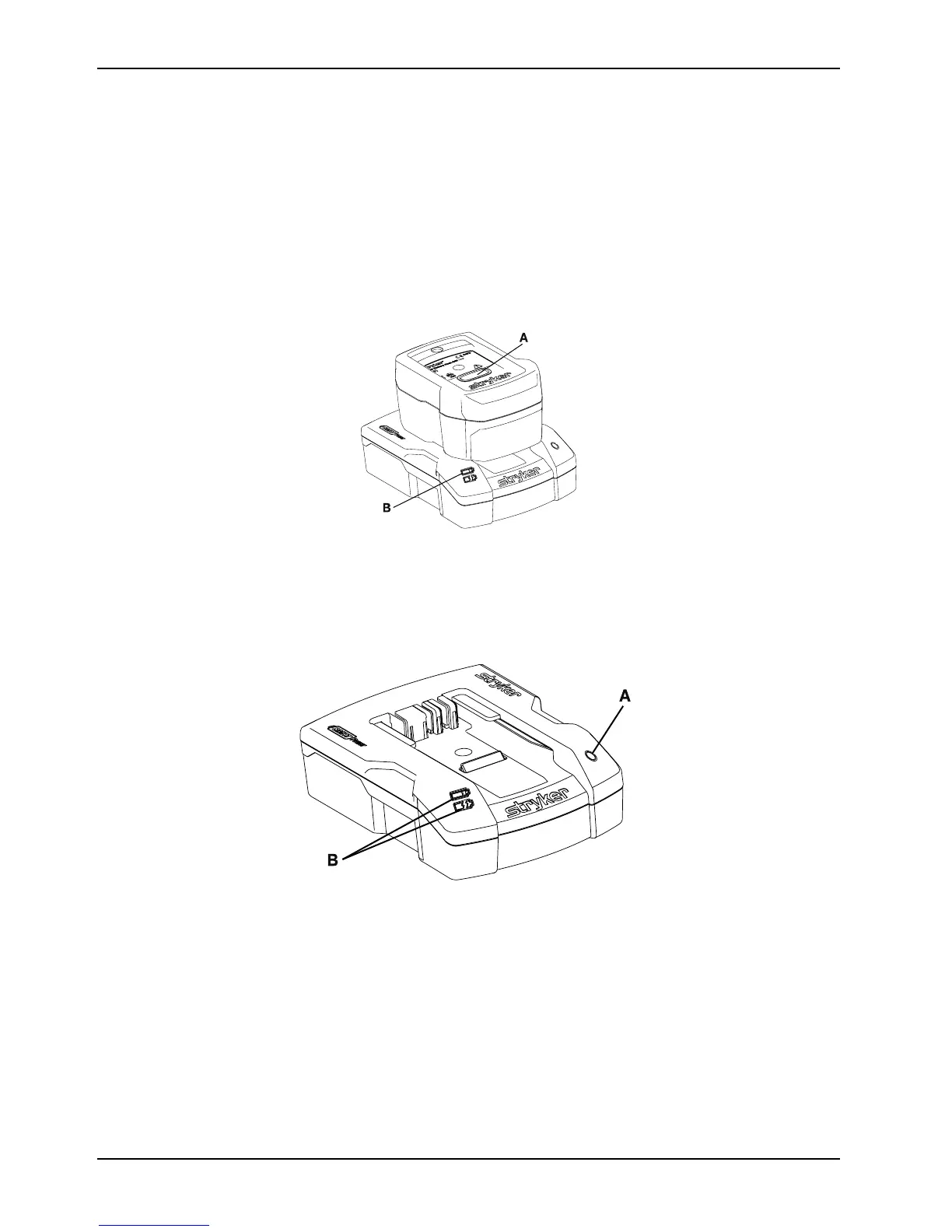
• The SMRT charger LED indicator (B) will flash green while charging (50 Charging the SMRT Pakon page 62).
The optimum charge time is two hours.
• When the SMRT Pak is charged and ready for use, the SMRT charger LED indicator (B) turns to solid green.
2. Press the red release button (A) (Figure 50 on page 62) and slide the SMRT Pak to release the charged and ready
SMRT Pak from the SMRT charger.
The SMRT charger manages charging regardless of the SMRT Pak charge state.
Figure 50: Charging the SMRT Pak
Checking the SMRT Pak power level with the SMRT charger
Use the SMRT charger LED indicators to check the SMRT Pak power level.
Figure 51: Checking the SMRT Pak power level
• Power connection: Connect or disconnect the SMRT charger from the appropriate power source (Powering the
charger on page 65).
• SMRT charger power LED (A): If the green LED is illuminated, then the SMRT charger has power.









 To Next Page