pg 10
Flint - tremolo & reverb
Live Edit Functions
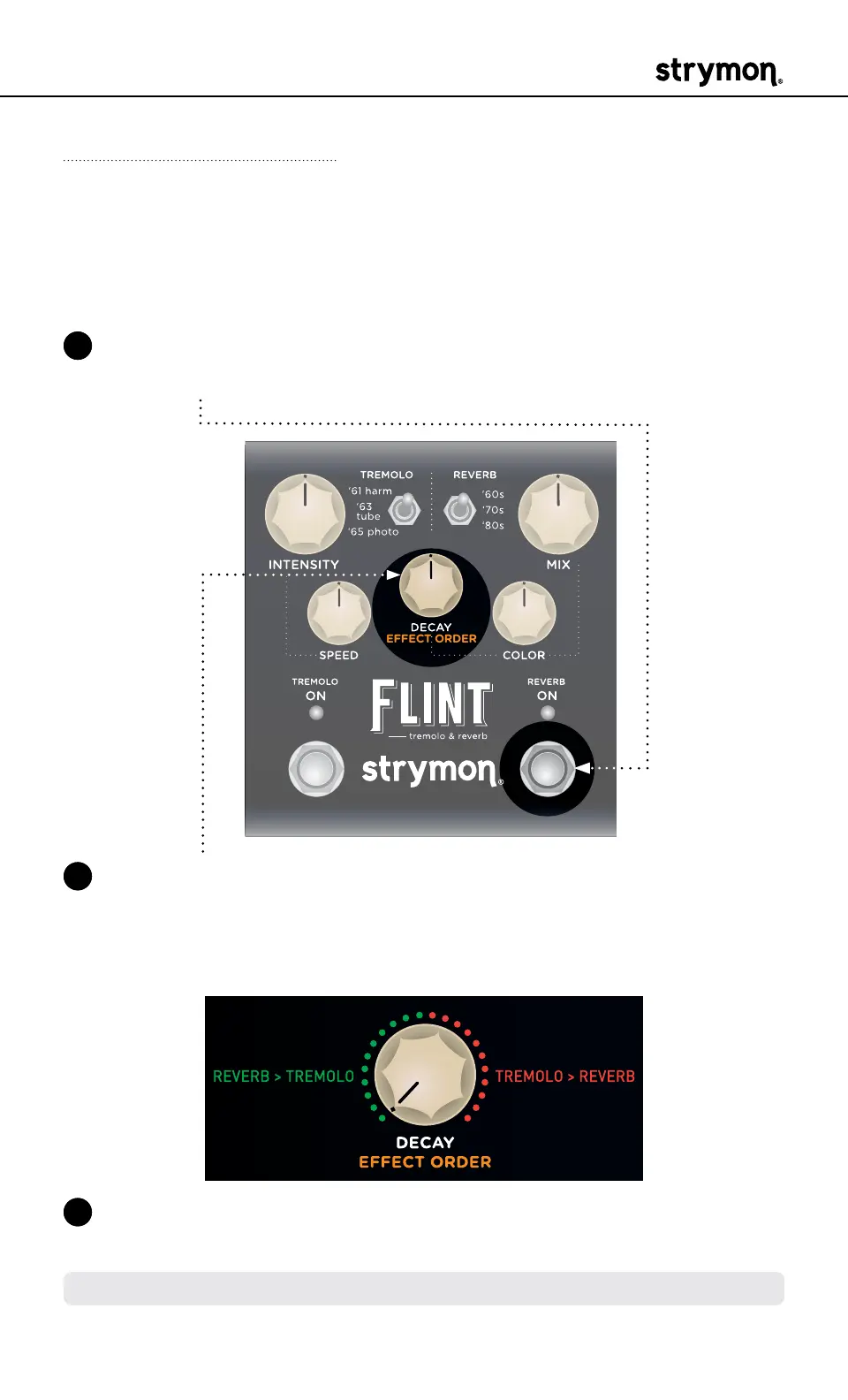
Effect Order
Sets whether the signal travels through Reverb into Tremolo or
Tremolo into Reverb� The default is Reverb into Tremolo, as this is how
many vintage amplifier circuits worked�
1 Press and hold the REVERB ON footswitch to enter Live Edit mode�
Once both LEDs flash, release the footswitch�
2 Turn the DECAY (EFFECT ORDER) knob to select the order� The
TREMOLO ON LED indicates your setting:
• Reverb > Tremolo: left, GREEN (default)
• Tremolo > Reverb: right, RED
3 Press the REVERB ON footswitch to exit and store your Effect Order
setting�
NOTE: The Effect Order setting is saved per Favorite setting or MIDI preset�



 To Next Page