pg 9
Flint - tremolo & reverb
Live Edit Functions
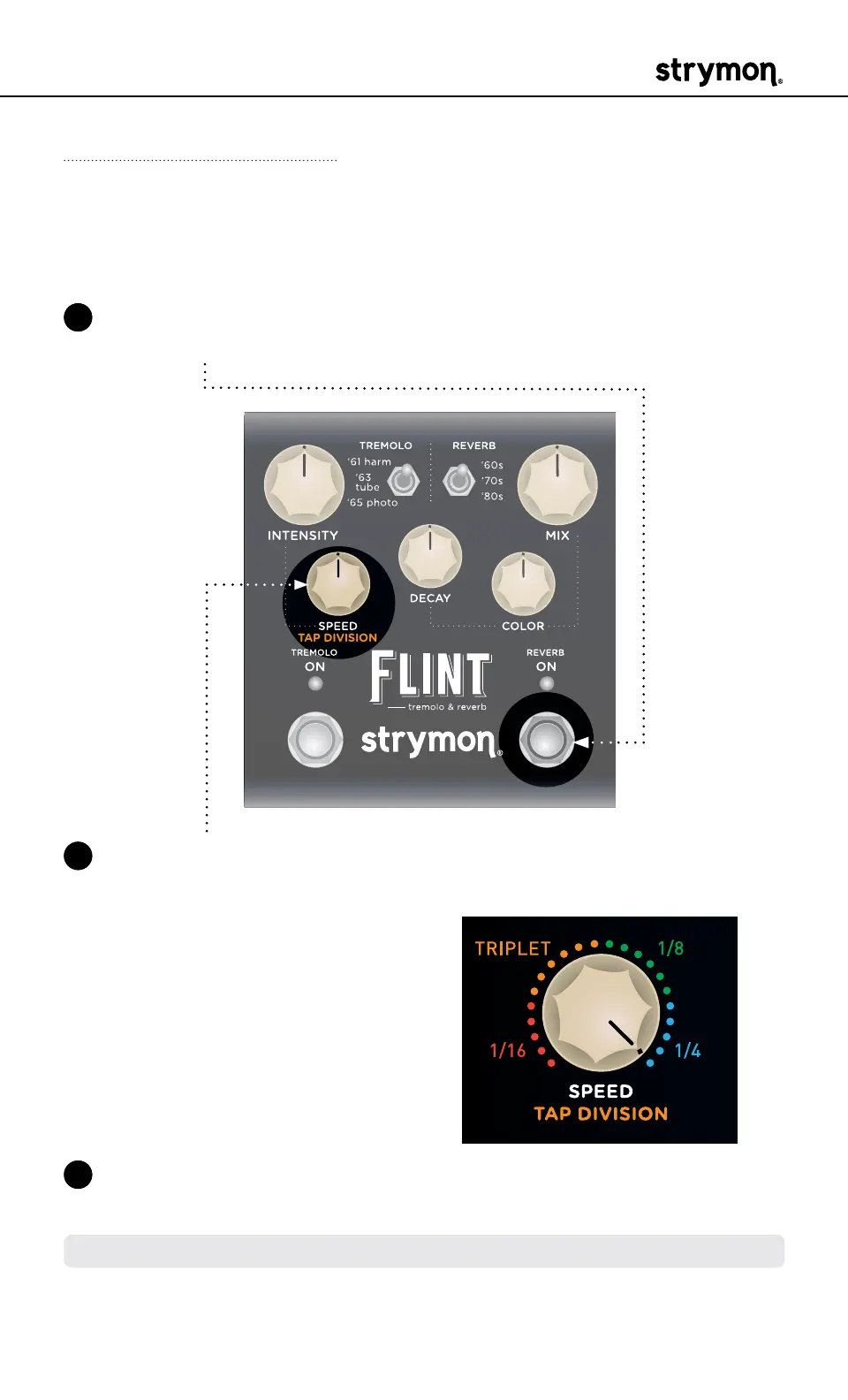
Tap Division
Sets the desired tap tempo, note sub-division for the Tremolo LFO
when an external TAP footswitch is used�
1 Press and hold the REVERB ON footswitch to enter Live Edit mode�
Once both LEDs flash, release the footswitch�
2 Turn the SPEED (TAP DIVISION) knob to select the preferred division�
Both ON LEDs’ colors indicate your setting:
• 1/16 = RED
• Triplet = AMBER
• 1/8 = GREEN
• 1/4 = BLUE (default)
3 Press the REVERB ON footswitch to exit and store your Tap Division
setting�
NOTE: The Tap Division setting is saved per Favorite setting or MIDI preset



 To Next Page