© 2022 STYPE; ALL RIGHTS RESERVED.
24
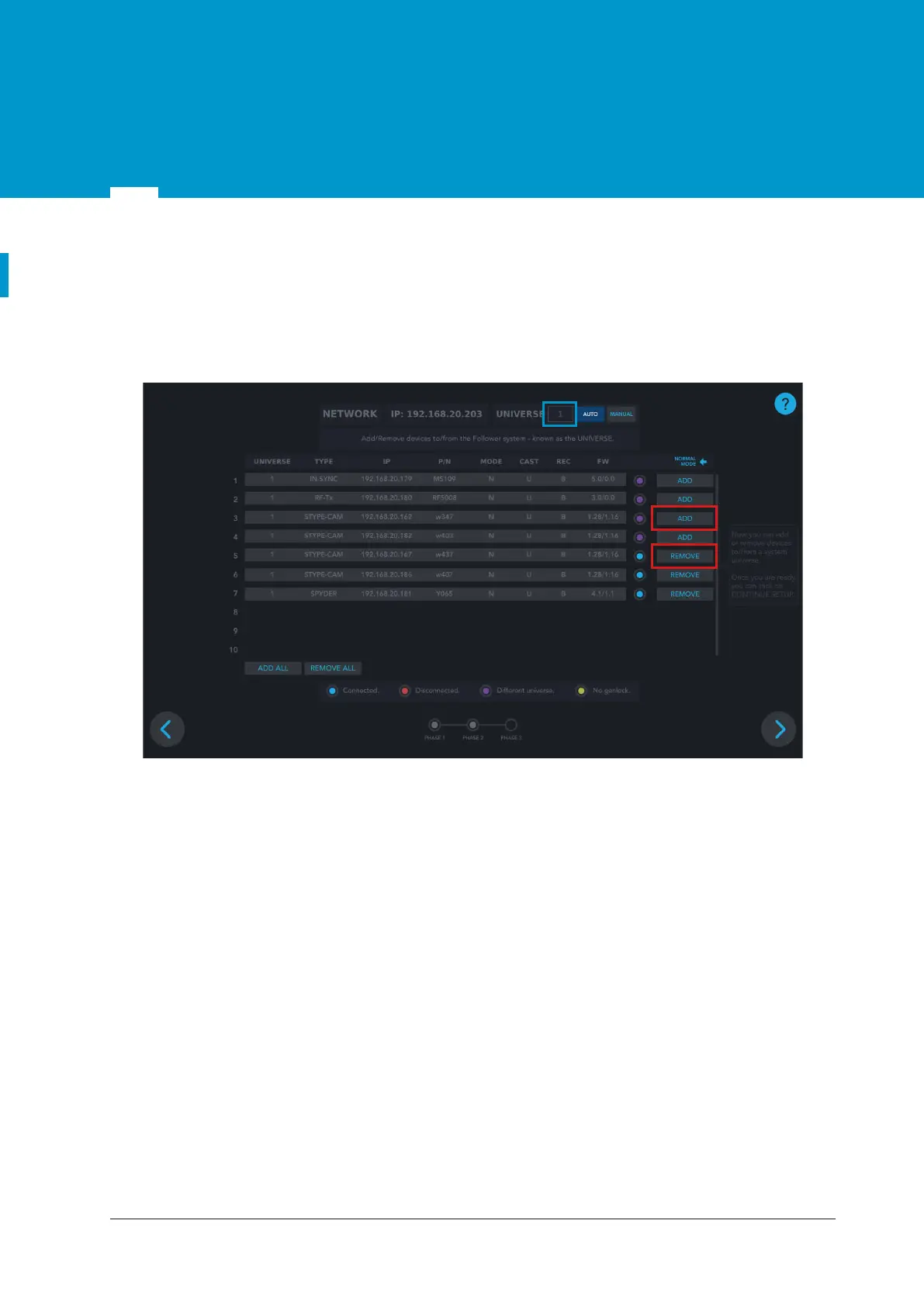
In this phase, the universe of the system can be changed in the top right input field (BLUE rectangle in
Figure 10.2 ). The universe is the number by which the specific Follower system is defined and it enables
differentiating between multiple different Follower systems connected to the same POE switch.
All devices with whom communication has been established are shown in BLUE (•) color, while RED (•)
color represents devices with no communication after 2 seconds. PURPLE (•) color represents devices that
do not have the same Universe number as the system.
Figure 9.3 Universe setup
ADD/REMOVE - adds/removes the specified device to/from the Universe
09
9.2.2 Phase 2


 To Next Page