
 Need help?
Do you have a question about the STYPE Follower 2.0 and is the answer not in the manual?
Symbols indicating key information for installation and configuration.
Short forms used in the manual for quick reference.
Details specifications for various Follower tracking devices.
Details weight, dimensions, data delay, power, and supply characteristics.
Lists and describes the various connection ports on the server.
Outlines voltage topology, input/output, isolation, and temperature.
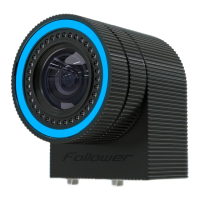
Details weight, dimensions, data delay, power, resolution, and visual indicator.
Details weight, dimensions, and power consumption of the transmitter.
Details weight, dimensions, number of LEDs, pipe length, and power.
Explains options for mounting the Spyder module on a studio camera.
Describes connecting lens data to the Spyder module for Canon and Fujinon lenses.
Covers mounting witness cameras using arms, clamps, and safety cables.
Explains how to connect multiple Follower witness cameras in a chain.
Details a hypothetical studio setup for object tracking with witness cameras.
Describes a setup for both camera and object tracking with witness cameras.
Introduces the user interface and setup process guided by chapters.
Provides an overview of the main screen in operation mode.
Explains the mandatory and optional parts for system initialization.
Details the network setup screen for adding and managing devices.
Covers the three phases of system initialization and device discovery.
Explains how to select and set unique frequencies for the Follower system.
Guides on adding different types of devices like receivers, iPad trackers, pens, and beacons.
Details the assembly and setup of the calibration cross for tracking.
Explains how to walk around and ensure cameras see beacons for pairing.
Describes a fast but less precise method for studio setup.
Details a more precise but time-consuming studio setup method.
Allows offsetting zero point position and orientation for studio axes.
A step-by-step guide to setting up the Spyder module for tracking.
Explains measuring beacon pipe lengths and zero point for Spyder modules.
Guides on selecting, naming, and combining devices for trackable objects.
Describes naming destinations, setting IP addresses, and protocols.
Details selecting destinations, trackables, and port assignments.
Introduces the app for monitoring and recording tracking data in XML/FBX.
 General
| Brand | STYPE |
|---|---|
| Model | Follower 2.0 |
| Category | Digital Camera |
| Language | English |

 To Next Page