© 2022 STYPE; ALL RIGHTS RESERVED.
41
14 ENGINE NETWORK
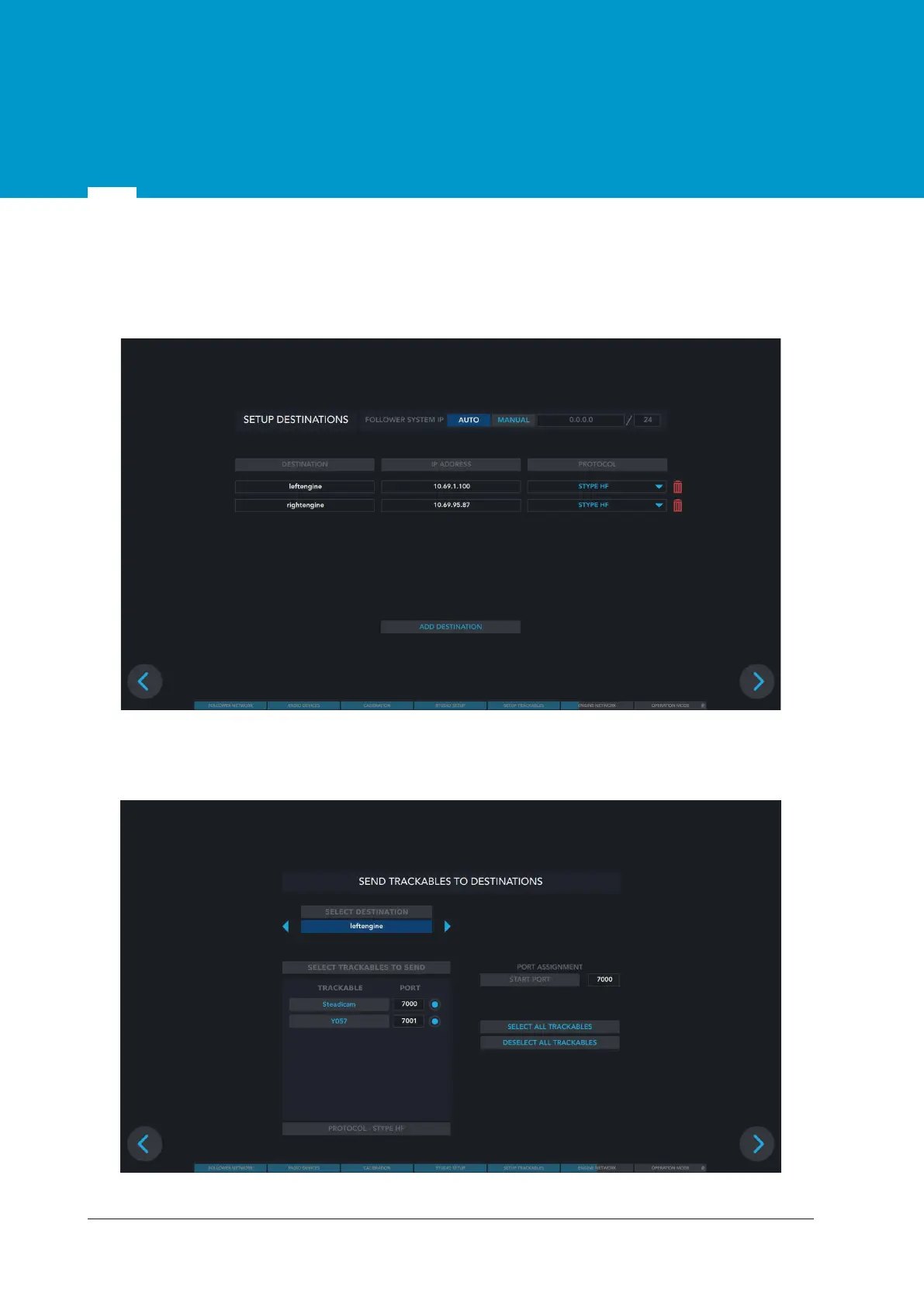
ADD DESTINATIONS
Name a destination, set up an IP address and choose the protocol you will be using. When finished click
ADD DESTINATION.
Figure 14.1 Destination setup
Once you have added the destinations select the engine where you want to send trackables. Also select
the trackable and port. Ports start with 7000.
Figure 14.2 Sending trackables to destinations


 To Next Page