In order to avoid interference, it is very important that the Follower is the only system using the
selected frequency.
© 2022 STYPE; ALL RIGHTS RESERVED.
26
After completing initialization, check the frequency setup of the Follower system.
10.1 Frequency setup
10 RADIO DEVICES
Supported frequencies are 863-870 MHz and odd frequencies
between 903 and 927 MHz. Depending on the area of the world the
system is being used, it may be limited to free-to-use frequency in your
area, and other frequencies may be disabled to satisfy regulatory
requirements.
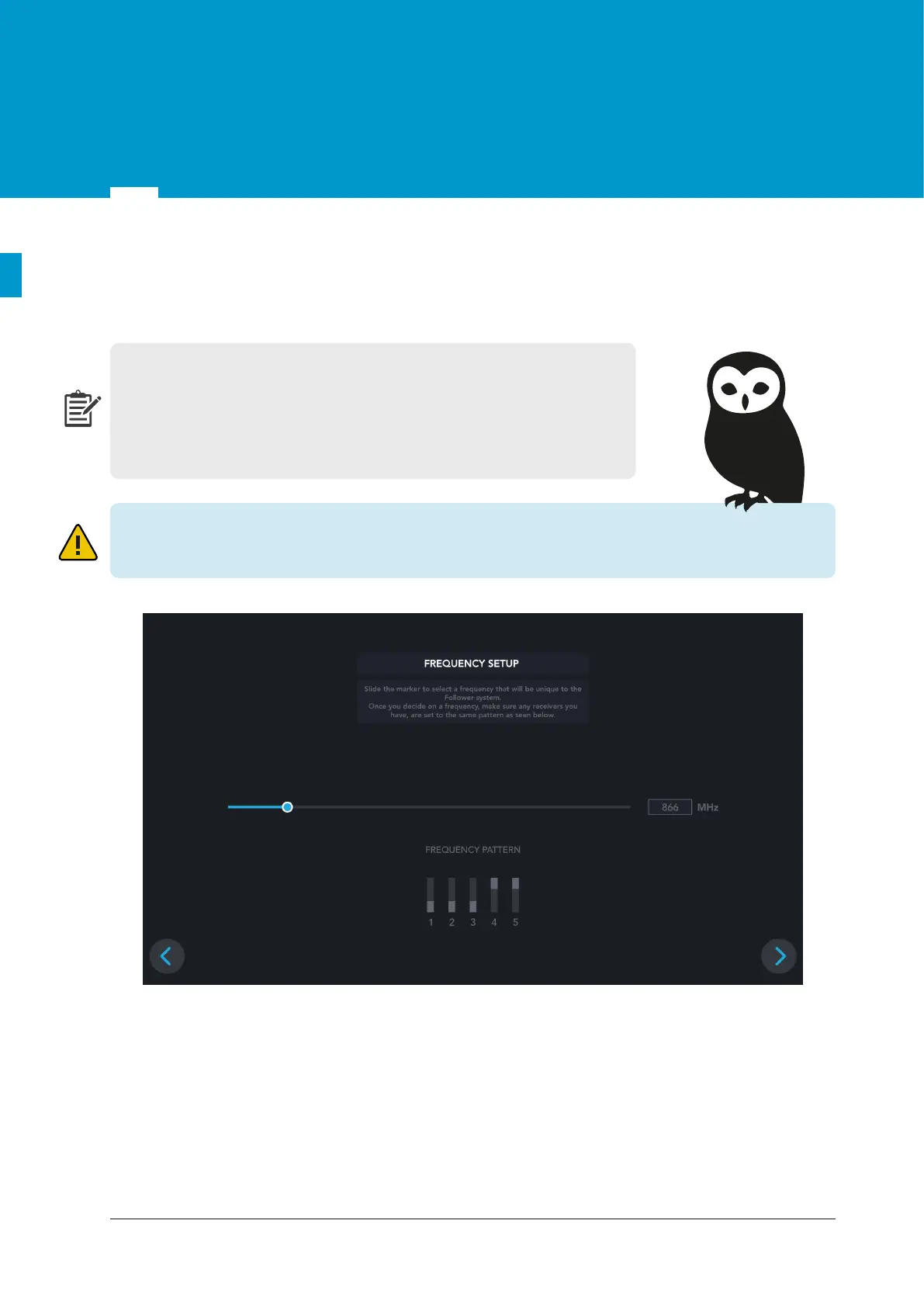
The frequency is selected by moving the sliding bar on the top of the screen and the DIP switch state cor-
responding to that frequency is shown below. When operating frequency is chosen, all DIP switches on all
receivers should be adjusted as shown below.
Figure 10.1 Frequency setup


 To Next Page