Introduction 17
Before Use
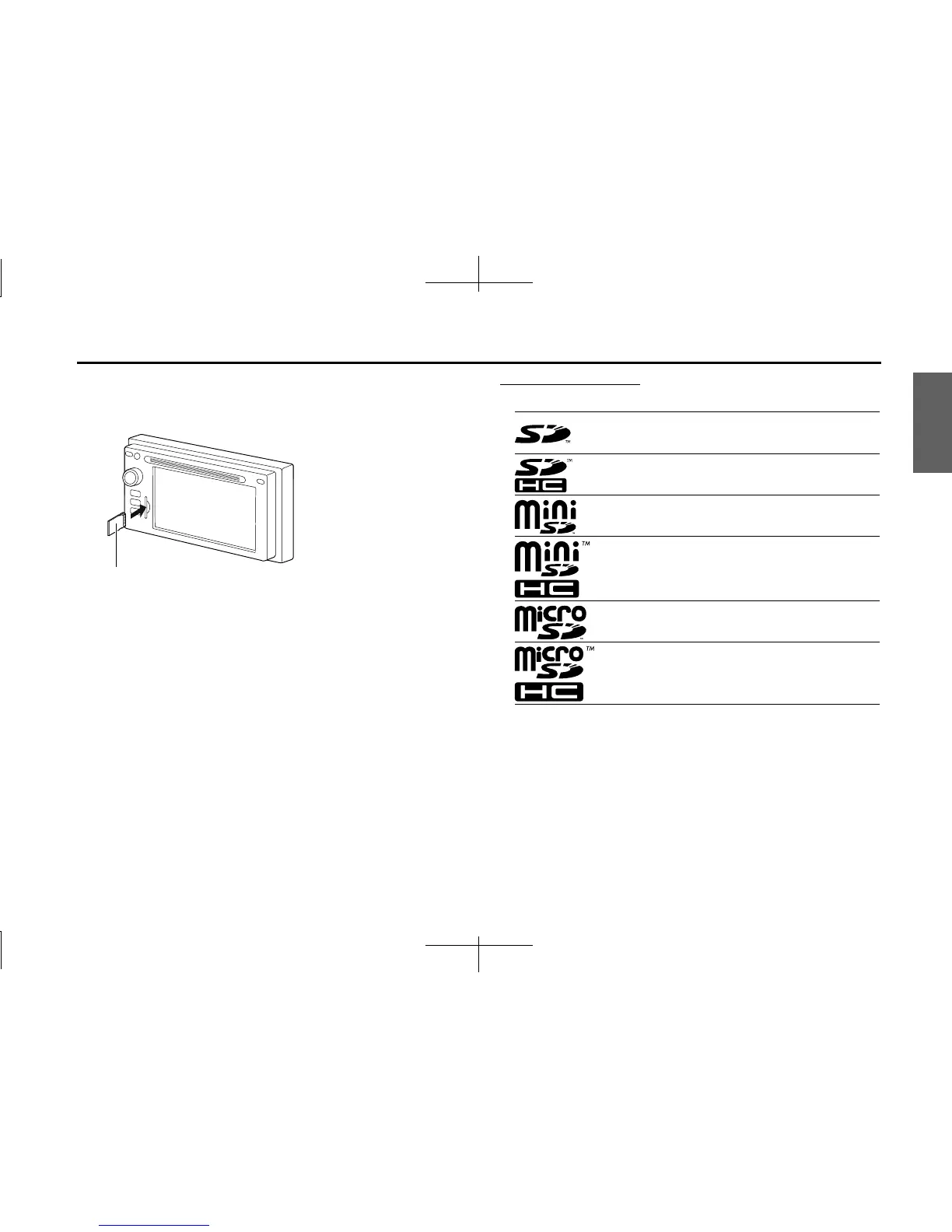
1 Insert the SD memory card.
• Insert the SD memory card with the label on the left side.
• Make sure that the SD memory card is fully inserted.
NOTE
• Insert the map SD card without locking it.
• If you insert an SD memory card that contains image data, you can preview
the images, play a slideshow, or set an image as the Opening screen. (See
Page 282.)
About SD memory cards
• SD memory cards that are marked as follows can be used.
• Multi Media Cards (MMC) cannot be used.
• Supported capacities: 512 MB to 8 GB
• Supported speed class: Class 2 to Class 10
SD memory card
SD Logo is a trademark of SD-3C, LLC.
SDHC Logo is a trademark of SD-3C, LLC.
miniSD Logo is a trademark of SD-3C, LLC.
miniSDHC Logo is a trademark of SD-3C, LLC.
microSD Logo is a trademark of SD-3C, LLC.
microSDHC Logo is a trademark of SD-3C, LLC.














 To Next Page