18 Introduction
Before Use
■ Unloading an SD memory card
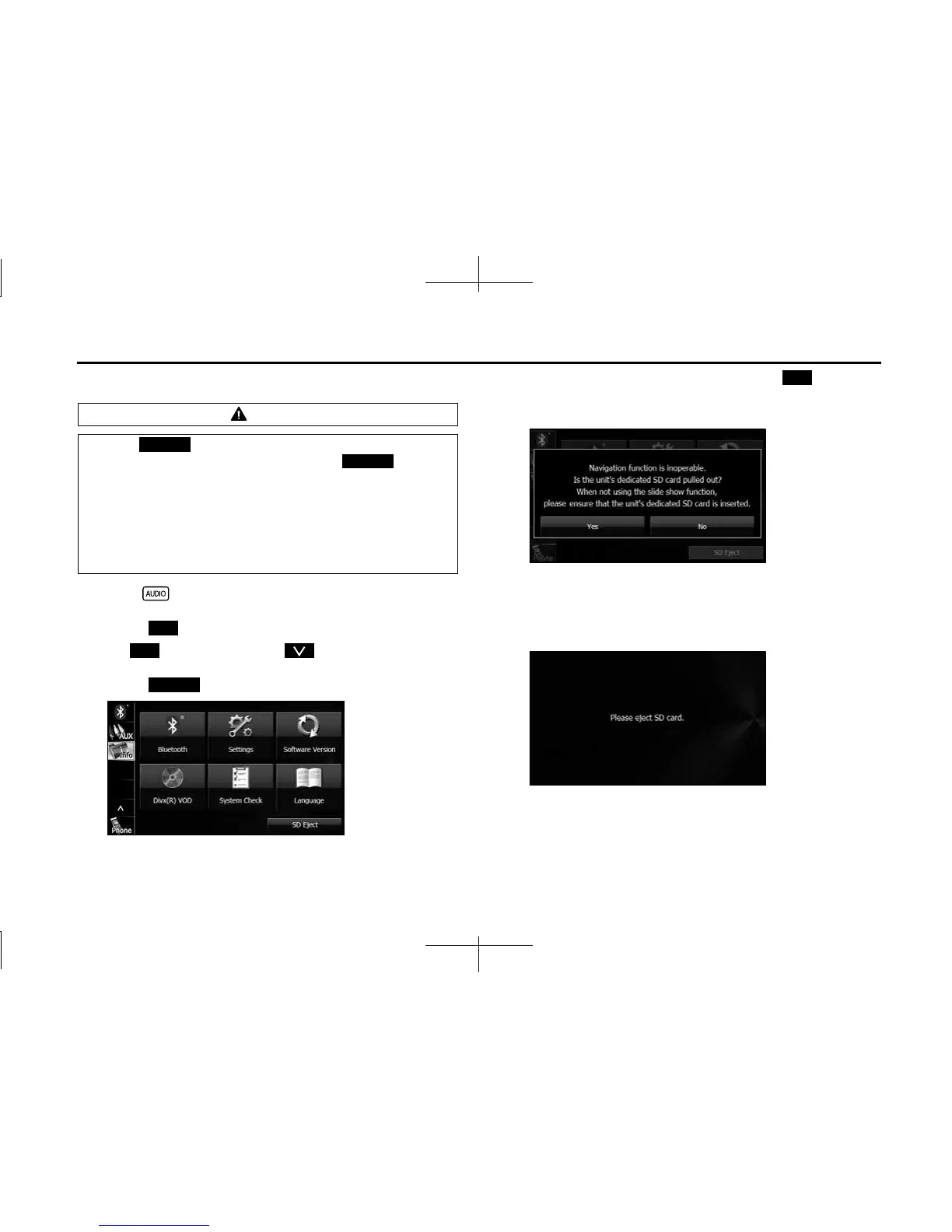
1 Press .
2 Touch .
• If is not displayed, touch .
3 Touch (SD Eject).
4 After checking the caution screen, touch (Yes).
• This screen does not appear if the card is not the specified SD
memory card.
5 When “Please eject SD card.” appears, remove the SD
memory card.
• Press in the SD memory card until you hear it “click”, let go of
the card, and then pull it straight out.
CAUTION
• Touch (SD Eject) before removing the map SD card.
Removing the card without first touching (SD
Eject) may damage the data. No compensation will be given
for any damaged data.
• When removing a disc or SD memory card from the unit, pull
it out horizontally. Do not strongly pull to the right side.
Also, do not strongly push to the left side while removing it.
Doing so may damage the SD memory card.
SD Eject
SD Eject
Info
Info
SD Eject
Yes














 To Next Page