Audio and Visual 269
How to Operate Portable Audio Devices
NOTE
• This unit can be used with Bluetooth-supporting portable devices.
• For details of Bluetooth operations, see the portable device or cell phone
instruction manual.
• Factors in the surrounding environment may negatively affect the connection
status and prevent Bluetooth audio operations on the unit.
• BTA feature is subject to portable devices or cell phone compatibility.
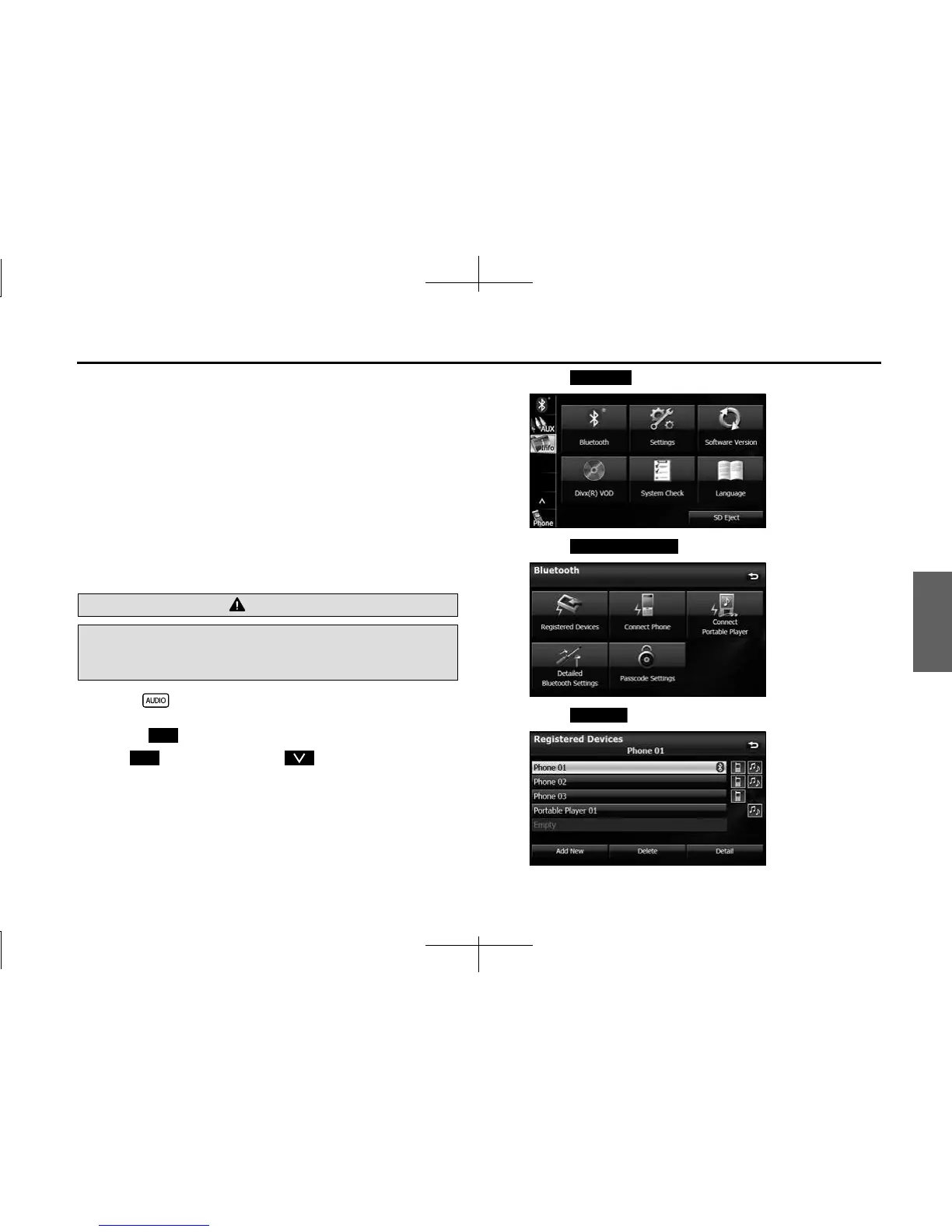
■ Registering a portable device
You can register portable devices on this unit. Up to 5 portable devices
can be registered on the unit. The order of registration precedence is
always 1 to 5. When a portable device is added or deleted, the order of
precedence is updated.
1 Press .
2 Touch .
• If is not displayed, touch .
3 Touch .
4 Touch (Registreted Devices).
5 Touch (Add New).
WARNING
Do not register a portable device while driving. Be sure to park
the vehicle in a safe location and apply the parking brake
before registering a device.
Info
Info
Bluetooth
Registered Devices
Add New














 To Next Page