270 Audio and Visual
How to Operate Portable Audio Devices
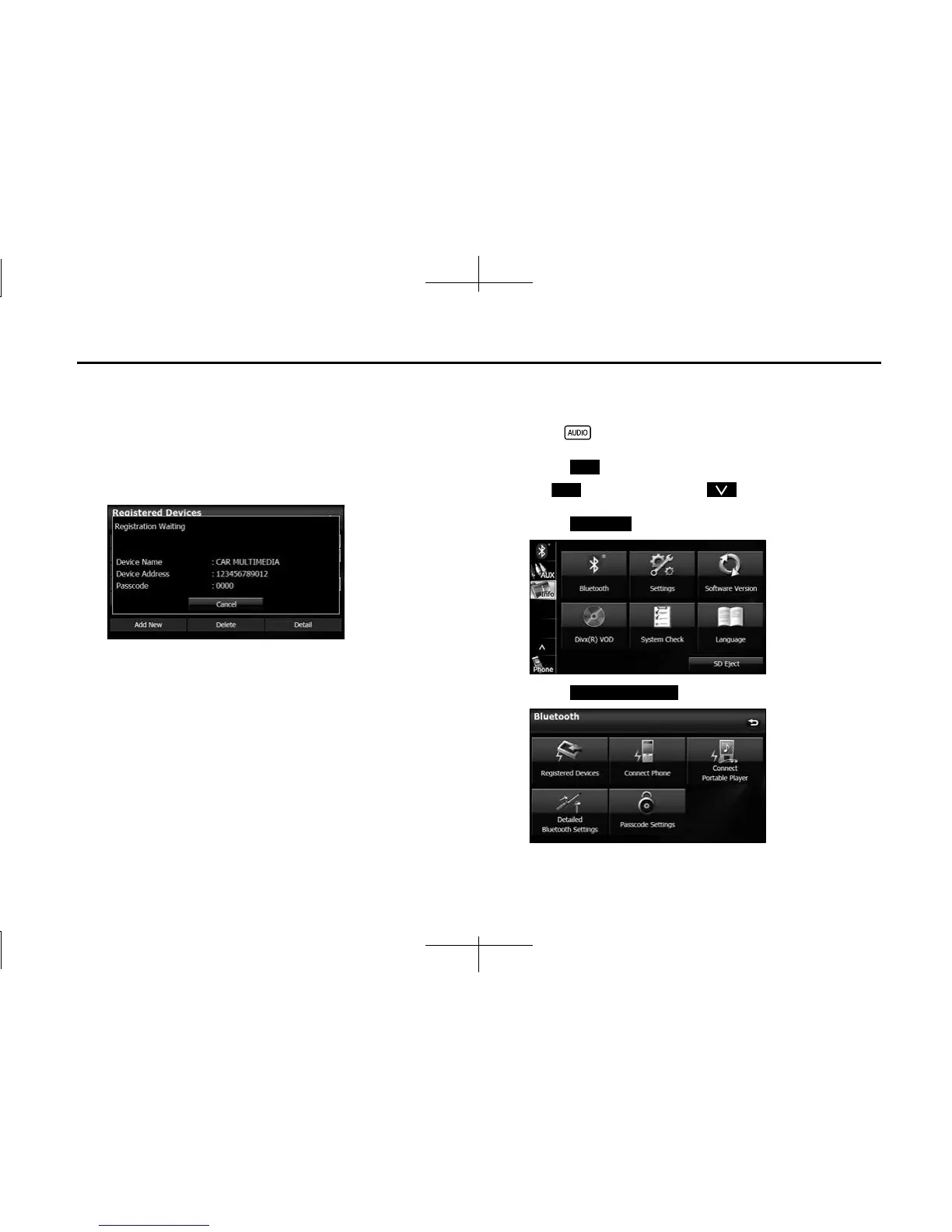
6 Operate the portable device to enter the passcode
(passkey) of the unit.
• The name of the unit is CAR MULTIMEDIA.
• The initial setting for the passcode (passkey) is 0000.
• Operate the portable device while the Registered Devices
screen is displayed.
<Registered Devices screen>
7 When the registration is complete, “Connection
Completed” appears.
• The portable device registration is complete.
• After the registration completed message is displayed,
“Connection established successfully!” appears.
NOTE
• If the registration fails, “Connection failed.” appears on the screen. If this
happens, perform the registration operation again.
• For details of operations on the portable device, see the portable device's
instruction manual.
■ Deleting a portable device registration
You can delete portable devices that are registered on the unit.
1 Press .
2 Touch .
• If is not displayed, touch .
3
Touch .
4 Touch (Registreted Devices).
Info
Info
Bluetooth
Registered Devices














 To Next Page