Audio and Visual 273
How to Operate Portable Audio Devices
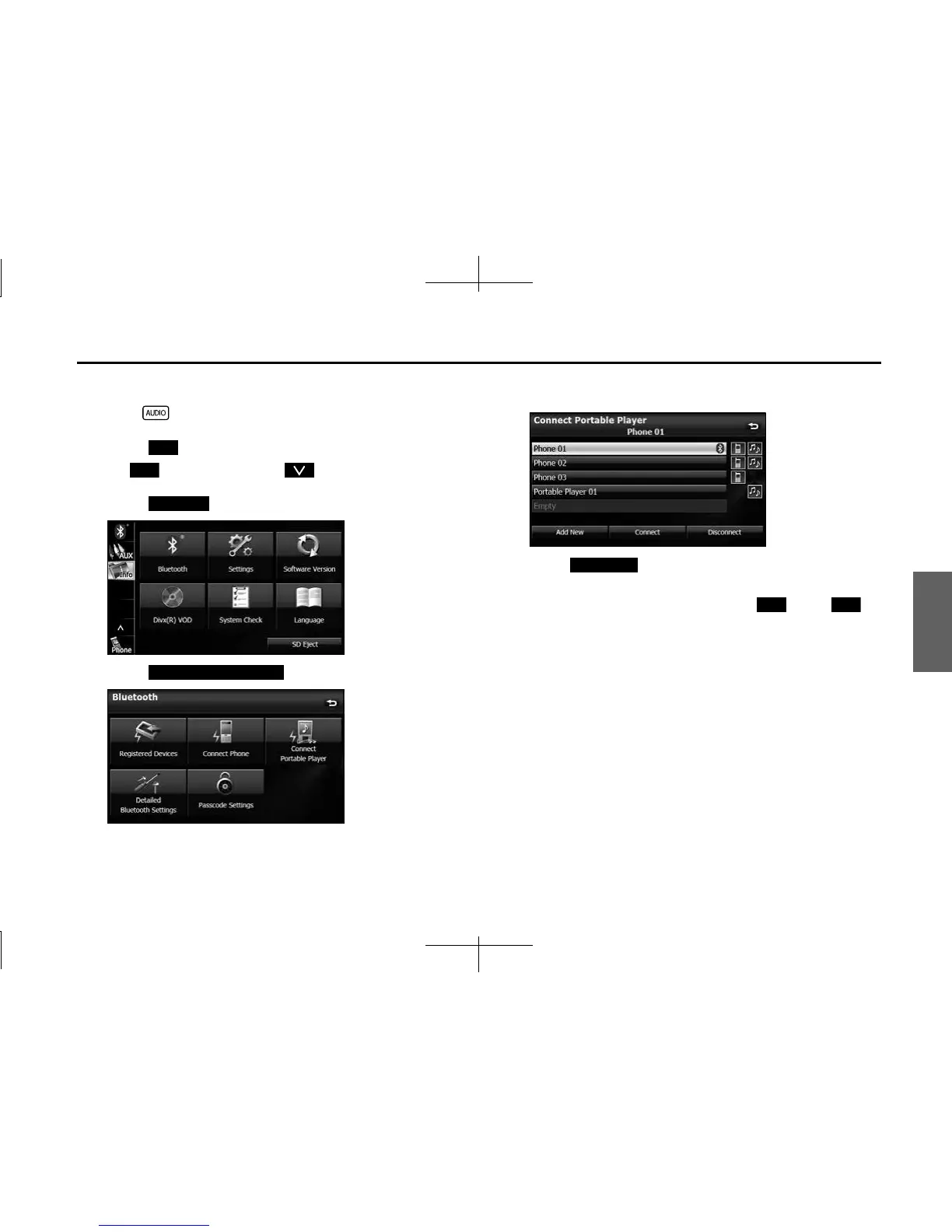
■ Canceling a portable device connection
1 Press .
2 Touch .
• If is not displayed, touch .
3 Touch .
4 Touch (Connect Portable Player).
5 Select the portable device with the connection that you
want to cancel.
6 Touch (Disconnect).
• “Another device is already connected. Do you want to
disconnect this device?” appears. Touch (Yes) or
(No).
7
After touching “Yes”, when the cancelation is complete,
“Connection with the mobile telephone was
disconnected.” appears.
• The cancelation of the portable device connection is complete.
Info
Info
Bluetooth
Connect Portable Player
Disconnect
Yes No














 To Next Page