30 Introduction
Before Use
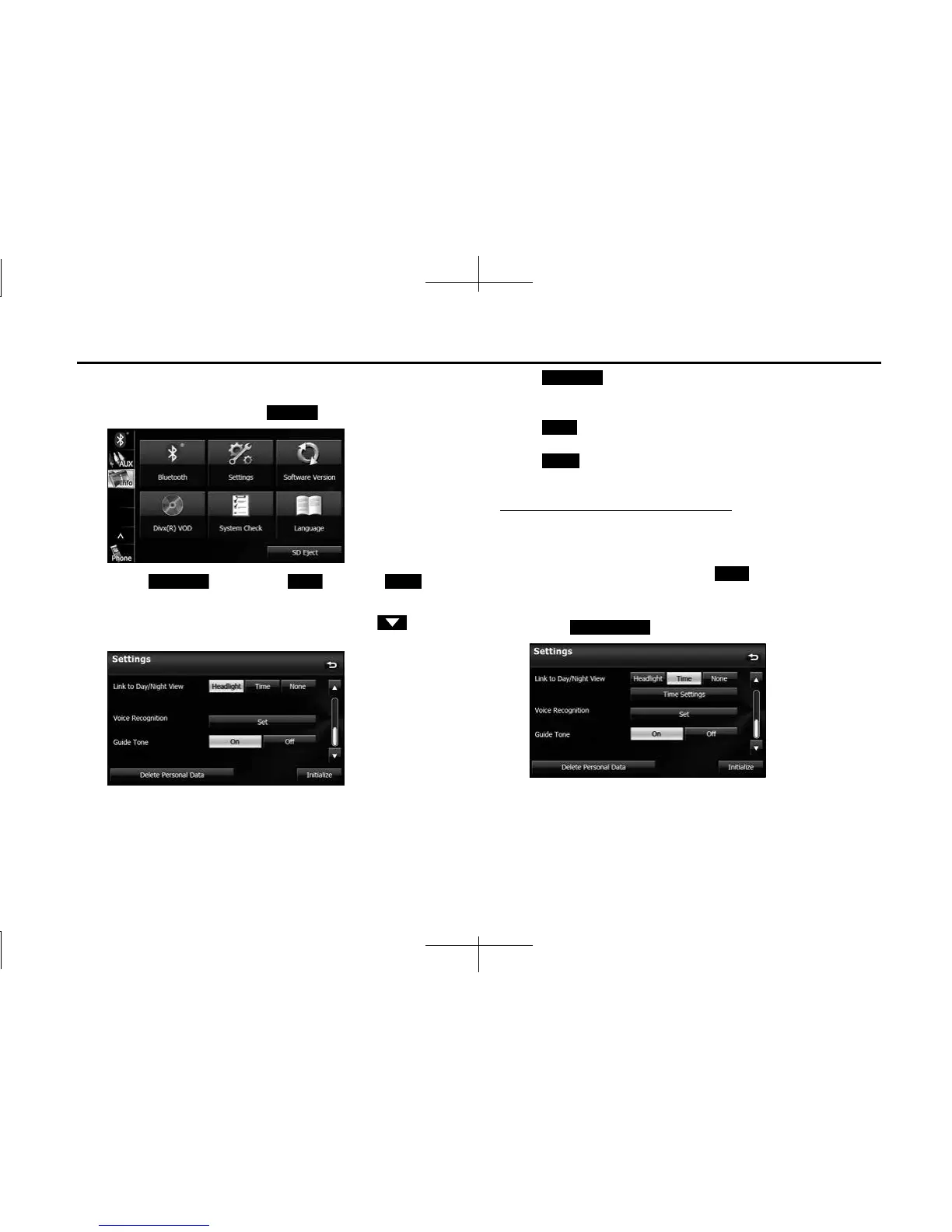
■ Link to Day/Night View setting
1 On the Info screen, touch (Settings).
2 Touch (Headlight), (Time) or
(None) in Link to Day/Night View.
• If Link to Day/Night View is not displayed, touch to
change the page.
• (Headlight):
Change to night view when the lights (sidelights, tail lights,
license plate lights) are turned on.
(Time):
Change to night view or day view at the set times.
(None):
Change to night view or day view manually.
Day/night view changeover time setting
When Link to Day/Night View is set to “Time”, you can set the time at
which to change to the day view.
1 On the Settings screen, touch (Time) in Link to
Day/Night View.
2 Touch (Time Settings).
Settings
Headlight Time None
Headlight
Time
None
Time
Time Settings














 To Next Page