32 Introduction
Before Use
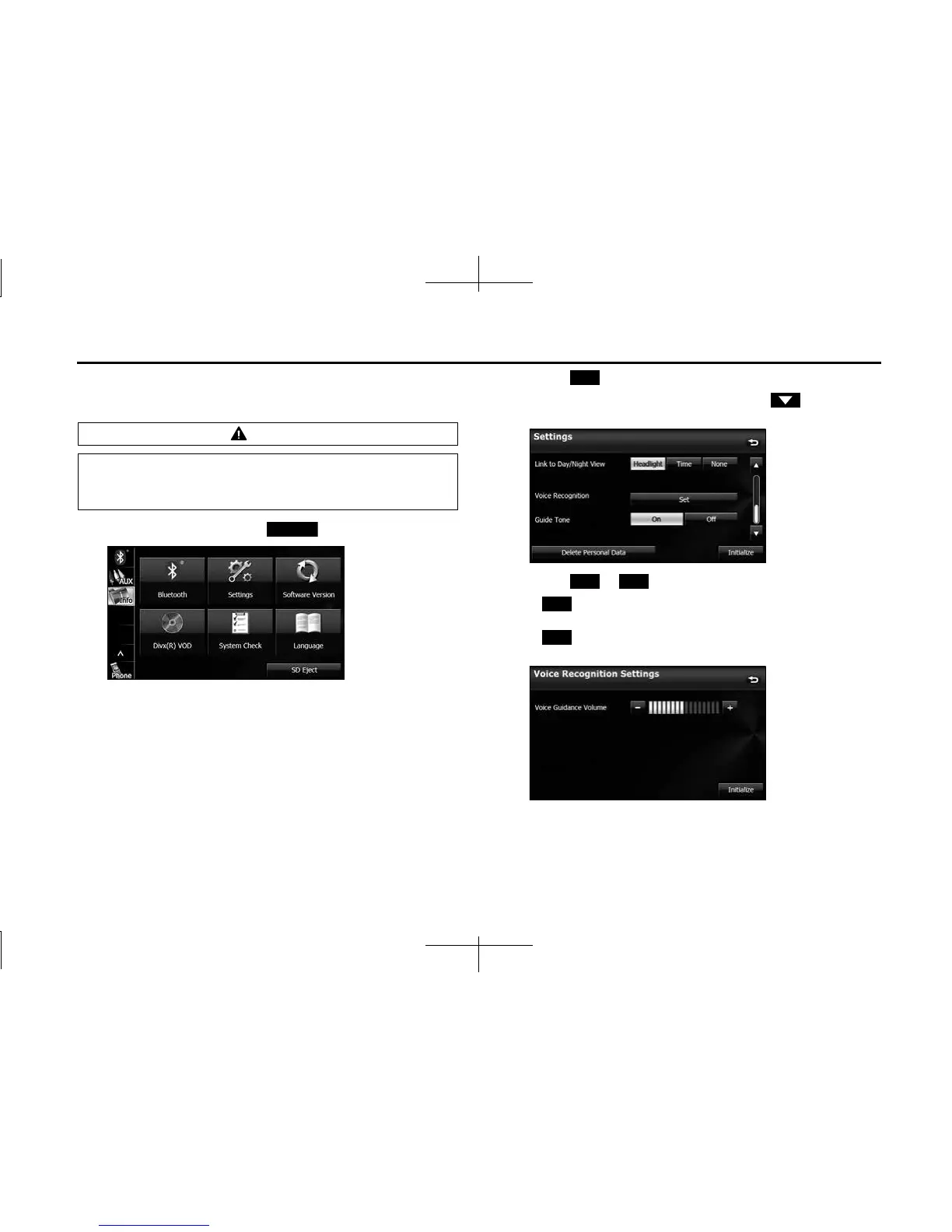
■ Voice recognition setting
You can set the volume of the voice recognition.
1 On the Info screen, touch (Settings).
2 Touch (Set) in Voice Recognition.
• If Voice Recognition is not displayed, touch to change the
page.
3 Touch or .
• (right side):
Volume up
(left side):
Volume down
CAUTION
Be sure to set the volume of the audio at an appropriate level.
Improper volume setting may result in hearing damage or a
traffic accident.
Settings
Set
- +
+
-














 To Next Page