Introduction 33
Before Use
NOTE
• On the Settings screen, touch (Delete Personal Data)
to Initialize your personal data and all settings. (See Page 34.)
• Touch (Initialize) to return the settings in the different screens to
their initial values.
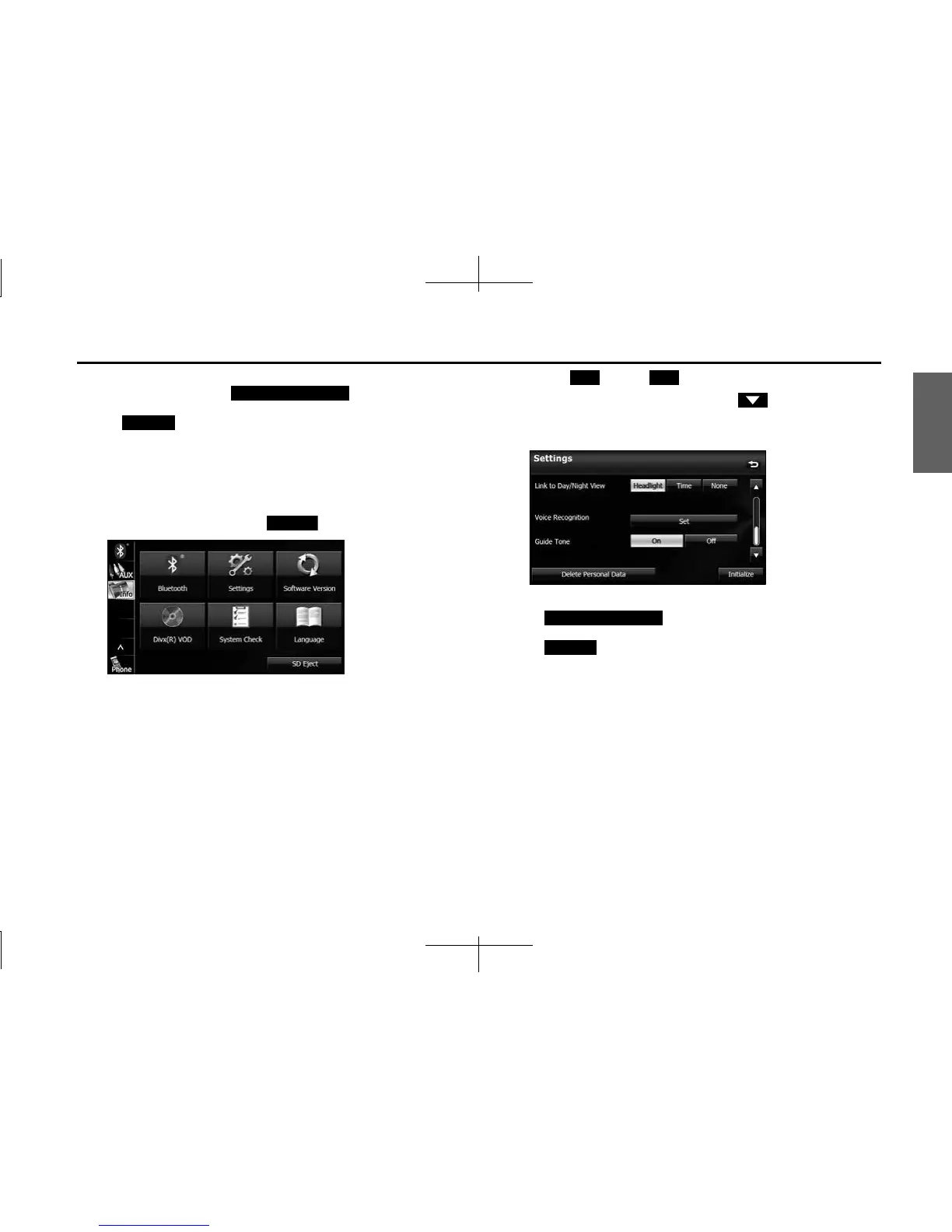
■ Guide tone setting
You can set the sound for button operations to on or off.
1 On the Info screen, touch (Settings).
2 Touch (On) or (Off ) in Guide Tone.
• If Guide Tone is not displayed, touch to change the page.
• When Guide Tone is set to “Off”, button operations do not emit
a sound.
NOTE
• Touch (Delete Personal Data) to Initialize your
personal data and all settings. (See Page 34.)
• Touch (Initialize) to return the settings in the Settings screen to
their initial values.
Delete Personal Data
Initialize
Settings
On O
Delete Personal Data
Initialize














 To Next Page