54 Introduction
Before Use
Adjust the volume for phone calls
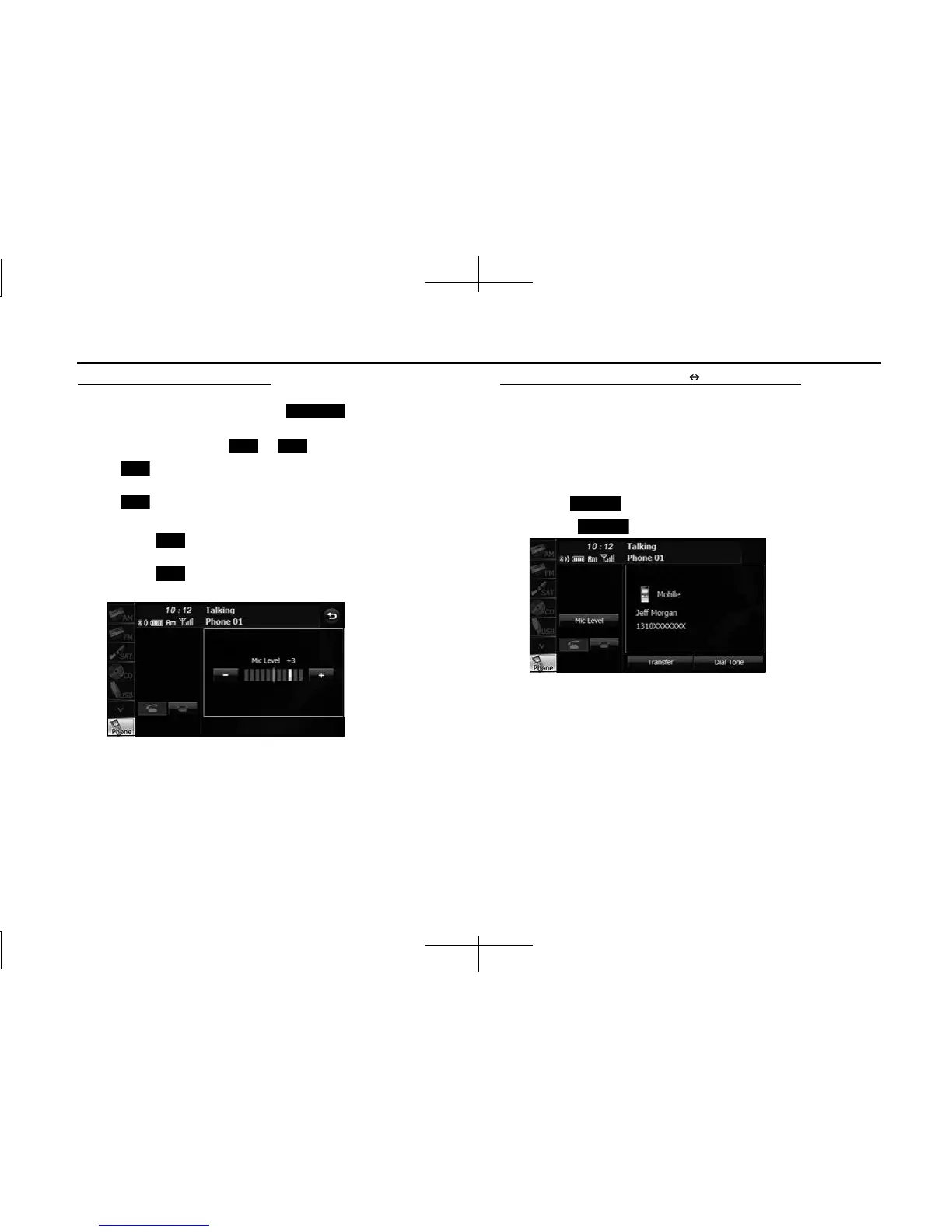
1 On the Talking screen, touch (Mic Level).
2 Adjust by touching or .
•:
Call volume up
:
Call volume down
• Touch for 1 second or more to raise the volume
continuously.
Touch for 1 second or more to lower the volume
continuously.
Transferring a call (private mode handsfree mode)
When using a Bluetooth cell phone, you can transfer calls between the
unit and the cell phone.
The call is switched from a handsfree call to a cell phone call, or from a
cell phone call to a handsfree call.
Operating with the screen
1
Touch (Transfer).
• Touch (Transfer) again to switch to a handsfree call.
Operating with the cell phone
You can transfer calls while making a call, while talking, while receiving
a call, and while a call is on hold.
• Switch from a cell phone call to a handsfree call to enable touch
button operations.
• The transfer method and operations vary depending on the type of
cell phone. For details of operations on the cell phone, see the
instruction manual that is supplied with the cell phone.
Mic Level
+ -
+
-
+
-
Transfer
Transfer














 To Next Page