58 Introduction
Before Use
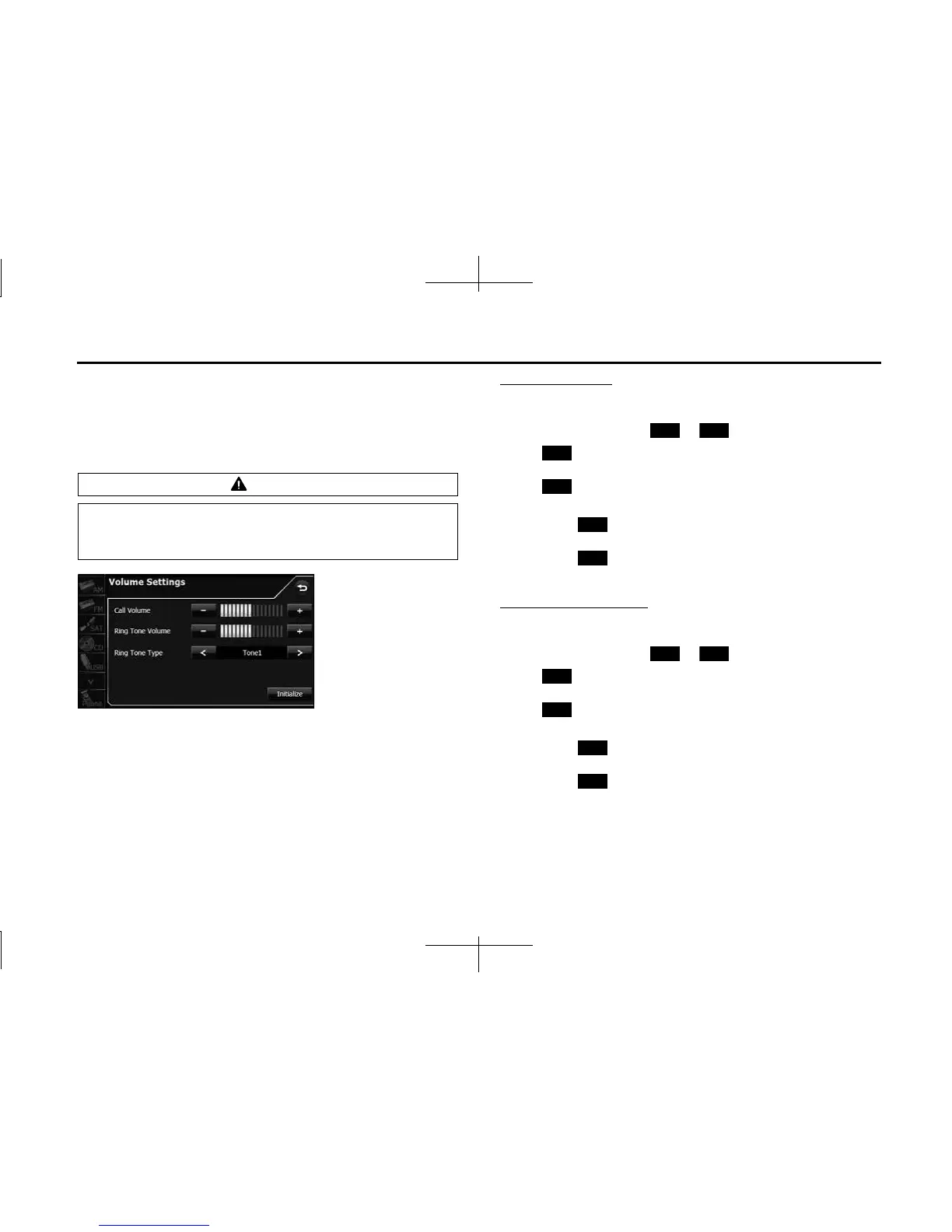
■ Volume setting (handsfree)
You can set the handsfree volume on the Volume Settings screen. You
can perform settings individually for each registered cell phone. For
details on switching the cell phone, see “Connecting a cell phone” on
Page 46.
Call Volume setting
You can adjust the call volume.
1 Adjust by touching or .
•:
Call volume up
:
Call volume down
• Touch for 1 second or more to raise the volume
continuously.
Touch for 1 second or more to lower the volume
continuously.
Ring Tone Volume setting
You can adjust the volume of the ringtone.
1 Adjust by touching or .
•:
Ringtone volume up
:
Ringtone volume down
• Touch for 1 second or more to raise the volume
continuously.
Touch for 1 second or more to lower the volume
continuously.
CAUTION
Be sure to set the volume of the audio at an appropriate level.
Improper volume setting may result in hearing damage or a
traffic accident.
+ -
+
-
+
-
+ -
+
-
+
-














 To Next Page