10
Controls
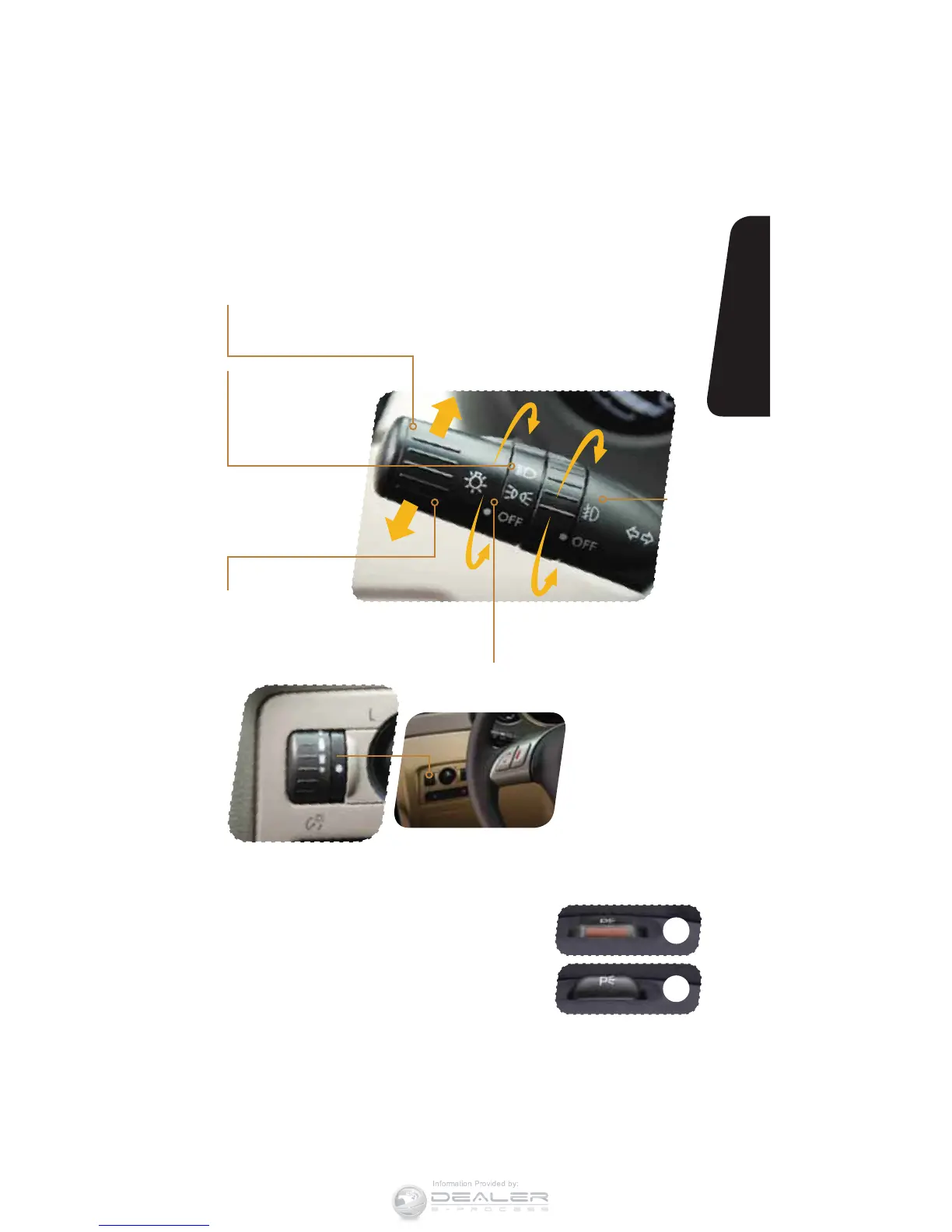
When the dial is turned
downward, illumination
becomes dim. When the
dial is turned upward,
illumination becomes bright.
When the dial is fully turned
upward while the light switch
is on, instrument panel
illumination becomes bright.
Parking Light Switch
The switch is located on the top of the
steering column. Press the switch to turn
the lights on or off. This control operates
the parking lights, rear side marker lights,
tail lights and license plate lights when the
ignition is off.
Light Controls
Turns on instrument panel lights,
tail lights, parking lights and license
plate lights.
Turns on headlights,
instrument panel
illumination, parking
lights, taillights and
license plate lights.
Turns on
fog lights
(if equipped).
Push up for right
turn signal.
Push down for
left turn signal.
ON
OFF













 To Next Page