16
Controls
t1VTIUIFTXJUDI
to increase or
reduce volume.
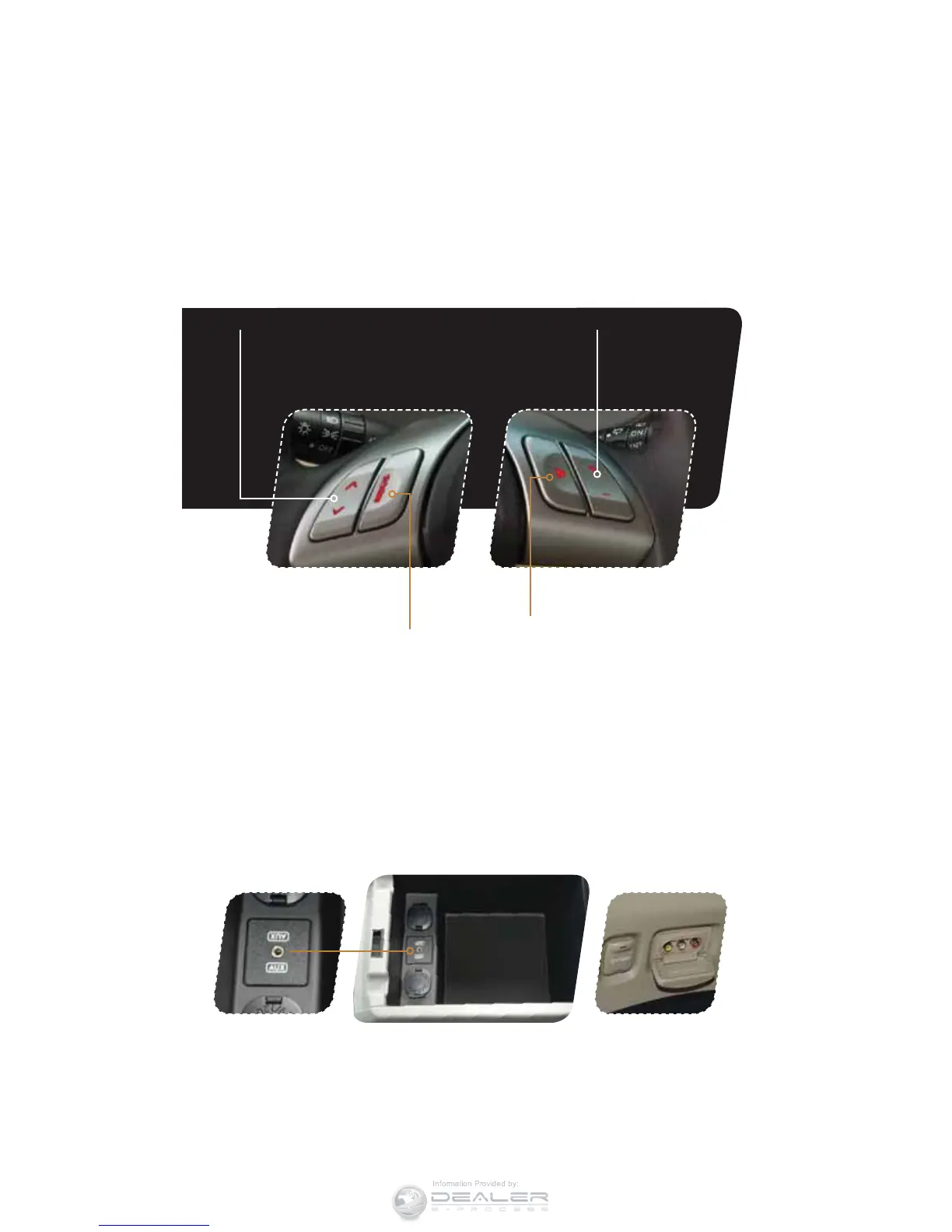
Auxiliary Input Jack
(Inside center console) The auxiliary input
jack is located inside the console box. You
can connect a portable music device to the
jack and hear music stored in the portable
device through the vehicle speakers. When
a portable music device is connected to the
auxiliary input jack inside the console box,
you cannot hear sound from the Rear Seat
Entertainment through the audio.
Rear Seat Entertainment
AUX (if equipped)
The rear seat entertainment aux is located
on the driver’s side rear interior panel. When
other portable devices are connected to
the auxiliary input jacks and the vehicle is
equipped with a Rear Seat Entertainment
system, it is possible to play the sound from
each device through the speakers. Each
QSFTTPGUIFi"69wPSi3&4"69wCVUUPO
changes the device selected for audio
output to the next one in the sequence.
Steering Wheel Audio Controls (if equipped)
t1SFTTUIFCVUUPOUPTFMFDUUIF
desired audio mode – FM,
AM, SAT, CD, AUX, MEDIA.
t8JUIBOZPGUIFSBEJPNPEFTTFMFDUFEQVTI
the switch up or down to nd the desired
frequency. In CD mode, push the switch up
or down to skip forward or back a track.
t1SFTTUPTIVUPGG
the sound.













 To Next Page