14
Controls
7
Audio Controls
Radio Functions
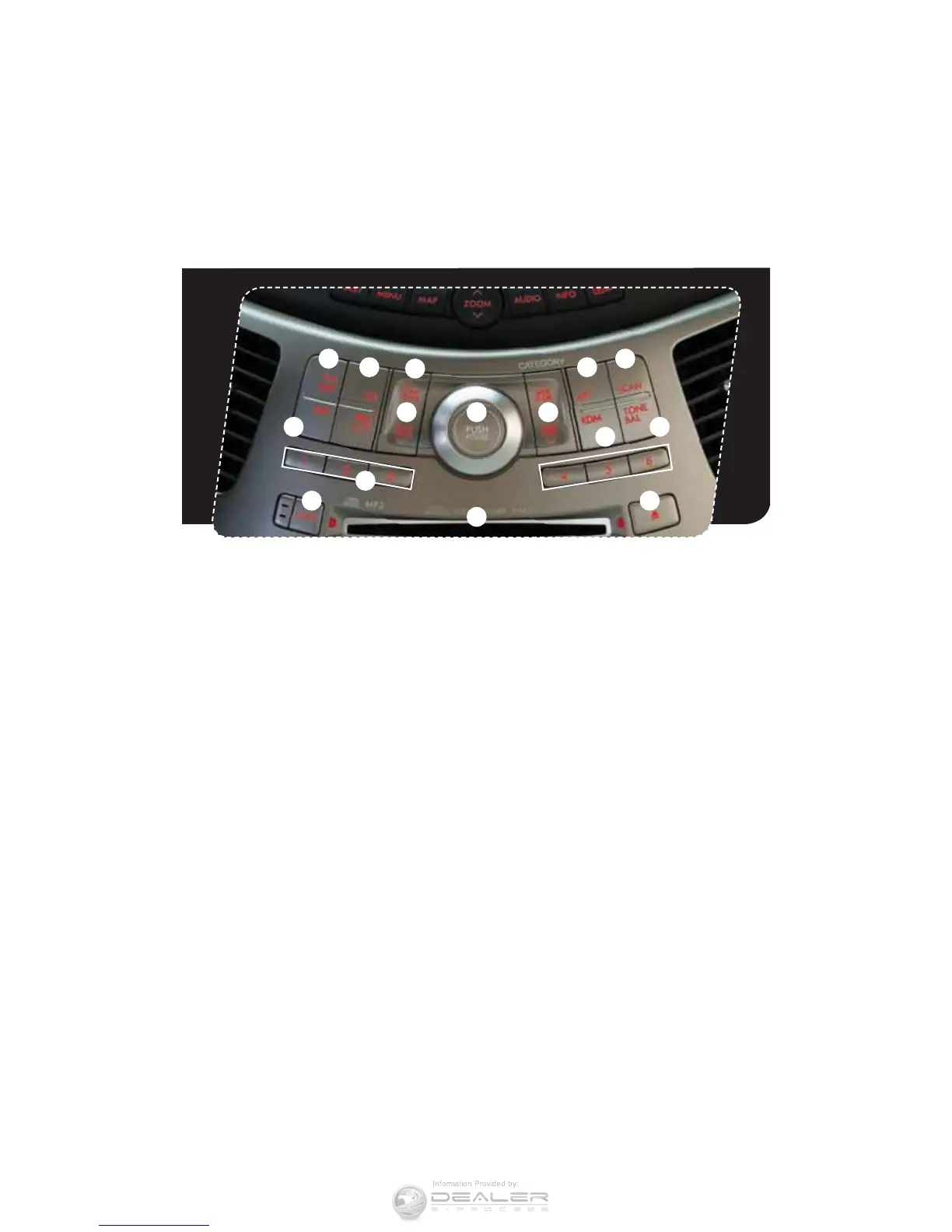
1. Power/Volume Control
1VTIUIFi108&370-wLOPCGPSPOPS
off; turn the knob to control volume.
2. Bass, Treble, Balance, Fader
&BDIQSFTTPGUIFi50/&#"-wCVUUPO
will cycle you through Volume, Bass,
Midrange, Treble, Fade, or Balance. Use
UIFi108&370-wLOPCUPBEKVTUUIF
desired tone or mode.
3. FM/AM
Push to choose FM1, FM2 or
AM reception.
4. Tune/Track
Press the up arrow to increase the tuning
frequency; press the down arrow to
decrease it.
5. Seek
1SFTTUIFVQPSEPXOBSSPXPGUIFi4&&,
'-%3wCVUUPOUPQJDLVQUIFOFYUIJHIFTU
or lowest frequency.
6. Presets
You can save up to six favorite stations for
each band – FM1, FM2, and AM. Select
a frequency and press one of the preset
buttons until a conrmation beep is heard.
7. Satellite Radio (if equipped)
You can hear satellite radio programs
CZQSFTTJOHUIFi4"5wCVUUPO5PSFDFJWF
satellite radio service after your trial
period, it is necessary to enter into a
separate contract with the satellite
radio provider.
CD Player Functions
8. Load (six-disc player)
1SFTTUIFi-0"%wCVUUPOBOEBOBWBJMBCMF
QPTJUJPOXJMMCMJOL1SFTTUIFi%*4$
4&-&$5wCVUUPOBUUIFQPTJUJPO
where you want to insert a disc. When the
i-0"%wJOEJDBUPSþBTIFTJOTFSUUIFEJTD
The disc will automatically be drawn in
and will begin play at the rst track.
118
14
12 5
4
2
15
13
9
1
3
10
6













 To Next Page