13
Getting
Started
Instrument
Panel
Gauges
Personalize Controls While
Operating
Safety / In Case
of Emergency
Additional
Information
tarte
m
n
Panel
ges
son
z
trols
Operating
e
of Emergency
n
Information
Controls
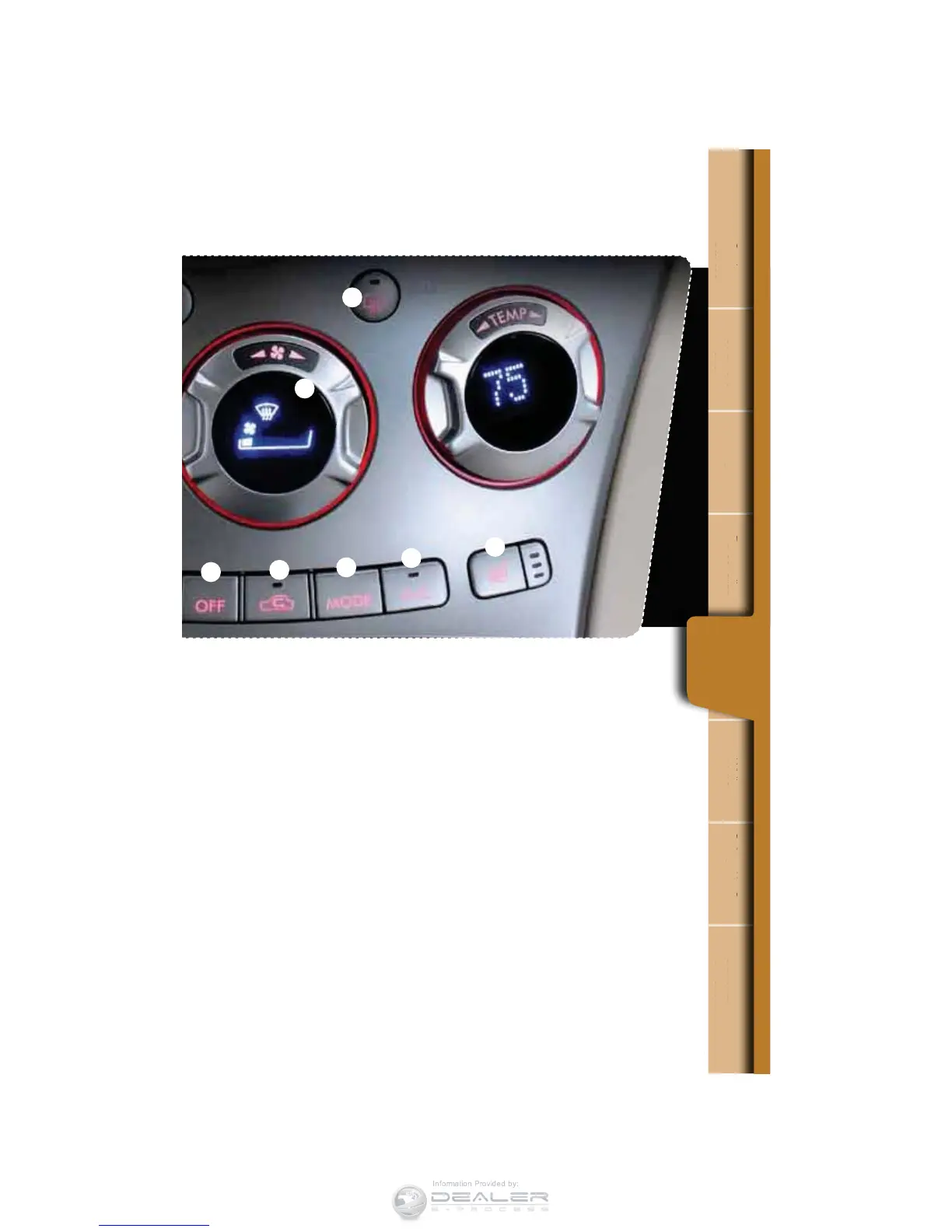
6. Recirculated/Outside Air
Press the air inlet selection button to
prevent outside air from being drawn
into the passenger compartment.
Press the button again to allow
outside air into the compartment.
TO PREVENT WINDSHIELD
FOGGING, DO NOT REMAIN IN THE
RECIRCULATED MODE FOR ANY
EXTENDED PERIOD OF TIME.
7. Fan Speed
Turn the fan speed control dial to
select one of six fan speeds. Turn the
dial clockwise to increase fan speed;
turn it counterclockwise to decrease.
Fan speed level is shown on the
EJTQMBZPGUIFEJBM1VTIUIFi"650w
button to automatically change the
fan speed to correspond with various
temperature conditions.
8. Air Flow
1VTIUIFi.0%&wCVUUPOUPTFMFDU
the desired air ow mode: ventilation,
bi-level, heat or heat-defrost will
be displayed on the fan speed
control dial.
9. Rear Window Defogger
To defog the rear window and exterior
mirrors, press the rear window
defogger button. The defogger will
automatically shut off in about 15
minutes. To manually shut it off, press
the button again.
10. Air Conditioning
1SFTTUIFi"$wCVUUPOUPBDUJWBUFUIF
air conditioning. Press it again to turn
the air conditioning off.
3
5
6
8
9
10
7













 To Next Page