3
Getting
Started
Instrument
Panel
Gauges
Personalize Controls While
Operating
Safety / In Case
of Emergency
Additional
Information
3
Getting
Started
Seating
Power Driver’s Seat:
Memory
(if equipped)
You can memorize two seat positions.
To memorize seat positions:
3. 1SFTTUIFi4&5wCVUUPO
4. Within ve seconds after pressing the
i4&5wCVUUPOQSFTTUIFiwPSiwCVUUPO
A buzzer will sound one time to inform
you that the memorizing is nished.
To move the seat to a memorized position
XJUIUIFWFIJDMFTFMFDUPSMFWFSJOi1w1BSL
QPTJUJPOQSFTTFJUIFSUIFiwPSiwCVUUPO
The seat will move to the stored position.
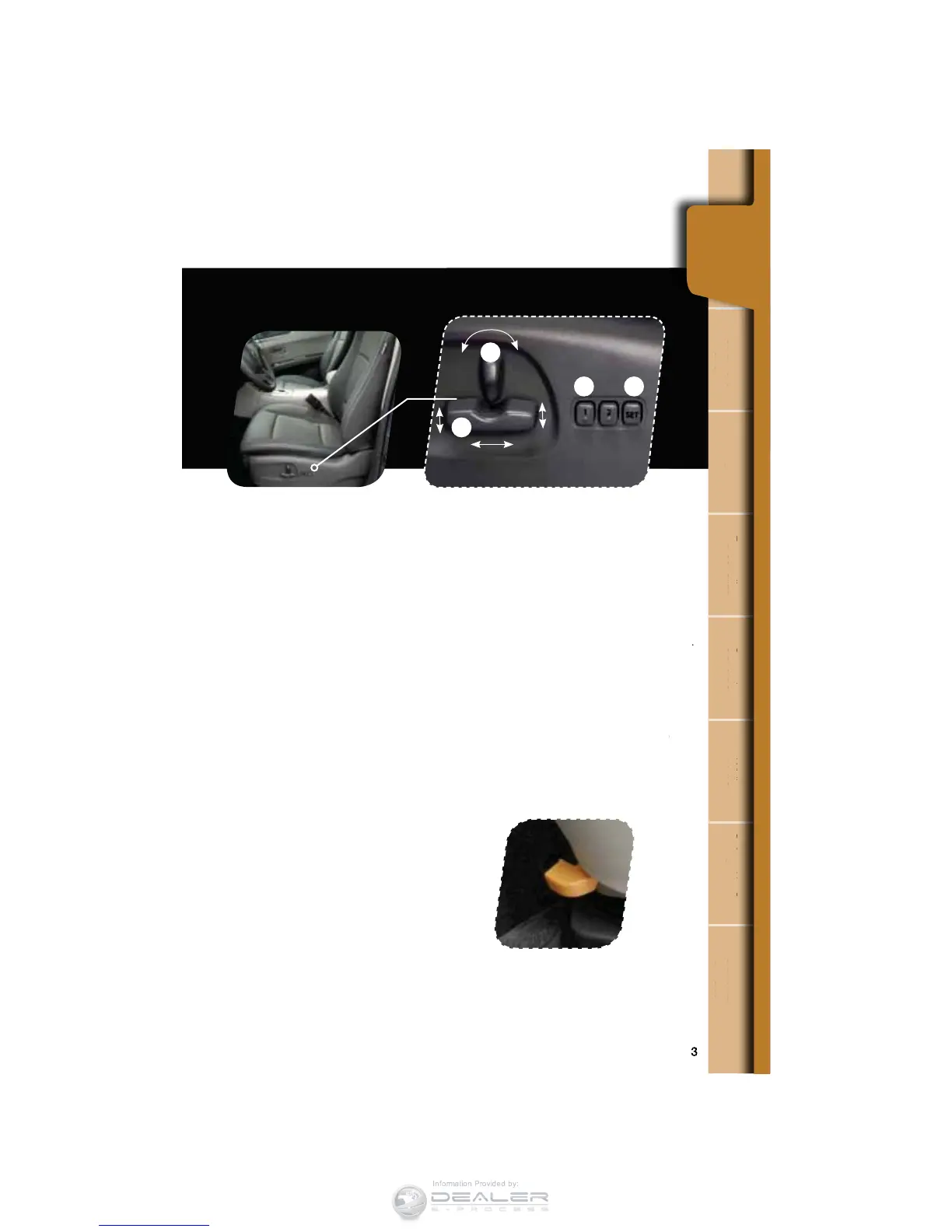
Power Driver Seat:
8-way Adjust
1. Forward/Backward, Angle
and Height
Move the switch toward the front or rear
to move the seat forward or backward.
Pull the switch up or push down on the
front of the switch to adjust the angle
of the seat cushion. Pulling the switch
straight up or pushing the switch straight
down will adjust the height of the entire
seat cushion.
2. Seatback
Move the switch in the corresponding
direction to adjust the angle of
the seatback.
Midway Stopping Feature
for 2nd Row Seats
The 2nd row seats are equipped with
a midway stopping feature on the
sliding mechanism. Release the midway
stopping feature by pushing the lever
located on the outside of the 2nd row
seat forward and slide the seat.
m
n
Panel
ges
son
z
Operating
e
of Emergency
n
Information
tin
tarte
.
on
PO
.
Getting
Started
1
2
34













 To Next Page