15
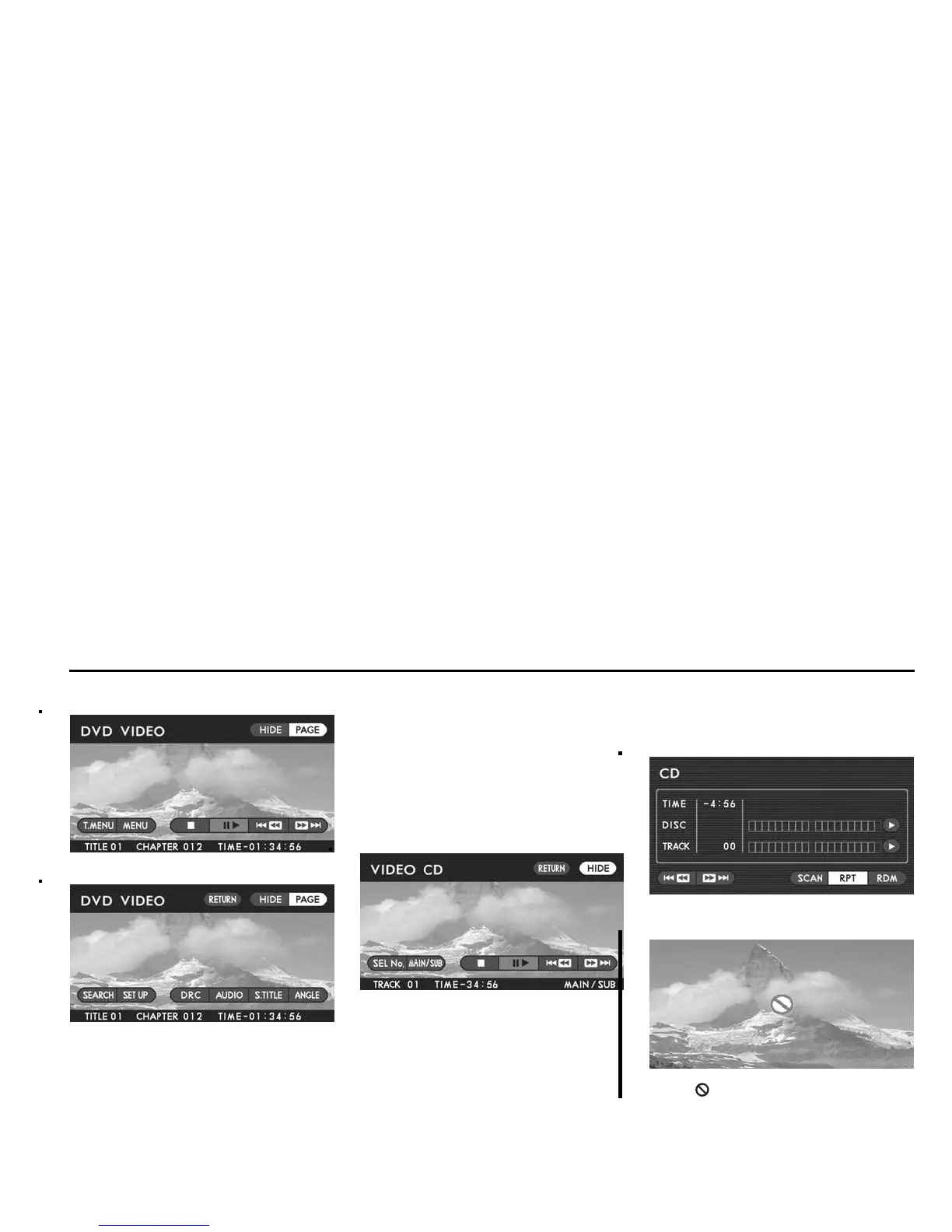
DVD Video Menu 1
DVD Video Menu 2
When playing a DVD video disc, different
control switches are displayed on the
screens for Menu 1 and Menu 2 (Menu 1
screen appears first when the “CURSOR”
button is pressed). Switch between the
two screens when necessary by highlight-
ing the “PAGE” switch on the screen with
the joystick and then pressing the “EN-
TER” button.
To make the switches disappear from the
screen, push the remote control’s “CUR-
SOR” button again or highlight the “HIDE”
switch on the screen with the joystick and
then press the “ENTER” button. If you
highlight and execute the “HIDE” switch,
the TITLE number, CHAPTER number
and playback time at the bottom of the
screen also disappear.
Video CD Menu
To make the switches disappear from the
screen, push the remote control’s “CUR-
SOR” button again or highlight the “HIDE”
switch on the screen with the joystick and
then press the “ENTER” button. If you
highlight and execute the “HIDE” switch,
the TRACK number and playback time at
the bottom of the screen also disappear.
NOTE
The “RETURN” switch is displayed on
the VIDEO CD menu only when you
play a video CD version 2.0.
Music CD Menu
NOTE
If the “ ” mark appears on the screen
when you select a control switch, it will
not be possible to select or execute the
switch.
Basic Operations













 To Next Page