12
System and operation
2.2.3 Dive.Log
With Dive.Log you can configure Subgear XP-3G, transfer dive data to a personal computer
and graphically display the data. To start the communication, turn on Subgear XP-3G and
place it so that its infrared port is in front of the infrared interface. If Subgear XP-3G detects
an infrared device within range
appears.
Configuring Subgear XP-3G
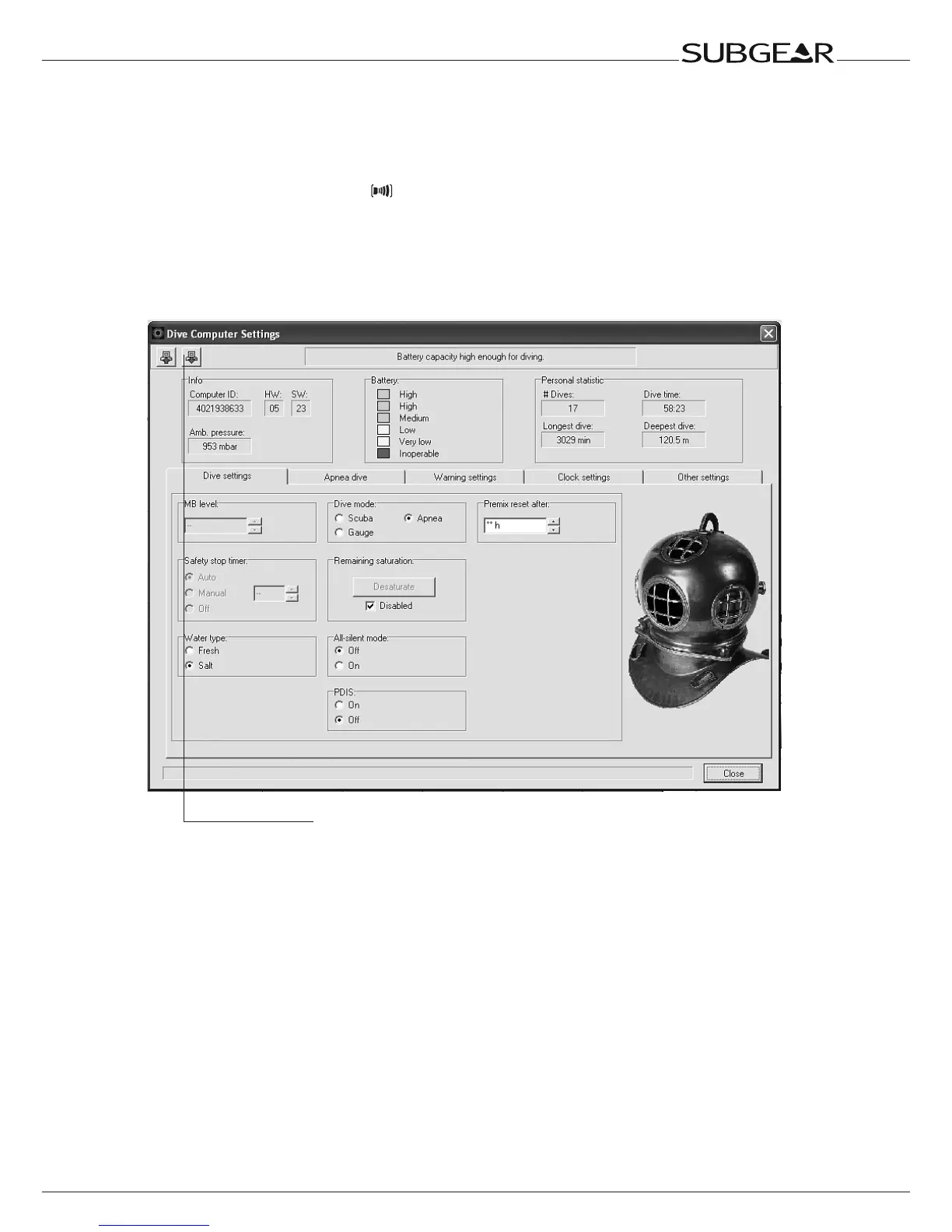
To configure Subgear XP-3G, select “Dive Computer Settings” under “OPTIONS” on the
main menu bar of Dive.Log after having established communication between your PC and
Subgear XP-3G. The following window will appear:
When making any changes to the settings via Dive.Log, you must
press the "Write" icon for the changes to take effect.



 To Next Page