35
Diving with Subgear XP-3G
English
WARNING
OnalldiveswithSubgearXP-3G,makeasafetystopforatleastthreeminutesatadepthof5m(15ft).
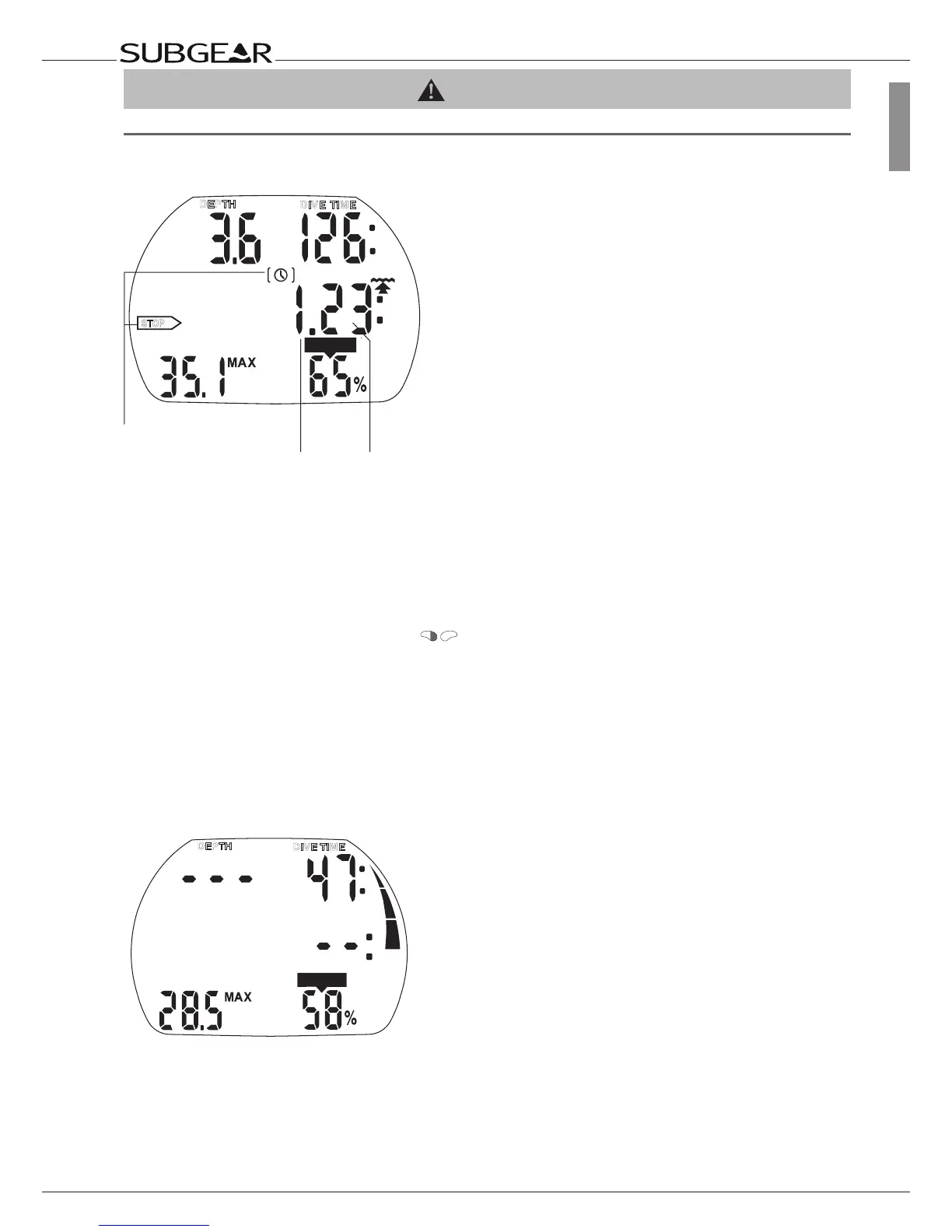
3.4.11 Safety stop timer
STOP
CNS O
2
%
DEPTH
DIVE TIME
Safety Stop
icons
Remaining time span
(minutes / seconds)
The safety stop timer displays the time span a diver should spend at the safety stop depth at the end
of the dive. The timer starts automatically when depth is shallower than 6.5 m and counts back from 3
minutes (default) to zero. It can be restarted manually any number of times. The duration of the timer
can be set between 1 and 5 minutes.
The safety stop timer will be activated under the following conditions:
depth <6.5 m
(21ft)
, no-stop
display 99 min, gauge mode is switched off, stop time is selected (1-5 min) at set 1 menu.
Activate the safety stop timer by pressing . The timer begins to count backwards and a bookmark
will be created in the dive profile. If you press again, the timer will start again from the full value.
The safety stop timer will switch off automatically if the depth exceeds 6.5 m (21 ft) or the no-stop phase
is shorter than 99 minutes.
3.5 Functions at the surface
3.5.1 End of a dive
Depth less than 0.8m (3ft)
After reaching the surface (<0.8m/3ft) Subgear XP-3G remains in dive mode for 5 minutes. The delay
allows for surfacing for a short period for orientation.
After 5 minutes the dive is closed and it is entered into the logbook. The time of day is then displayed
for 3 minutes, after which the computer turns off.



 To Next Page